
When I was in school, our teacher would hand out massive textbooks and remind us that everything we needed was “in there.” The challenge wasn’t whether the information existed, it was how long it took to find the one chart, rule, or formula buried inside hundreds of pages.
Many teams feel the same with their documents today. You’ve already digitized invoices, contracts, and delivery notes, which is a strong step forward. Without a way to pull the right details out quickly, that effort risks turning into a treasure hunt with possibly no treasure at the end of it.
In this article, we’ll explain the concept of automated data extraction and how it can help you pull out critical data from your documents.
What is automated data extraction?
Automated data extraction is the process of pulling important information from documents without needing someone to do it manually. It works with PDFs, scanned forms, emails, spreadsheets, and more.
It uses tools like OCR, AI, or both to read and understand what’s in the document, pick out the right fields, and pass that information to your systems.
For example, an automated data extraction tool can read a supplier invoice, extract the part numbers and totals, and reroute to human review when confidence thresholds drop.
How does automated data extraction help manufacturing and logistics teams?
Automated data extractions helps with the following things in your business:
1. Helps prevent small errors from becoming big losses
Manual data entry might seem harmless at first, but small mistakes quickly spiral out of control. James Mitchell, CEO of Workshop Software describes his experience very well:
“A single wrong digit in a VIN or invoice amount doesn't just slow down admin. It can create compliance headaches, lost revenue, and frustrated customers.
We once worked with a repair shop that spent 12 hours reconciling accounts because of a single manual entry error. Multiply that across thousands of jobs, and it's clear why manual systems keep workshops trapped in inefficiency.”
Automated data extraction helps manufacturing and finance teams catch these errors early. It captures data directly from documents and validates inputs as they come in. Instead of letting faulty data pass through unnoticed, the system flags problems on the spot, before they escalate.
2. Helps catch issues in data quality before it spreads
When bad data enters your system at the source, it infects every downstream process: order systems, inventory, billing, compliance.
The price tag is steep: 31% of revenue suffers because of poor data quality.
Automated data extraction prevents this issue by accurately extracting details from your documents. Let’s say a supplier sends a purchase order as a scanned PDF. When entered into an intelligent document processor, it reads the document and pulls out different fields.
As it extracts, it checks for common issues:
- Does the part number match the catalog?
- Is the quantity missing or unusually high?
- Is the delivery date in the right format and timeframe?
If anything looks off, the system flags it before the data flows into inventory, scheduling, or vendor systems. This way, you identify data quality issues before it spreads and ripples outwards.
3. Helps standardize data across systems
As a manufacturing or finance leader, when you start rolling out automated data extraction, you’ll likely run into one big challenge: inconsistent data.
Nikita Sherbina, Co-founder & CEO at AIScreen, ran into the same issue:
“Our procurement team would log supplier invoices differently from accounts payable, which caused duplicate entries and reconciliation errors. When we implemented an automation tool, it flagged hundreds of mismatches because the system wasn't aligned with every team's template.”
To combat this, you have to lead the change of standardizing data inputs. Here’s what Sherbina did:
“I led a cross-functional effort to standardize data inputs, create validations, and train teams on format rules. I also scheduled training sessions so teams understand proper formats.”
That might sound like a heavy lift upfront—but it saves you from hundreds of small errors (and hours of cleanup) later. Sherbina’s results made it worth it:
“Once aligned, the automation tool reduced errors by 75% and cut processing time in half.”
So this way, automated data extraction helps every system speak the same language. It enforces format rules, validates fields, and ensures that what goes into your automated data extraction systems follows a shared structure.
4. Helps reduce operational bottlenecks from manual entry
Manual data entry often diverts your most skilled teams—like IT or operations—into tedious, repetitive tasks. So much so that employees spend an average of over 9 hours per week transferring data from emails, PDFs, spreadsheets, and forms into digital systems.
Those hours don’t just disappear, they become bottlenecks that slow manufacturing, procurement, dispatch, and analysis pipelines.
An automated data extraction tool, on the other hand, takes this load off of your team members. It also reduces the dependency on specific individuals. Even when key team members are out, your workflows keep moving without slowing down
What are the different types of data?
There are different types of data in an organization, here are the broad types:
1. Structured data
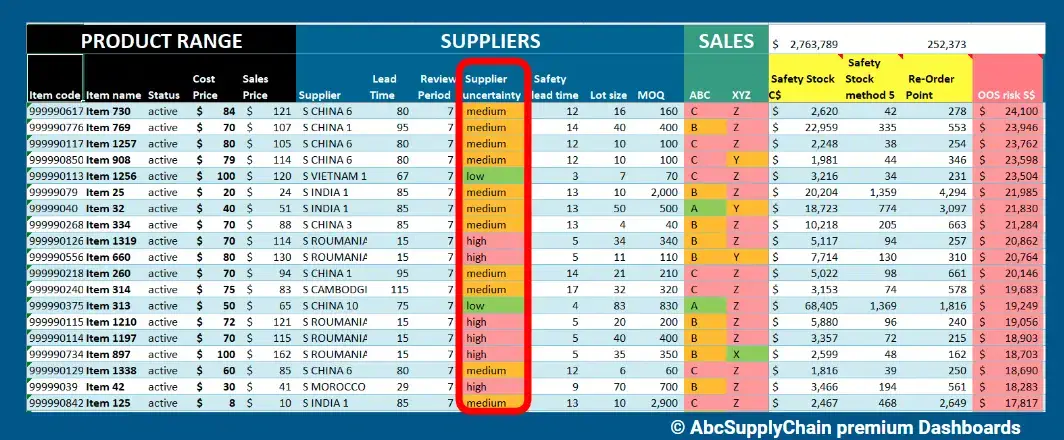
An image showing an example of structured data with columns like item name, status, cost price, sales price and more
Structured data is information that follows a fixed format and sits neatly in rows and columns. You can easily sort, filter, or analyze it using tools like Excel, ERPs, or SQL databases.
It’s consistent, highly organized, and easy for machines to process. Common fields include invoice numbers, product codes, dates, or order quantities.
For example, a manufacturing ERP storing supplier names, part numbers, and lead times is structured data.
2. Semi-structured data
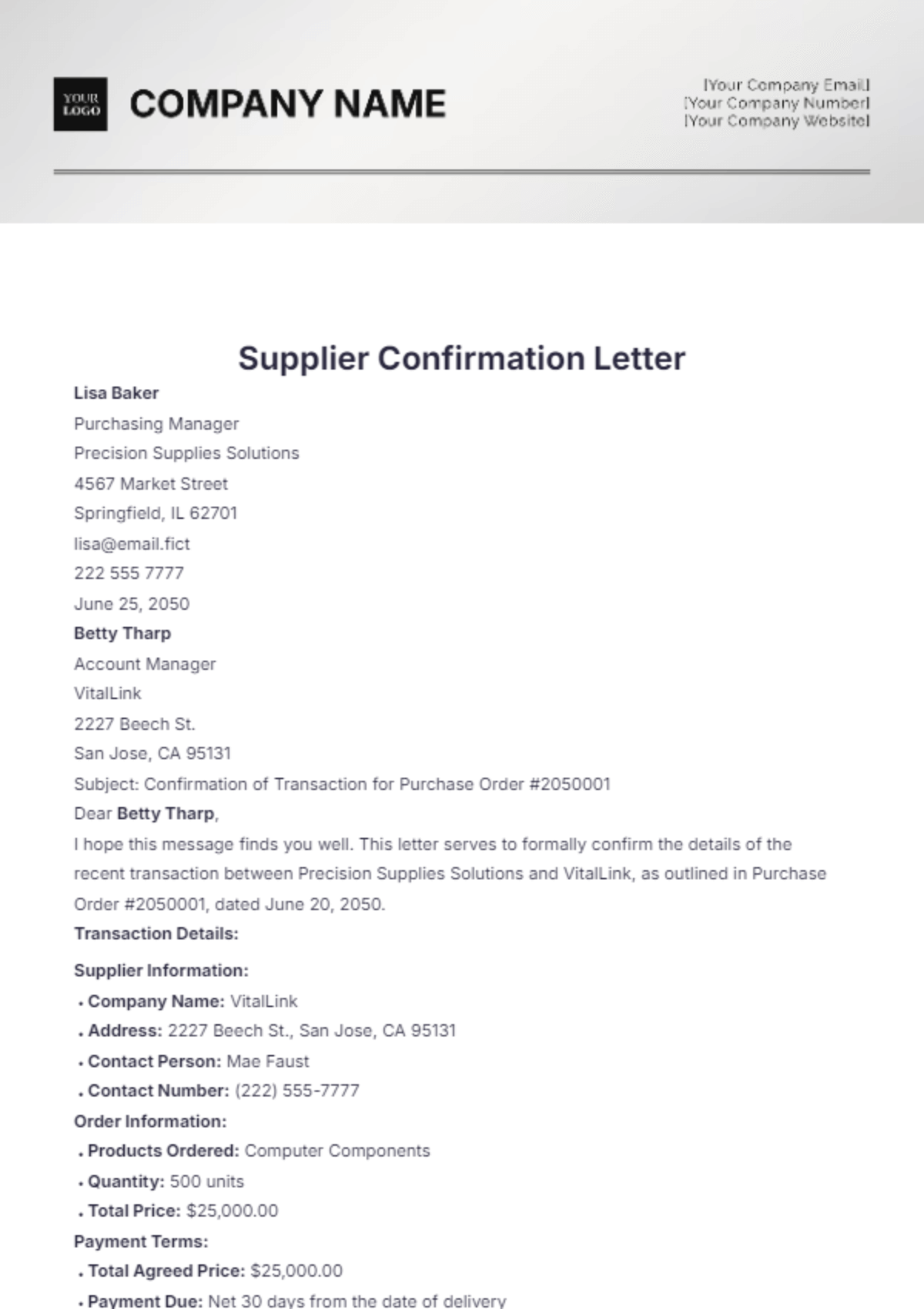
An image showing an example of unstructured data with supplier and product details
Semi-structured data doesn’t follow a strict row-and-column format, but it still has some organization that makes it readable by machines. It often uses tags or markers to separate elements.
It’s more flexible than structured data and can vary in format, but you can still extract key fields with the right tools.
For example, an email from a supplier confirming delivery with part numbers and dates is semi-structured data.
3. Unstructured data
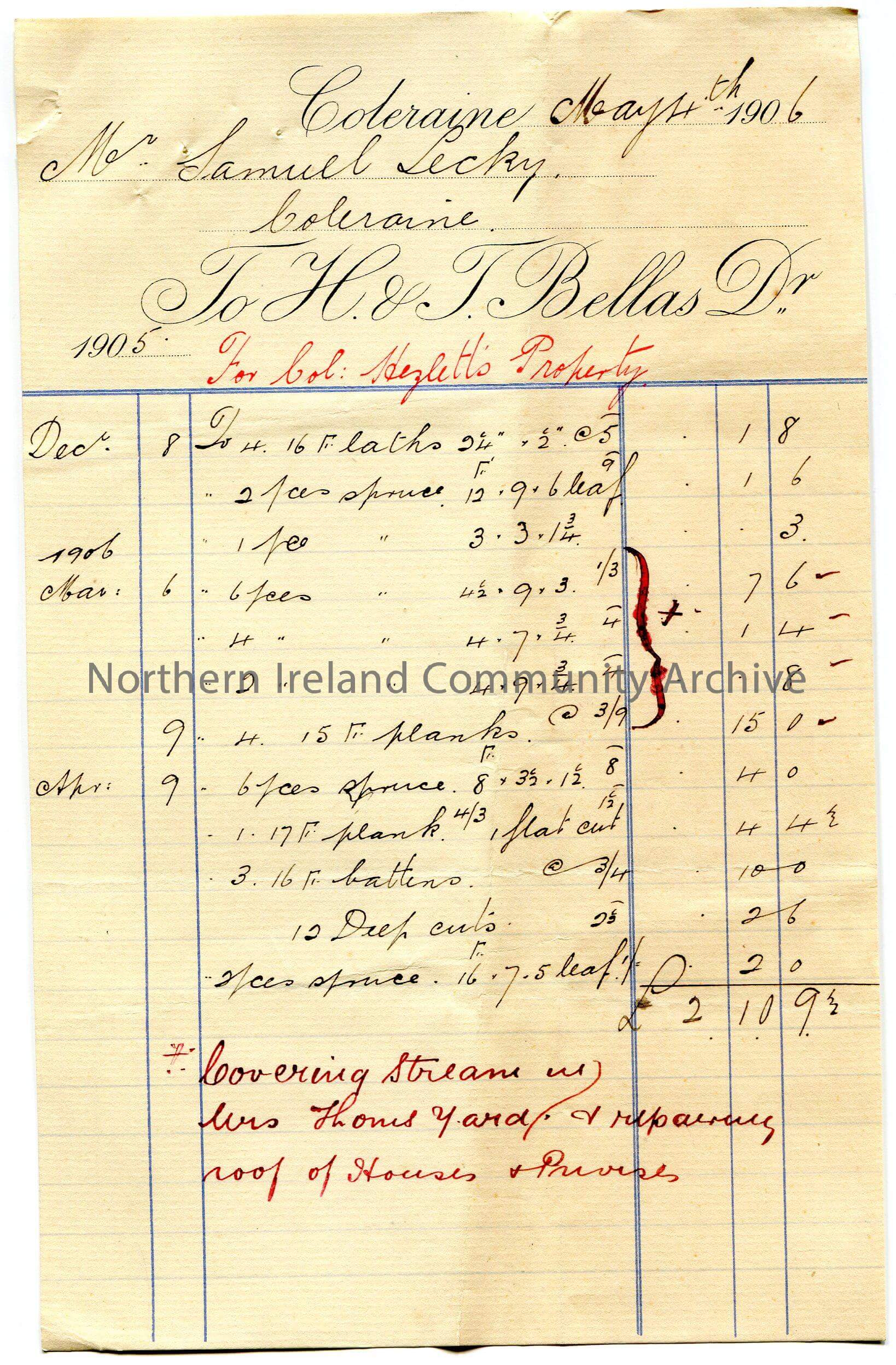
An image showing a handwritten invoice, example of unstructured data
Unstructured data has no fixed format or predefined model. It’s often free-form, making it harder for systems to read or process without advanced tools.
It includes things like images, handwritten notes, or natural language text. You can’t easily search or sort it without first extracting and organizing the information.
For example, a scanned handwritten quality control checklist from the shop floor would be considered unstructured data.
4. Time-series data
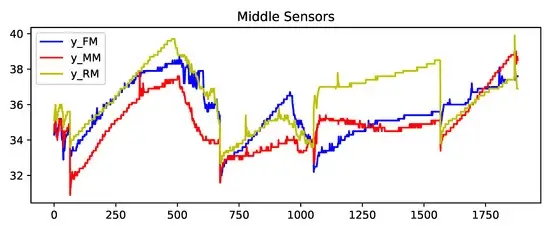
Line chart showing sensor readings recorded over time
Time-series data is a sequence of data points collected over time, usually at regular intervals. Each entry is tied to a specific timestamp.
It helps track changes, spot trends, and monitor performance in real time. This type of data is often used for forecasting, alerts, or optimization.
For example, machine sensor readings captured every 5 minutes during production are time-series data.
5. Spatial data
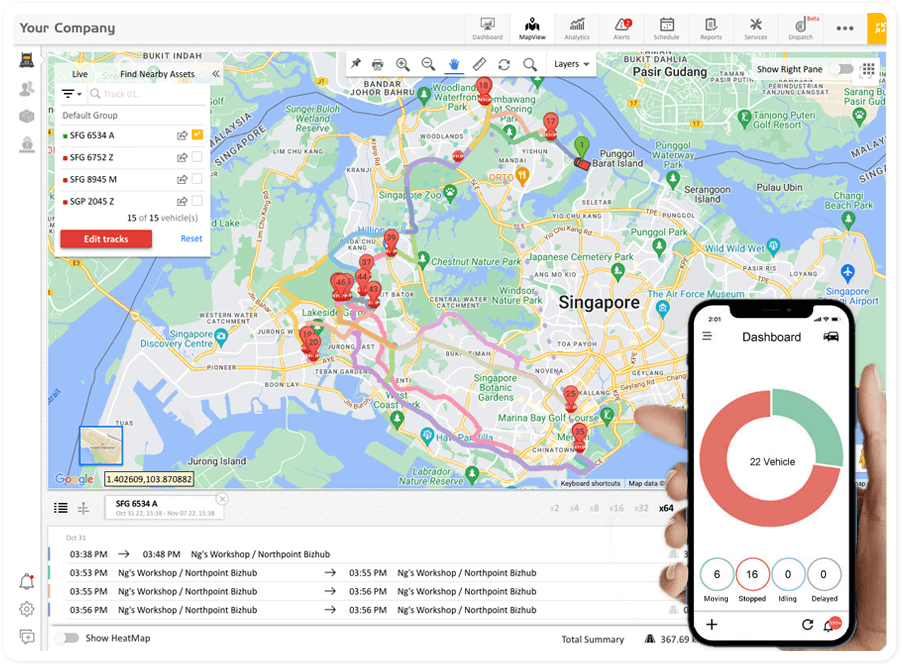
GPS dashboard showing delivery truck locations and movement status on a map
Spatial data refers to information about the physical location, shape, or layout of objects in space. It can describe coordinates, boundaries, distances, or areas.
This data often comes from GPS systems, maps, or sensors, and is key for routing, tracking, and planning tasks.
For example, GPS data used to monitor the live location of delivery trucks is spatial data.
What are the different types of data extraction methods?
Here are the main types of data extraction methods and how they’re used in practice:
1. Full extraction
Full extraction is the process of pulling all available data from a source in one go, whether or not the data has changed since the last pull. It gives you a complete snapshot of the dataset, which can be useful when setting up a new system or running an audit.
But full extraction can also be heavy. You end up pulling everything, even static or unchanged data.
That said, solutions like Docxster support full extraction when teams need a clean baseline or want to run periodic, large-scale reconciliations. But since we pre-train our data extraction models, you won’t deal with unwanted data.
2. Incremental extraction
Incremental extraction pulls only the data that has changed since the last time you extracted it.
This method is ideal when your data changes frequently, like inventory counts, status updates, or production logs. To work properly, your source system needs to track those changes using timestamps or a change data capture (CDC) mechanism.
If full extraction is like casting a net, incremental is more like checking a motion sensor, you only act when there’s a signal that something’s changed.
3. Logical extraction
Logical extraction collects data by querying the source system using business rules or filters. Instead of pulling everything, it targets only the data that fits specific criteria—like records from a certain date range or product category.
This method is useful when you want to extract just a slice of the data that’s relevant to a task, without touching the entire database.
4. ETL (Extract, Transform, Load)
ETL is a three-step process used to move data from one system to another. First, you extract the raw data. Then, you transform it—cleaning it, standardizing formats, or enriching it with new values.
Finally, you load it into a destination system like a data warehouse or dashboard.
This method is ideal when your data needs to be reshaped before it's useful. It’s especially common in analytics and reporting workflows.
With Docxster Drive, teams can automatically tag, organize, and OCR-process documents as soon as they’re uploaded, ensuring ETL pipelines start with accurate, well-structured data.
How does automated data extraction work?
Automated data extraction is not a single action but a series of steps powered by different technologies. Here’s how it works in a document processing platform like Docxster:
Step 1: Document ingestion
In Docxster, automated data extraction begins with document ingestion. We support multiple document types—bills of lading, passports, licenses, purchase orders, handwritten forms, and more.
For example, if your operations team receives purchase orders in different formats—some as scanned PDFs, others as system-generated invoices, and a few as handwritten delivery notes—Docxster ingests all of them into a single workflow.
From there, the platform immediately begins the process of reading and preparing the data for extraction.
Step 2: Text, layout, and document classification
After your operations team uploads a purchase order, Docxster immediately reads and interprets it.
Using high-accuracy OCR, the system extracts text from the document with up to 99% accuracy, while computer vision maps the layout, picking up details like tables, logos, or signatures.
At the same time, Docxster’s NLP engine classifies the document type so the system knows exactly how to process it next.
Step 3: Field and entity extraction
Once Docxster takes in your PO, it’ll extract entities like dates and amounts. It’ll map the fields automatically, so you don’t have to do anything manually.
Even if one supplier labels a column as “PO #” and another calls it “Order Reference,” Docxster standardizes both into the same purchase order field.
It applies validation rules in the background, checks that fields like dates and quantities are in the right format, and auto-learns from any corrections your team makes.
Step 4:. Validation and verification
After fields are mapped, Docxster runs automated validation to make sure the data is correct before it enters your systems.
A purchase order, for example, is checked against predefined rules and even external databases like your ERP: part numbers are verified, totals are matched, and delivery dates are confirmed.
In cases where the platform isn’t confident with the extracted data, it’ll send the output to your team for review. Let’s say the quality of your handwritten PO is too low so the output may not be accurate. Docxster will push the output to your finance manager for review before exporting it elsewhere.
Step 5: Workflow automation and routing
After Docxster validates your data, it automatically sends it to your tool of choice. For example, the extracted output can be sent into a Google Sheet or exported to Microsoft Excel.
You set up no-code rules: for example, invoices above a threshold go to the finance lead for approval; smaller ones go straight to the payment queue. You can also trigger notifications, tasks, or exceptions automatically.
Take advantage of automated data extraction with Docxster
Manual data entry and outdated “scan and store” systems slow teams down, create errors, and block scalability. Automated data extraction solves that by removing the need for manual processes and unnecessary context switching.
As a result, you can:
- Prevent data entry-related errors
- Improve data quality
- Standardize data output
- Save time with workflow automation
We built Docxster around this principle: making automated extraction not just faster, but smarter.


Get Document Intelligence in Your Inbox.
Actionable tips, automation trends, and exclusive product updates.