Drive and Document Intelligence
"/><stop offset="1" stop-color="rgb(183, 17, 196)"/></linearGradient></defs><path d="M 19.833 0 C 20.478 0 21 0.522 21 1.167 L 21 5.55 L 10.501 16.049 L 10.494 20.994 L 15.448 21.001 L 21 15.449 L 21 22.167 C 21 22.811 20.478 23.333 19.833 23.333 L 1.167 23.333 C 0.522 23.333 0 22.811 0 22.167 L 0 1.167 C 0 0.522 0.522 0 1.167 0 Z M 21.908 7.942 L 23.558 9.592 L 14.483 18.667 L 12.831 18.664 L 12.833 17.017 Z M 10.5 11.667 L 4.667 11.667 L 4.667 14 L 10.5 14 Z M 14 7 L 4.667 7 L 4.667 9.333 L 14 9.333 Z" fill="url(%23b9rqnT9Tz-941223563-linear-gradient)" height="23.333329999999997px" id="b9rqnT9Tz" transform="translate(5.5 4.333)" width="23.557800192260743px"/></svg>)
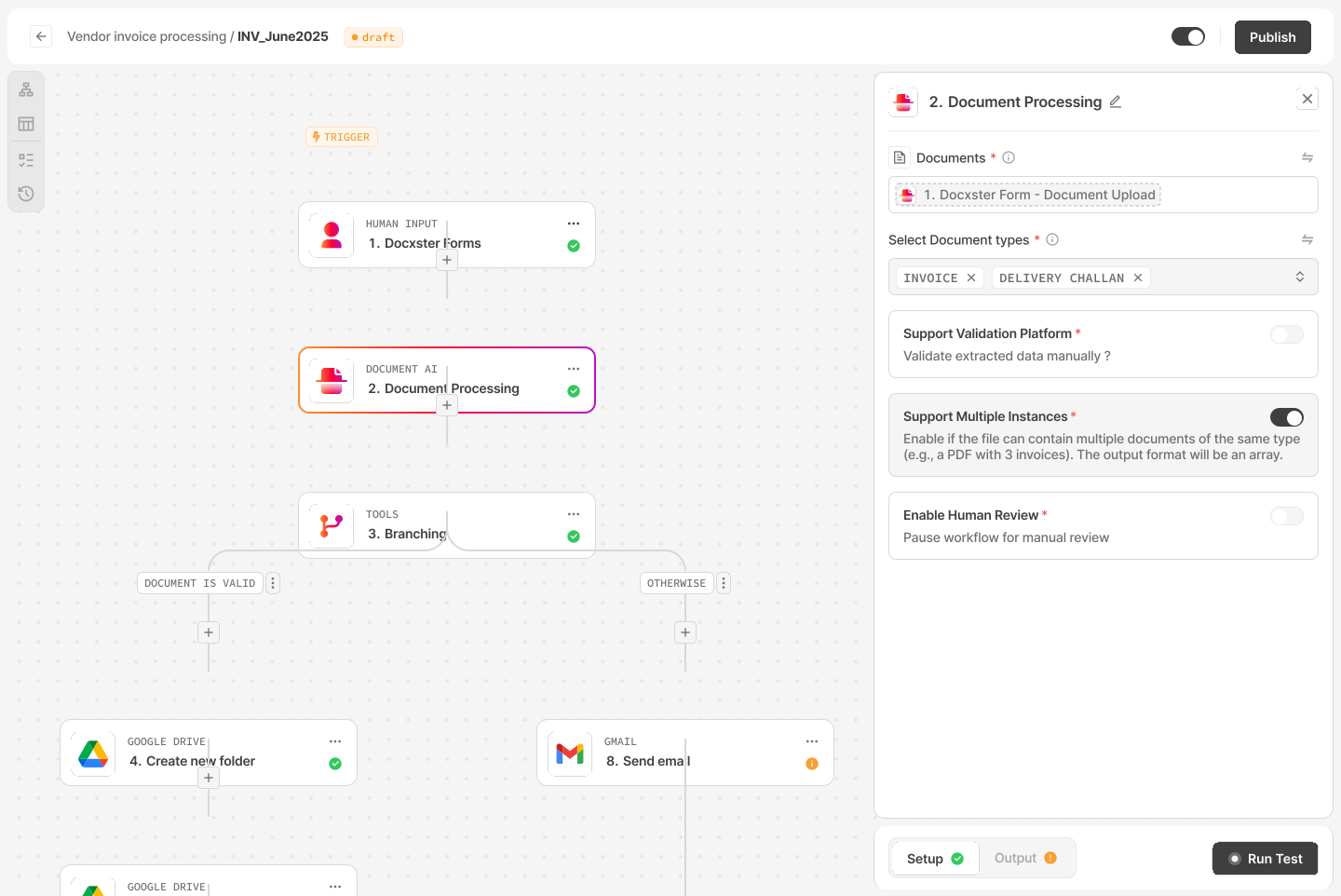
HUMan input
Docxster Forms
"/><stop offset="1" stop-color="rgb(183, 17, 196)"/></linearGradient><linearGradient id="Ttdmkdnii-1235068018-linear-gradient" x1="0.49751243781094523" x2="0.5024875621890548" y1="0" y2="1"><stop offset="0" stop-color="rgb(245, 245, 245)"/><stop offset="1" stop-color="rgba(245, 245, 245, 0.02)"/></linearGradient></defs><path d="M 21.447 5.447 L 25.954 5.447 L 21.106 0.599 L 21.106 5.106 C 21.106 5.297 21.256 5.447 21.447 5.447 Z M 5.447 3.745 L 5.447 12.255 L 1.021 12.255 C 0.463 12.255 0 12.718 0 13.277 C 0 13.835 0.463 14.298 1.021 14.298 L 30.979 14.298 C 31.537 14.298 32 13.835 32 13.277 C 32 12.718 31.537 12.255 30.979 12.255 L 26.553 12.255 L 26.553 7.489 L 21.447 7.489 C 20.14 7.489 19.064 6.414 19.064 5.106 L 19.064 0 L 9.191 0 C 7.122 0 5.447 1.675 5.447 3.745 Z M 26.553 22.809 L 26.553 16.34 L 5.447 16.34 L 5.447 22.809 C 5.447 24.878 7.122 26.553 9.191 26.553 L 22.808 26.553 C 24.878 26.553 26.553 24.878 26.553 22.809 Z" fill="url(%23Z0UwE2VbB-1235068018-linear-gradient)" height="26.553210232543943px" id="Z0UwE2VbB" transform="translate(0 2.723)" width="32px"/><path d="M 21.169 0 L 21.169 7.098 C 20.635 8.727 19.601 9.541 17.798 10 L 4.137 10 C 1.998 10 0 8.783 0 7.098 L 0 0 Z" fill="url(%23Ttdmkdnii-1235068018-linear-gradient)" height="10px" id="Ttdmkdnii" transform="translate(5.418 19)" width="21.16913px"/></svg>)
Document AI
Document Processing
"/><stop offset="1" stop-color="rgb(183, 17, 196)"/></linearGradient><linearGradient id="QEUvrDGZY-2003416401-linear-gradient" x1="0" x2="1" y1="0.4975124378109453" y2="0.5024875621890547"><stop offset="0" stop-color="rgb(252, 145, 50)"/><stop offset="1" stop-color="rgb(183, 17, 196)"/></linearGradient><linearGradient id="YvJNLHwEx-2003416401-linear-gradient" x1="0" x2="1" y1="0.4975124378109453" y2="0.5024875621890547"><stop offset="0" stop-color="rgb(252, 145, 50)"/><stop offset="1" stop-color="rgb(183, 17, 196)"/></linearGradient></defs><path d="M 0.326 4.636 L 4.636 4.636 L 0 0 L 0 4.311 C 0 4.493 0.143 4.636 0.326 4.636 Z" fill="url(%23ydIBowORO-2003416401-linear-gradient)" height="4.63631px" id="ydIBowORO" transform="translate(19.235 2.573)" width="4.636400000000002px"/><path d="M 7.651 15.302 C 3.426 15.302 0 11.877 0 7.651 C 0 3.426 3.426 0 7.651 0 C 11.877 0 15.302 3.426 15.302 7.651 C 15.302 11.877 11.877 15.302 7.651 15.302 Z M 6.888 10.712 L 12.298 5.301 L 11.216 4.219 L 6.888 8.548 L 4.724 6.383 L 3.642 7.466 Z" fill="url(%23QEUvrDGZY-2003416401-linear-gradient)" height="15.3024px" id="QEUvrDGZY" transform="translate(12.439 14.698)" width="15.302499999999998px"/><path d="M 13.024 4.884 C 13.024 6.134 14.053 7.162 15.302 7.163 L 20.186 7.163 L 20.186 11.835 C 18.88 11.165 17.4 10.785 15.831 10.785 C 10.549 10.785 6.267 15.067 6.267 20.349 C 6.267 22.201 6.795 23.93 7.707 25.395 L 3.582 25.395 C 1.602 25.395 0 23.794 0 21.814 L 0 3.581 C 0 1.602 1.602 0 3.582 0 L 13.024 0 Z" fill="url(%23YvJNLHwEx-2003416401-linear-gradient)" height="25.3951px" id="YvJNLHwEx" transform="translate(4.259 2)" width="20.18625px"/></svg>)
Validation
Document Reconciliation
"/><stop offset="1" stop-color="rgb(183, 17, 196)"/></linearGradient><linearGradient id="XGXtn7mf8-383846215-linear-gradient" x1="0" x2="1" y1="0.4975124378109453" y2="0.5024875621890547"><stop offset="0" stop-color="rgb(252, 145, 50)"/><stop offset="1" stop-color="rgb(183, 17, 196)"/></linearGradient><linearGradient id="HzlzY7ADk-383846215-linear-gradient" x1="0" x2="1" y1="0.4975124378109453" y2="0.5024875621890547"><stop offset="0" stop-color="rgb(252, 145, 50)"/><stop offset="1" stop-color="rgb(183, 17, 196)"/></linearGradient></defs><path d="M 11.85 0 C 10.996 1.351 10.5 2.951 10.5 4.667 C 10.5 5.912 10.761 7.095 11.23 8.167 L 0 8.167 L 0 5.834 C 0 2.613 2.611 0 5.833 0 Z" fill="url(%23QLq0aEFqc-383846215-linear-gradient)" height="8.167200000000001px" id="QLq0aEFqc" transform="translate(2.875 18.333)" width="11.8501px"/><path d="M 7 0 C 10.866 0 14 3.134 14 7 C 14 10.866 10.866 14 7 14 C 3.134 14 0 10.866 0 7 C 0 3.134 3.134 0 7 0 Z" fill="url(%23XGXtn7mf8-383846215-linear-gradient)" height="14px" id="XGXtn7mf8" transform="translate(5.208 2)" width="14.000039999999998px"/><path d="M 7 14 C 3.134 14 0 10.866 0 7 C 0 3.134 3.134 0 7 0 C 10.866 0 14 3.134 14 7 C 14 10.866 10.866 14 7 14 Z M 6.302 9.8 L 11.252 4.85 L 10.262 3.86 L 6.302 7.82 L 4.322 5.84 L 3.332 6.83 Z" fill="url(%23HzlzY7ADk-383846215-linear-gradient)" height="14px" id="HzlzY7ADk" transform="translate(15.125 16)" width="14px"/></svg>)
approvals
Internal approvals
Search by what's inside your document.
HUMan input
Docxster Forms
Document AI
Document Processing
Validation
Document Reconciliation
approvals
Internal approvals
Files land where they belong.
HUMan input
Docxster Forms
Document AI
Document Processing
Validation
Document Reconciliation
approvals
Internal approvals
Consistent file names, every time.
HUMan input
Docxster Forms
Document AI
Document Processing
Validation
Document Reconciliation
approvals
Internal approvals
Built around how you work.
HUMan input
Docxster Forms
Document AI
Document Processing
Validation
Document Reconciliation
approvals
Internal approvals
Docxster Drive becomes your source of truth
HUMan input
Docxster Forms
Document AI
Document Processing
Validation
Document Reconciliation
approvals
Internal approvals
Enterprise-grade security, by default..



How does Smart Search actually work?
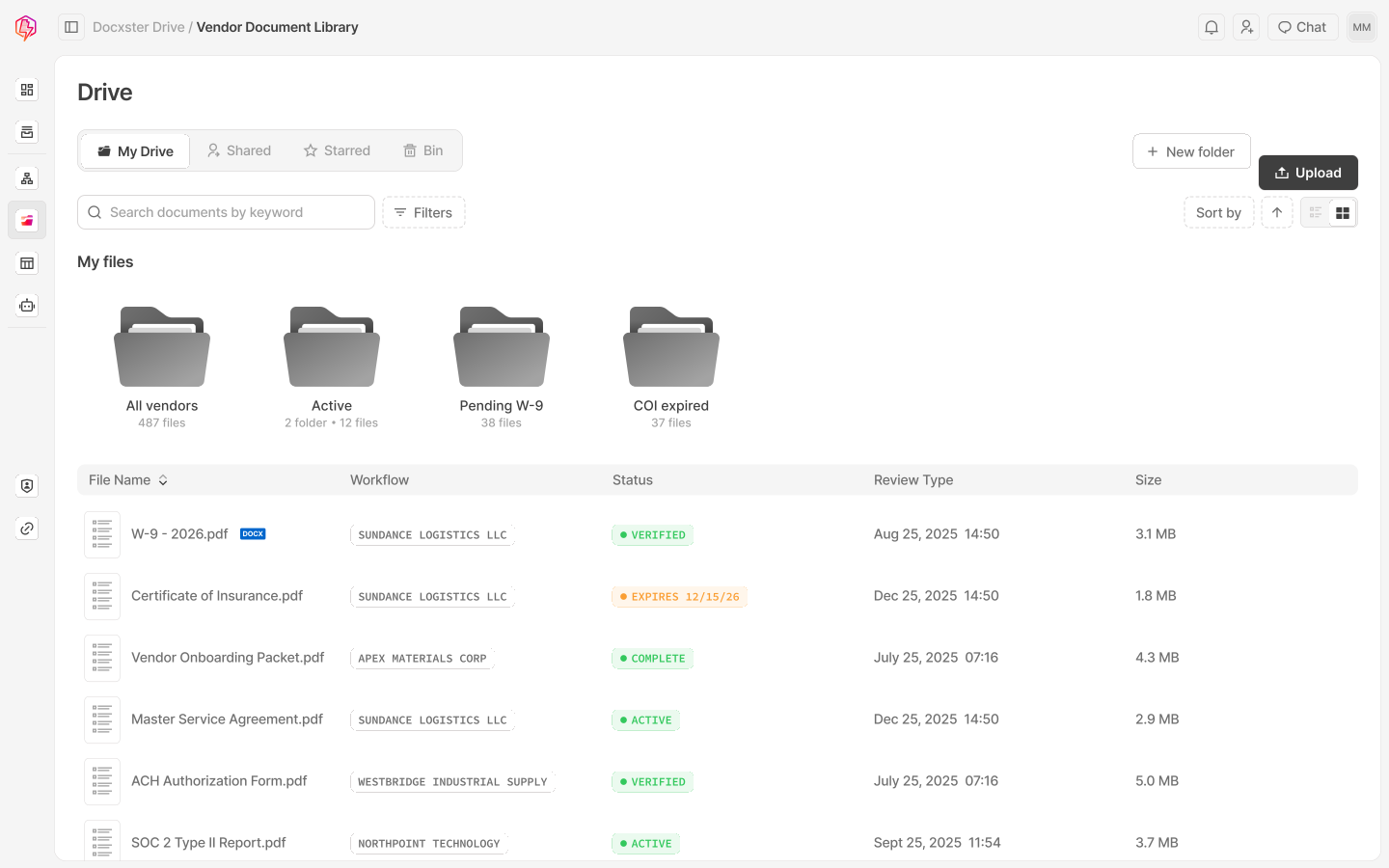
Drive indexes the full contents of every document, so when you search, it matches against the words and data inside the files. Even if a document is saved with a generic name, you can find it by something you remember from inside it.
Can workflows pull existing documents back out of Docxster Drive?
Yes. Any workflow can search Drive, pull a specific document, and process it. Once a file is in Drive, you never need to upload it again.
Where are documents actually stored in Docxster?
Documents are stored on AWS, encrypted at rest with AES-256 and in transit with TLS. Backups run automatically and access is controlled by team and by role.
What kinds of files can Docxster Drive store?
PDFs, Word docs, images, spreadsheets, scanned documents, and photos. Anything you'd email or upload as part of a document workflow.
Can we connect to our existing storage like Google Drive, SharePoint, or Microsoft OneDrive?
Yes. Workflows can read from and write to all of them. Most teams use Docxster Drive for active workflow documents and sync to existing storage for long-term archives.
Who can see what?
Permissions can be set by team, role, or workflow, so finance sees finance documents and ops sees ops.
What happens to a document after it has been processed in Docxster?
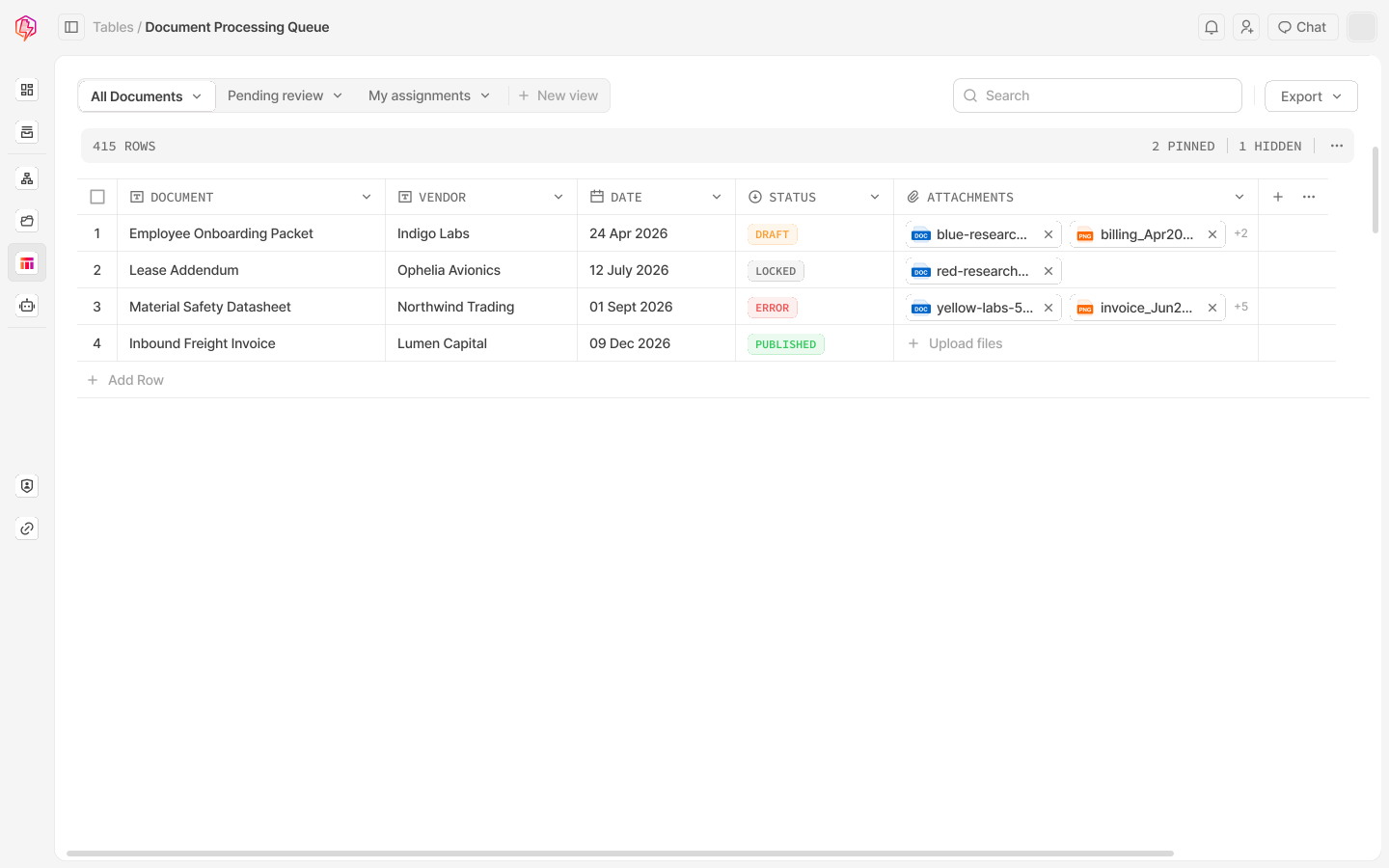
It stays in Docxster Drive, fully indexed and searchable. Any future workflow can pull it back out to reference, reprocess, or send onward.
Is there a limit to how many documents Docxster Drive can store?
Docxster Drive scales with your workflows. Most teams store thousands to millions of documents without hitting any practical limits.


