-
How to Build an Automation CoE Without Slowing Teams Down
Tired of building an automation CoE that never scales? Learn why most fail, how the storefront model works, and how to build one without heavy overhead.
Last updated:


TL;DR
Most Automation Centers of Excellence fail when they become heavy governance checkpoints instead of practical systems that help teams move faster.
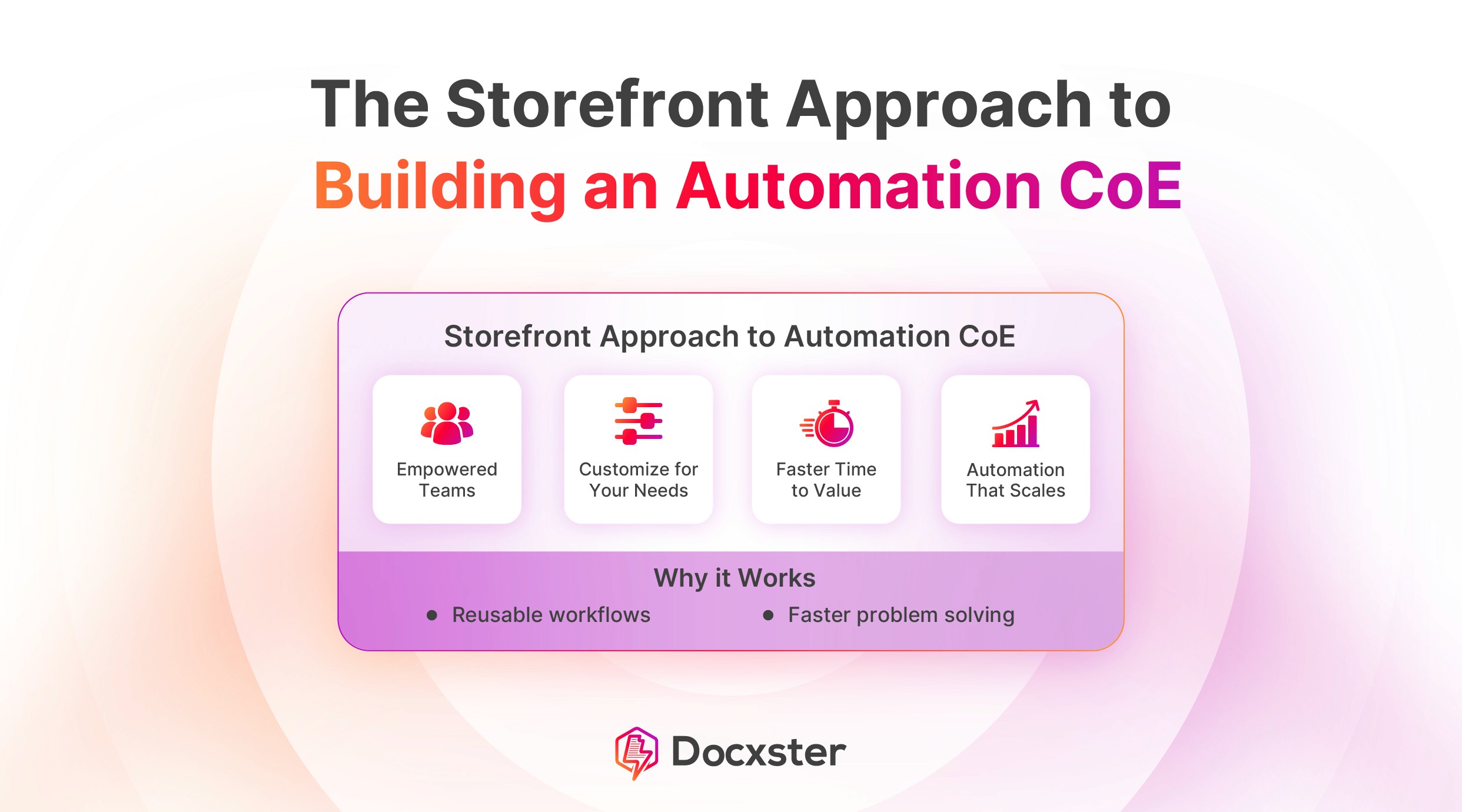
The stronger model is a “storefront” approach: make reusable automation assets, standards, intake processes, and proven workflows easy for teams to find and use.
Lean teams do not need a large, centralized CoE; they need managed autonomy, where the CoE sets guardrails while departments build within clear “golden paths.”
A good automation CoE prioritizes work based on business impact, error risk, scalability, and complexity rather than whichever team shouts the loudest.
To scale adoption, teams need reusable workflow libraries, clear process documentation, internal marketing, success spotlights, and a dashboard that proves automation value over time.
Dedicated automation teams, governance committees, and 18-month implementation timelines. That’s what most automation center of excellence (CoE) frameworks assume. They’re built for companies with the bandwidth to support it all.
But what about you?
If you’re running a 200-person manufacturing company or a lean logistics operation, this isn’t your reality. And most of that advice won’t hold up.
Even when teams try to follow it, things usually go one of two ways:
Teams get blocked by process and start building their own scripts that nobody owns
Or the CoE becomes so heavy that people stop using it
Either way, automation doesn’t scale.
The companies getting this right in 2026 have made a clear shift. They’ve stopped treating the CoE as a checkpoint and started running it like a storefront: a place you go to find what you need—not something you have to get past.
In this article, you’ll see what that shift looks like and how to build this storefront in your business without adding headcount or extra processes:
Step 1: Choose a governance model
Building an automation CoE framework starts with choosing a governance model, because without a clear ownership structure, every automation request eventually stalls waiting for someone to make a call.
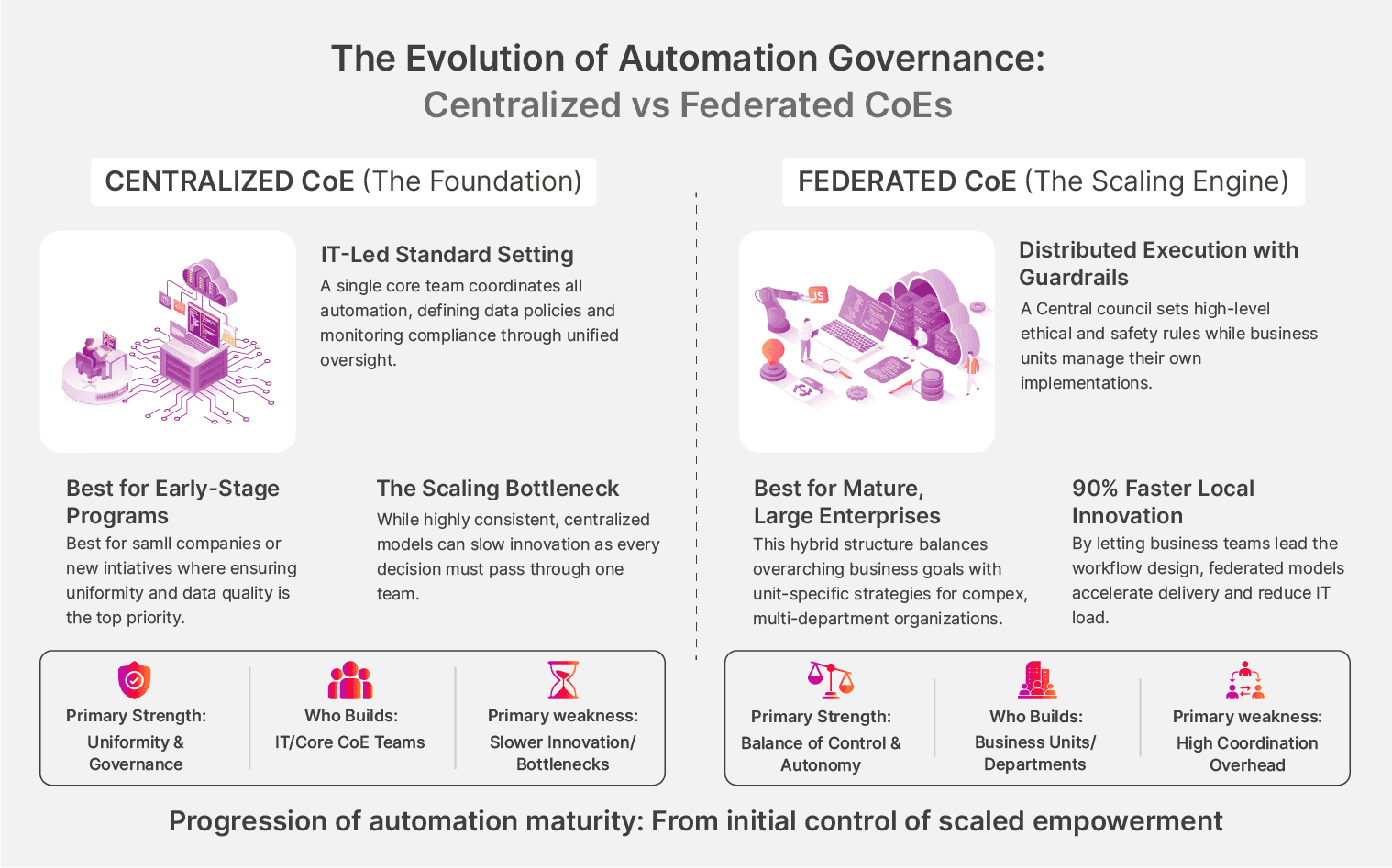
1. Centralized vs. federated approach
Traditionally, companies have approached CoE governance in one of two ways:
Centralized model
Under the centralized model, one team owns all your automation delivery. For example, if the logistics department wants to automate invoice matching, that request goes to the CoE team, who scopes, builds, and deploys it.
This model works best if you're in the early stages of building your program, when establishing consistent standards and gaining organizational trust matters more than speed.
However, this approach isn’t without risk. As more departments come on board and requests pile up, that same small team can become a bottleneck.
Federated model
Under the federated model, business units own their own automation delivery but follow the standards the CoE has defined. For example, your finance team builds and maintains their own workflows, while your operations team does the same—both working within the same guardrails.
This model works best if you already have a proven foundation for an automation center of excellence and are ready to scale across the organization.
The risk is that if the CoE's standards aren't clear or enforced, each team starts making its own decisions, and you end up with the same fragmented, inconsistent processes you were trying to avoid.
2. The managed autonomy approach
If you don’t have the bandwidth for a central team, and you’re not at a stage where business units can operate independently, the traditional approaches might not work.
What works instead is managed autonomy, a middle option where the CoE sets non-negotiable "golden paths" that every team follows, while still giving departments the freedom to build and own their workflows within those boundaries.
These golden paths cover:
Security requirements that don't get negotiated away on tight deadlines
Integration standards so every workflow connects to your existing systems the same way
Documentation expectations so institutional knowledge doesn't disappear when someone leaves
You let your CoE handle the structure for the automation CoE, and your internal teams handle the execution. Eventually, this would mean that your team can move fast without creating the same fragmentation you were trying to fix in the first place.
Step 2: Build an intake engine
Once you have a governance approach in place, it’s time to build a systematic intake engine to capture workers’ most pressing pain points.
Without a structured process for collecting automation ideas, the loudest voice wins. High-volume processes get prioritized over high-pain ones, and when leadership asks why Project A was chosen over Project B, there's no real answer.
Replace subjective requests with standardized intake
Instead of taking subjective requests, you can build a standardized intake form. This form captures elements like:
Process name
Monthly hours wasted
Systems involved
Complexity (steps, decision points, exceptions
Error/compliance cost
Use a weighted ROI formula
Once requests come in through your form, you need a way to prioritize them. Here is a formula you can use to score and rank them:
Priority Score = (Error Frequency × 0.40) + (Time Saved × 0.30) + (Scalability × 0.20) + (Complexity Inverse × 0.10)
Error frequency carries the highest weight because a process doesn't need to be high-volume to be worth automating. A low-volume process with high compliance risk will deliver more ROI than a high-volume one where mistakes don't cost much. Time saved tells you how busy a process is, not how expensive it is when it breaks.
Pay attention to the error cost
Priyatham Minnamareddy, Director of Agentic AI at Novigo Solutions, shares a case that clearly shows why volume shouldn’t be the only way you prioritize automation.
In one instance, a call center agent failed to provide a required piece of data during a routine customer call. The customer escalated the issue to a state ombudsman, which resulted in a $200,000 compliance fine for a single error.
This wasn’t a high-volume workflow, and it didn’t appear to be a major operational bottleneck. However, the cost of getting it wrong was extremely high.
When the team reviewed other past incidents, they discovered that similar errors had occurred three times over two years. That added up to $600,000 in fines for the same type of mistake.
In this case, automation wouldn’t have been about saving time. It would’ve been about preventing costly risk.
Note: Some processes carry business weight that a formula alone won't capture. These factors act as multipliers on top of the base score:
Risk avoidance: 1.5x
Top-line revenue impact: 1.3x
Customer experience: 1.2x
Remember, this scoring system isn’t about rigidity. It's about making prioritization decisions defensible and transparent when it matters most.
Step 3: Build stackable libraries of automation workflows
When every automation is treated as a custom project, teams keep rebuilding the same components instead of reusing what already exists.
Institutional knowledge doesn’t accumulate across deployments. As a result, the third deployment takes just as long as the first because no reusable assets were created.
The fix is to stock your storefront shelves with reusable components so that every new deployment builds on what already exists rather than starting from scratch. This means having:
Pre-built connectors for common systems like SAP, Tally, ERP platforms, and email
Document templates and extraction rules
Validation logic that can be reused across workflows
Exception handling patterns that don't need to be rebuilt every time
If you do this well, here’s what week one to three could look like:
The first deployment usually takes a few weeks because you’re setting up the foundation and defining how everything should work
The second deployment takes only a few days because you can reuse what you have already built
By the third deployment, it often comes down to a few hours, since most of the work is just configuration
Ramzy Syed, founder at Docxster, saw this play out with a chocolate manufacturer that wanted to automate invoice categorization. That seemed straightforward enough until the team asked where vendor codes were stored. The answer: "In our heads." There was no database and no documentation, just years of tribal knowledge that had never been written down anywhere.
You can probably guess what happened next. The project couldn't move forward.
The storefront only works if the processes on the shelves are actually documented. You can't automate what you can't describe.
That said, modern document processing tools have removed one of the bigger maintenance burdens from this equation. You no longer need to build a template for every vendor format you encounter, which means new document types can be processed without rebuilding extraction logic from scratch. Your shelf stays stocked without someone having to maintain it full-time.
Step 4: Market the CoE internally and generate “demand”
Building the CoE is the easier half. The harder part is getting teams to actually use it. The most common failure mode is not a bad CoE—it's an invisible one. Teams keep building their own scripts or completing tasks manually because they don't know what's available, or they've struggled to engage with a central team before.
The solution is to treat adoption the same way a product team treats a launch. You don't build something and wait for people to find it. You go to them.
Adopt evangelism tactics to loop in employees:
Automathons: Internal hackathon-style events where teams bring their most painful workflows and the CoE shows what's possible. Useful not just for building excitement but for surfacing high-value opportunities that would never make it into a formal intake form.
Roadshows: Quarterly presentations to department heads showing what the CoE is now capable of. Minnamareddy's team at Onity ran these every three months, keeping automation visible at the leadership level without requiring anyone to go looking for it.
Success spotlights: When a team sees results, make it public. Hours saved, errors eliminated, processes automated. The teams that adopted early become the proof that it works, which is more persuasive than any internal memo.
Monthly submissions: Invite team members to submit the workflow frustrating them most, along with the business impact. That single constraint filtered out noise and consistently surfaced the most valuable opportunities.
Idea sprints: Run two-week sprints where teams submitted problems, not solutions. When they grouped ideas, duplicates merged, and only those tied to real pain moved forward.
Build a CoE dashboard to spotlight the initiative's value
Once teams start engaging through these initiatives, you need a way to show what’s actually changing. Without that visibility, it’s hard for managers to see the impact or justify further adoption.
A CoE dashboard helps make that impact clear. It shows how teams use the new automation and what it’s delivering in practical terms. Some metrics you can use:
Dimension | Weight | What to measure |
|---|---|---|
Error/risk cost | 25% | Compliance fines, rework costs, reputation damage. Include low-volume processes with high penalties. |
Time consumption | 20% | Hours spent per transaction × volume × frequency. The compound effect across your team. |
Scalability impact | 15% | Can this extend to other teams or processes? Reusability across departments. |
Implementation complexity | 10% | Number of steps, decision points, systems involved. Weighing this the lowest—a difficult automation that eliminates critical errors is still worth doing. |
Risk/compliance avoidance | 15% | Potential fines, audit exposure, and regulatory requirements. |
Top-line revenue impact | 10% | Does this process directly affect sales, renewals, or growth? |
Customer/vendor experience | 5% | Impact on borrowers, customers, or vendor relationships. Response times and error rates they see. |
Automation doesn’t have to be a massive undertaking anymore
Most companies stall on automation because they treat it like an IT project when it's actually a people problem. The goal was never to build a department. It was to build something people actually want to use.
That’s where the storefront idea matters. It only works if there’s something worth picking up. That means your processes are clearly defined, prioritized, and owned by someone who will stay accountable.
Before you go any further, run through these questions:
Do you have at least one champion with 5+ hours a week to dedicate to the initiative?
Can your team describe their top three most painful processes the same way twice?
Do those processes have documented steps, not just tribal knowledge?
Is there a clear owner for each process you want to automate?
Can you quantify the cost of errors or delays in those processes?
If most of those are a yes, you have enough to start. You don’t need a large team or a long roadmap. What matters is that you focus on workflows that are clear and worth fixing.
For document-heavy teams in finance, operations, or logistics, the foundation is already easier than it used to be. You can extract data from real-world documents, build workflows without code, and connect them directly to your systems. That means you’re not starting from scratch.
Prioritize where to begin, or see how Docxster can act as the inventory behind your storefront.
FAQs: Automation Center of Excellence
What is an automation Center of Excellence?
An automation Center of Excellence, or CoE, is an operating model that defines how automation gets identified, governed, built, deployed, reused, and scaled across a company. It usually includes standards, ownership rules, intake processes, reusable assets, and reporting so automation does not become fragmented or unmanaged.
Why do automation CoEs fail?
Automation CoEs often fail when they become too centralized, too slow, or too invisible to the teams they are supposed to help. They also struggle when companies lack executive support, choose the wrong processes to automate, or create unstructured development and deployment practices.
What is the storefront approach to an automation CoE?
The storefront approach treats the CoE like a place teams go to find ready-to-use automation support, not a gate they have to pass through. Instead of forcing every request through a slow central team, the CoE provides reusable assets, approved patterns, intake tools, and guidance that help departments build faster within safe boundaries.
What governance model works best for lean teams?
Lean teams often do best with managed autonomy. In this model, the CoE defines non-negotiable standards for security, integrations, documentation, and maintenance, while business teams still own and configure the workflows they understand best.
What is the difference between a centralized and federated automation CoE?
A centralized CoE owns most automation delivery from one team, which helps with consistency but can become a bottleneck as demand grows. A federated CoE lets business units build and maintain their own automations under shared standards, which scales faster but requires clear governance to avoid fragmentation.
How should companies prioritize automation ideas?
Companies should use a structured intake process that captures time wasted, systems involved, complexity, error frequency, compliance risk, and business impact. This prevents prioritization from being driven by the loudest team and makes automation decisions easier to defend.
What should be included in an automation intake form?
A strong intake form should capture the process name, monthly hours wasted, systems involved, number of steps, decision points, exceptions, error frequency, and compliance or revenue impact. These details help the CoE compare automation opportunities based on ROI and risk, not just volume.
Why are reusable automation libraries important?
Reusable libraries stop every automation from becoming a custom project. Shared connectors, validation rules, document extraction patterns, exception handling flows, and templates help later projects launch faster because teams can configure existing assets instead of rebuilding from scratch.
How can an automation CoE increase adoption?
A CoE needs internal marketing, not just governance. Automathons, roadshows, success spotlights, monthly workflow submissions, and visible dashboards help teams understand what the CoE offers and why using it will make their work easier.
Do small and mid-sized companies need an automation CoE?
They may not need a large formal CoE, but they still need CoE-like structure. Even small teams benefit from clear ownership, reusable workflow patterns, governance rules, and a repeatable way to choose which processes to automate first.
Turn documents into decisions.
See how Docxster gets you from inbox to insight in minutes, not days. Bring your toughest workflow — we'll show you what it looks like solved.


