
-
16 min read
What is No Code Document Automation and How to Use it Automate Document Processing?
Discover how no code document automation eliminates manual data entry and speeds up workflows.
Last updated:
TL;DR
No-code document automation closes the gap that traditional app-to-app automation leaves behind: messy PDFs, scans, invoices, handwritten forms, and delivery notes.
Traditional no-code tools can move documents between systems, but they often treat them as files rather than sources of structured, usable data.
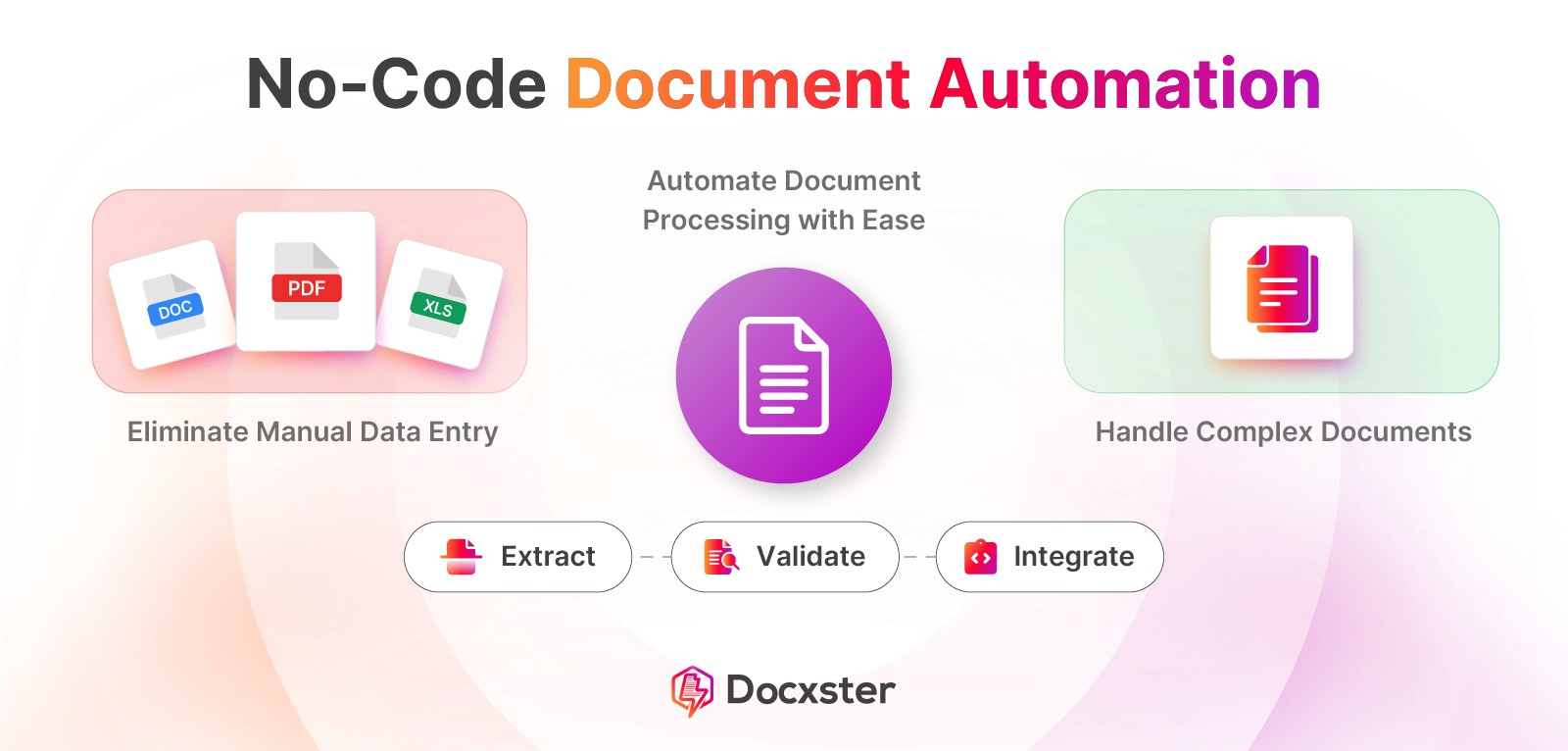
Document-first automation extracts, validates, routes, and exports data from real-world documents so business teams can automate workflows without waiting on IT.
High-impact use cases include invoice approvals, PO matching, GRN processing, quality checklists, onboarding documents, and delivery or dispatch note exports.
The strongest platforms combine templateless extraction, workflow logic, validations, approvals, exception handling, and export-ready structured data in one no-code builder.
Picture this: You’ve automated your entire tech stack. Your CRM talks to Slack, and data flows effortlessly between apps. But then, a vendor sends a messy PDF invoice or a handwritten delivery note, and the "future of work" stops. Suddenly, you’re back to manual data entry.
In many ways, documents are the final frontier of the no-code revolution. While app-to-app automation has transformed how we move data, document workflows remain a massive blind spot. Too many formats and a constant reliance on IT to build rigid templates bring them to a halt. Real operational inefficiency lives inside these scans and tables.
True automation shouldn’t require you to be a developer. It should simply work the way you do.
In this guide, we’ll explore:
Why traditional no-code tools fail when they hit a PDF
The shift from app-to-app automation to document-first workflows
How business users can finally automate end-to-end routing without waiting on IT
Why no-code document automation matters right now
Here are four key reasons why no-code document automation matters:
1. Your data is still trapped inside unreadable documents
Most business data lives in documents like PDFs, scans, invoices, contracts, and forms. While traditional no-code tools can move these files between systems, they don’t understand the data inside them.
For example, you can use Zapier to trigger workflows when a document is uploaded, route it to the right tool, or attach it to a record. However, these tools still treat the document as a file. The workflow can’t reliably act on the information inside it.
OCR also doesn't fully solve this problem. It converts text from images, but it doesn't understand structure or meaning. You still need to manually identify key fields, handle format changes, and fix errors when documents vary.
A no-code, document-first AI platform allows you to extract and standardize the data directly from documents. Once the data is structured, you can automate approvals, routing, and downstream actions with far less manual work and much higher reliability.
2. Business teams can’t afford to wait for IT
Manual document work slows teams down more than most people realize. In our experience, handling a document manually often takes around 40 minutes, while automated document processing can reduce that to roughly 30 seconds to a minute.
The difference compounds quickly.
For example:
40 minutes × 50 documents per day = 2,000 minutes
That’s 33+ hours of work every day
It can take three to four full-time data entry clerks just to keep up
Waiting on IT doesn't help here. Traditional automation projects take weeks or months to roll out, while documents keep coming in every day. The backlog grows long before the solution arrives. And your business can’t afford this.
With no-code automation, you can act as soon as the problem shows up. You reduce handling time, clear bottlenecks, and keep work moving without waiting for an IT deployment cycle.
3. Most no-code tools ignore document complexity
Look at how popular no-code tools are designed. They trigger on events like “a record is created” or “a field is updated.”
The issue here? Their core building blocks assume that data already lives in tables and fields.
When a document enters the flow, it’s handled as a file, not as a source of structured information. A scanned PDF or handwritten form doesn't expose data types or a reliable structure. As a result, the workflow can route the document, store it, or notify someone about it, but it can’t understand what the document contains.
To go further, teams are forced to bolt on optical character recognition (OCR) or separate extraction steps and then map the output back into the workflow. But this only works when documents are consistent and predictable. As soon as layouts change or information appears in free text, the automation breaks.
A document-first no-code platform changes this entirely. Instead of assuming structure upfront, it understands the document first, and then turns it into structured data. That is what makes real document automation possible, even when inputs are messy and variable.
4. Document-first workflows unlock the highest ROI
No-code automation delivers value only when it removes real bottlenecks. Today, those bottlenecks live inside documents. Teams already automate apps and systems, but they still rely on manual work when information arrives in PDFs, scans, or forms.
This is where document-first workflows create leverage. When automation starts at the document level, teams eliminate work before it enters the rest of the system. Then, they can use the data as soon as a document arrives, instead of extracting and fixing it downstream.
That shift drives higher ROI because it prevents waste rather than managing it. Teams reduce delays, avoid rework, and keep workflows moving without adding people or waiting on IT. The value compounds across every process that depends on documents, which is why document-first automation delivers the strongest returns today.
5 workflows where no-code document automation delivers immediate impact
Here’s a list of five workflows you use in your business and an explanation of how no-code automation delivers immediate impact in these workflows:
1. Automating invoice approvals and purchase order matching
If you process invoices at any kind of volume, approvals become a daily drag. Every invoice needs the same checks: line items, totals, vendor details, and a match against the purchase order. Most of the time, everything is fine, but someone still has to look.
With no-code document automation, that manual loop disappears. As soon as an invoice comes in, the system extracts line items and matches them to the PO automatically. The system approves clean matches right away. It flags only invoices with mismatches or missing information for review.
2. Processing goods received notes (GRNs) from suppliers
If you work with physical goods, GRNs are where reality meets your systems. Someone has to read the document, check what was received against what was expected, and then update the inventory or ERP. When this is manual, it slows everything downstream.
With no-code document automation, scanned GRNs are digitized as soon as they arrive. It extracts quantities and validates them against purchase orders or expected receipts. Clean records move straight into your inventory or ERP system, while the system flags discrepancies for review.
3. Routing quality checklists and inspection forms
When inspections run on paper or scanned checklists, routing becomes the weak link. A failed check is easy to miss. Even when it is found, someone needs to forward it and create a ticket. That is how small issues sit for days and turn into rework.
With no-code document automation, you can route a form the moment it’s captured. You extract the key fields (asset, line, lot, inspector, pass/fail, notes), flag any failed checks automatically, and trigger the next step right away.
You can send an alert to the right person, open a corrective action task, and attach the source document as evidence. Clean forms can be filed automatically with the right metadata, without anyone touching them.
4. Speeding up vendor and customer onboarding with automated document intake
Vendor and customer onboarding slow down when document intake is manual. Someone has to review ID forms and compliance documents, check whether anything is missing, and route the files to the next step. Every gap or mistake sends the process back to the start.
On the other hand, no-code document automation removes that friction by
Validating documents as soon as they arrive
Checking required fields automatically, and routing incomplete submissions back for correction
Sending clean data straight into downstream systems
This is how onboarding speeds up in practice. And there’s a benefit to it as well: research shows automated onboarding can cut onboarding time from days to minutes and reduce costs by up to 80%. That’s because work moves forward without waiting on manual review or follow-ups.
5. Extracting and exporting data from delivery or dispatch notes
Delivery and dispatch notes constitute a big part of trade across many industries. In fact, around 4 billion trade documents are processed each year across global supply chains. This number shows how document-intensive a manufacturing, logistics, and operations business can be. And now imagine extracting and exporting data from a huge volume of delivery and dispatch notes.
You can use no-code automation to digitize delivery and dispatch notes the moment they arrive. The software extracts and standardizes key fields even when formats vary and exports the data straight into your inventory, logistics, or ERP system. Shipments flow faster because the data does too.
What to look for in a no-code document automation platform
Before you select a no-code document automation platform, make sure to ask yourself these questions:
Can it extract usable data from real-world documents?
If you look at reviews of tools like Zapier or Make, a pattern shows up quickly. They are great at triggering workflows or appending rows in a spreadsheet. But once a document enters the flow, the data inside it stays largely unusable.
Here’s a Reddit thread explaining the issues with using Zapier for document workflows:
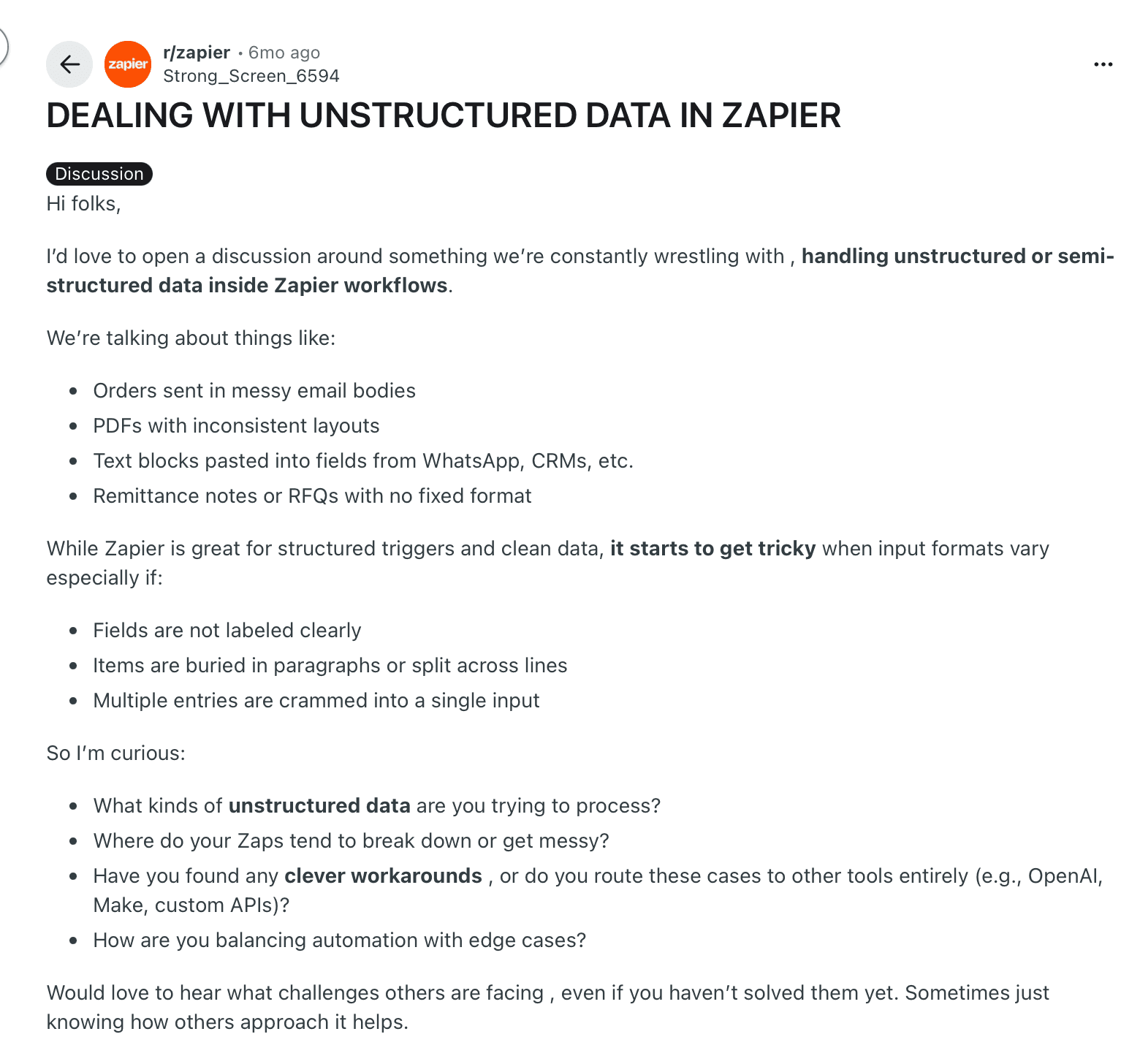
An image showing a Reddit thread that discusses Zapier’s performance with unstructured data
Users point out that while these tools can generate or pass documents between apps, they can’t reliably turn document content into structured, decision-ready data.
This is the standard you need to hold. If a platform cannot handle messy, real-world documents and produce data you can actually act on, it is not automating the work. It is simply storing documents in new places.
Does it give control to business teams, not just developers?
Document workflows are owned by ops, finance, and logistics teams. These teams deal with changing rules and edge cases every day. If they can’t update workflows themselves, they have to depend on IT.
For example, a recent user of another document processing platform notes that while the tool performs well, building and training a custom model was difficult without investing significant time. While that may be acceptable for technical users, it makes adoption harder for people closer to the workflow who need to move quickly.
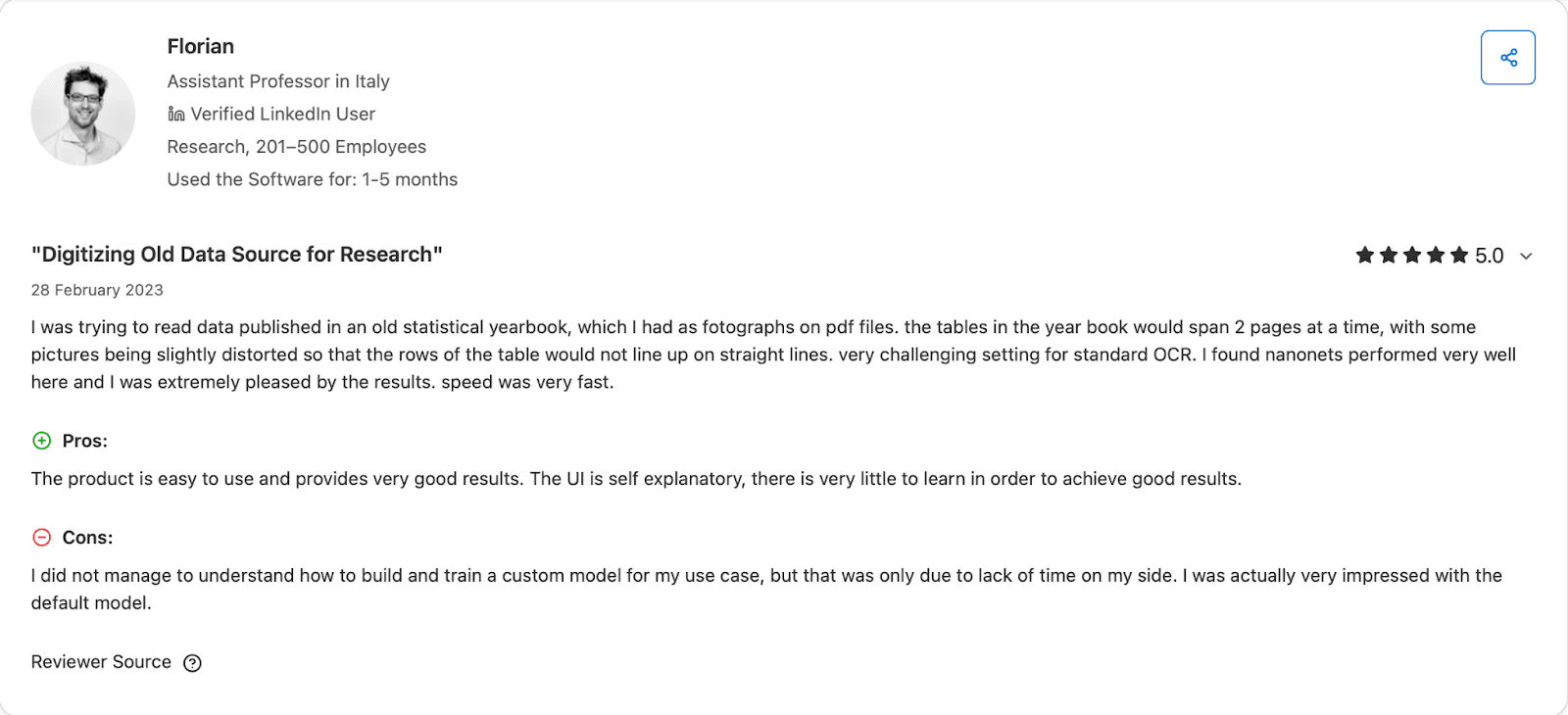
When you evaluate a platform, look for one that business teams can adapt without technical overhead. If everyday changes require specialist knowledge, the tool will slow the process instead of supporting it.
Can it handle validations, approvals, and exceptions natively?
After data is extracted from a document, you still need to validate values, route documents for approval, and handle exceptions when something doesn't match. These steps are part of everyday document workflows, not edge cases.
If a platform can’t handle this logic on its own, you’re forced to rely on additional tools or manual checks. That makes workflows harder to manage and easier to break. When you evaluate a platform, look for built-in support for validations, approval rules, and exception handling. Without these capabilities, the tool is only moving documents around, not helping you complete the workflow.
Is it flexible across vendors, formats, and use cases?
Real operations rarely run on clean, uniform documents. Even without paper, teams deal with many document types across vendors and systems. Each vendor introduces new layouts and fields, making variability unavoidable.
If your automation only works when layouts stay the same, it won’t survive real operations. You need a tool that can handle changing formats across vendors and use cases without constant fixes. Otherwise, every new document becomes a new problem.
Does it produce structured, export-ready outputs?
Extraction on its own is not the goal. What matters is whether you can use the data after it is extracted. If the output still requires cleanup, remapping, or manual intervention, the workflow is not complete.
A strong platform should produce structured data that is ready to use as soon as it’s generated. You should be able to send it directly to Excel, ERPs, emails, or APIs without additional processing. When you evaluate a tool, ask whether the output can immediately drive the next step in your workflow. If it can’t, the automation doesn't deliver real value.
Why Docxster is the best platform for document automation
At Docxster, we saw the reality of today’s tools: you extract data in one place, write logic in another, and glue it together with fragile scripts. We’ve changed that by putting the entire document flow—extraction, logic, and export—into one no-code builder.
Built for document-intensive industries like manufacturing and logistics, here are the features that make Docxster the best platform for document automation:
1. One no-code builder for extraction, logic, and export
Docxster changes that by putting the entire document flow in one platform:
Extract data from real-world documents without templates
Apply validations, approvals, and exception logic in the same flow
Export clean, structured data directly to your systems
You don’t have to manage connectors, scripts, or patchwork workflows. You build once, update easily, and keep the automation stable as documents and formats change.
2. Built for document-intensive industries from day one
Our platform is built for manufacturing, finance, logistics, and operations teams where documents are the workflow. Because documents drive real operational outcomes, Docxster handles volume, variation, and exceptions by default. It supports inconsistent formats, changing vendors, and process-specific rules without forcing teams to simplify their workflows to fit the tool.
This is what separates Docxster from platforms that start with generic automation and struggle when documents become central to the process.
3. Templateless extraction handles messy, multi-format inputs
Docxster isn’t built on templates. You don’t need to configure layouts or retrain models when documents change. You upload the document, and Docxster extracts structured data with templateless extraction.
This works reliably across real-world inputs, including:
Scanned GRNs and delivery notes
Handwritten QA and inspection forms
Invoices with new or changing layouts
Vendor documents with inconsistent formatting
Docxster identifies fields by meaning, validates them against your schema, and returns clean, structured data. You can add new document types without rebuilding the workflow.
4. Schema-first logic gives users full control
With Docxster, you start by defining the data schema that matters to your business. You decide the fields, formats, and rules. Docxster takes responsibility for extracting data that conforms to that schema and routing it where it needs to go.
This approach gives you consistency across documents without forcing you to manage extraction logic yourself. Business users control outcomes and rules, while Docxster handles variability in the inputs. The result is predictable data, even when documents aren't predictable.
Here's how you can create a document schema in Docxster:

5. Human-in-the-loop logic when and where you need it
Docxster is designed for workflows where automation and oversight need to coexist. You control when and where humans step in, without blocking the rest of the flow.
You can:
Set confidence thresholds for review
Flag specific fields or documents for validation
Route exceptions to the right people automatically
Let clean documents pass through without intervention
Every correction improves future runs. You keep control over critical decisions while automation continues at scale.
Automate the document workflows that are holding your team back
The goal of automation isn't just to move data; it’s to remove the friction that keeps your team from doing their best work. If it feels overwhelming to automate so much at once, you can start with the document workflow that causes the most interruption and the most manual effort.
This is where no-code document automation delivers real impact. It lets you take one painful, document-heavy process and make it reliable and scalable. Docxster is built for exactly this moment. It brings extraction, logic, validation, and export into a single platform designed for real-world documents. You can start with one workflow, keep control over exceptions, and expand at your own pace as confidence builds.
Ready to automate your document workflows using no-code automation?
FAQs: No-Code Document Automation
What is no-code automation?
No-code automation lets you build workflows and automate tasks using visual tools instead of writing code. It helps business teams automate repetitive work without relying on developers for every change.
How can you automate without coding?
You can automate without coding by using platforms like Docxster that provide visual workflow builders. These tools let you configure document extraction, logic, validations, and routing without writing scripts.
What is document automation?
Document automation is the process of extracting, validating, and routing data from documents like invoices, forms, and delivery notes. Instead of manually reading and entering data, the system turns document content into actions that move the workflow forward automatically.
Is RPA low-code or no-code?
RPA is usually considered low-code rather than true no-code. It often requires scripting, technical setup, and ongoing maintenance, which makes it less accessible for non-technical teams than modern no-code platforms.
Why do traditional no-code tools struggle with document workflows?
Most traditional no-code tools are built for structured app data, not messy PDFs, scans, or handwritten forms. They can move files between systems, but they usually cannot understand document content well enough to automate the workflow end to end.
Why is document-first automation important right now?
Documents are still where much of a business’s important data first appears, which makes them a major source of delays and manual work. Document-first automation matters because it turns that trapped data into structured information teams can use immediately.
What workflows benefit most from no-code document automation?
High-impact workflows include invoice approvals, purchase order matching, goods received note processing, quality checklists, onboarding documents, and delivery note exports. These processes usually involve repetitive handling, validation, and routing that automation can streamline quickly.
What should you look for in a no-code document automation platform?
Look for strong document extraction, business-user control, built-in validations, approval logic, exception handling, and flexible exports. A good platform should work across changing formats and produce structured data that is ready for downstream systems.
Can no-code document automation handle exceptions and approvals?
Yes, strong no-code document automation platforms can flag exceptions, apply approval rules, and route only problematic cases for review. That lets routine documents move forward automatically while teams stay focused on the cases that actually need human judgment.
How does no-code document automation improve efficiency?
It reduces manual data entry, speeds up document handling, and removes delays caused by handoffs between teams or systems. By extracting and routing data as soon as a document arrives, it helps businesses move work forward faster and with fewer errors.
Turn documents into decisions.
See how Docxster gets you from inbox to insight in minutes, not days. Bring your toughest workflow — we'll show you what it looks like solved.


