
-
14 min read
How Small Businesses Can Use No-Code Automation For Document-Heavy Workflows
Still copying data from invoices, PDFs, and delivery notes? Learn how small businesses automate document workflows and reduce manual work with the right tools.
Last updated:
TL;DR
No-code automation gives small businesses a practical way to reduce manual document work without hiring developers or building a full IT team.
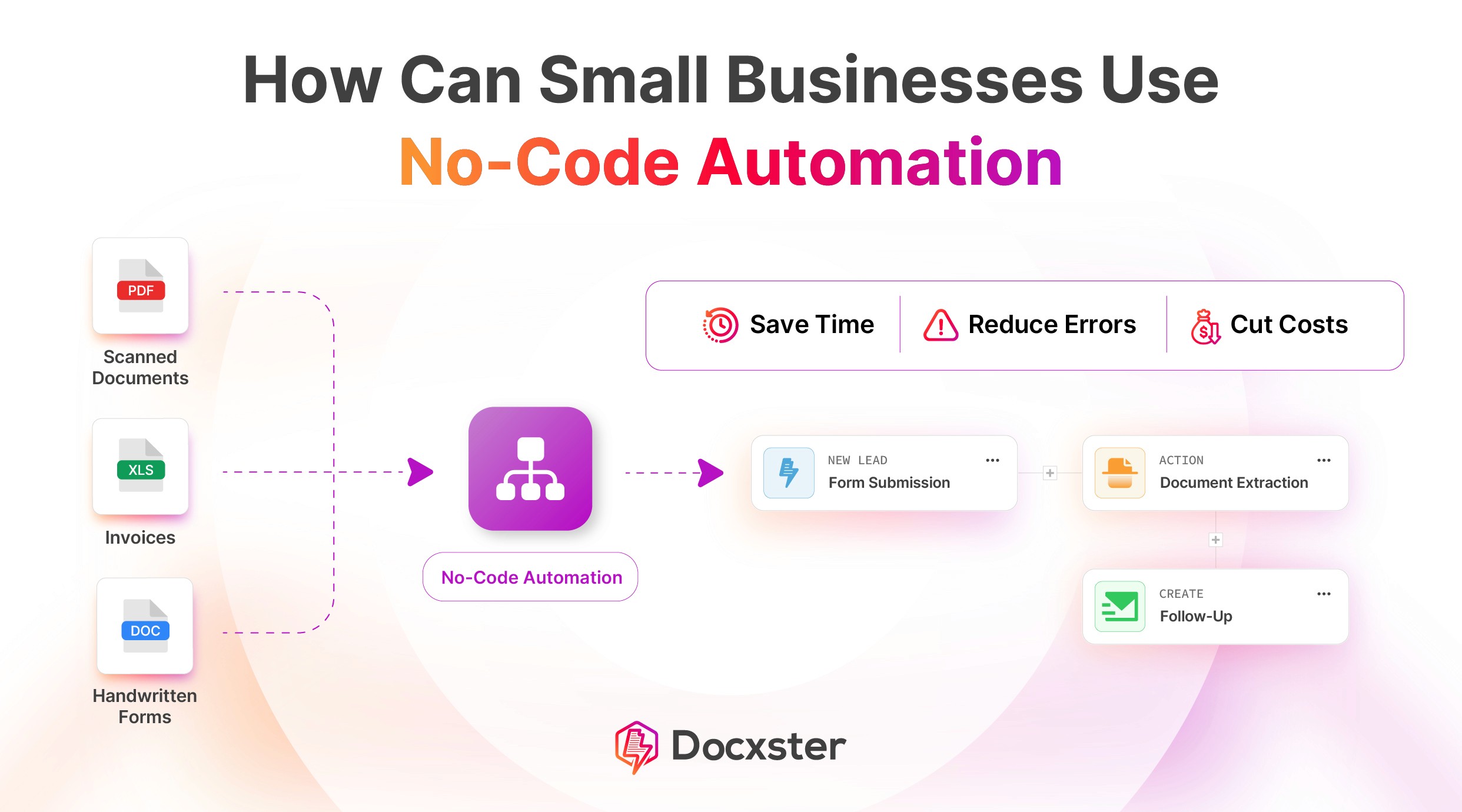
The biggest opportunity is in document-heavy workflows like invoices, customer onboarding files, delivery notes, order confirmations, approvals, and HR checklists.
Most generic no-code tools work well with clean app data, but they often struggle when workflows start with PDFs, scans, handwritten documents, or inconsistent vendor formats.
Small businesses should look for platforms that support document extraction, validation, approvals, exception handling, and clean exports into existing tools.
The best first step is to automate one high-volume workflow where manual data entry, document chasing, or approvals are slowing the team down.
As a small business, your document problems feel anything but small. Invoices come in different formats, scans arrive half-readable, and handwritten documents still find their way into critical workflows. Meanwhile, your team has no slack left to deal with the mess.
For years, automation meant expensive software designed for large enterprises with dedicated IT teams and long implementation cycles. Small businesses were left with a choice: hire more people or manage the chaos manually.
Neither option makes sense when your operating margin depends on staying lean.
Now, no-code document automation now offers small businesses a realistic path to reduce manual work, move faster, and handle document-heavy operations without building an IT department. This article walks through how small businesses can realistically implement no-code automation in 2026.
Why small businesses need automation in 2026 more than ever
As a small business, you're more likely just to process documents manually because it feels easier and safer. But here's why that's not true anymore:
1. Automation saves you time
A 2023 Adobe Acrobat survey found that 48% of workers struggle to find documents quickly, and poor document processes directly affect productivity.
For a small business, that time loss hits harder. You’re already working with a lean team, and you can’t keep adding people whenever the workload increases because hiring takes time and costs money.
So a lot of time goes into finding the right document or figuring out what’s missing. That delay carries forward into everything else, and work starts to slow down.
Automation helps protect your team’s time. It reduces the manual effort around document workflows so your team can keep up without constantly feeling maxed out.
2. Manual processes slow operations and hurt customer experience
When your business runs on manual processes, delays become part of how work gets done. Production schedules slip, and shipments go out late. Your team spends time updating spreadsheets and chasing approvals instead of getting orders out.
Inkl research estimates that small businesses lose around 33 hours every month to manual work. That’s roughly 15% of a working month spent on tasks that don’t scale. A 2025 study of 1,000 subject matter experts (SMEs) also found that outdated or manual setups cost 98 hours every year, a loss of nearly 12 working days.
That’s because, with manual processes, work doesn’t move forward until someone checks the latest status or verifies information. That waiting time slows your operations down.
Moreover, your customers feel this directly. They wait longer for updates and don’t always know what’s happening next. Even when your team is doing the work, the customer experience feels inconsistent.
This is why automation matters more in 2026. When decisions move faster inside the business, customers get clearer and quicker responses without you adding more headcount.
3. No-code tools let you build what works for your business
If you look closely at how document workflows move through your business, they rarely follow a neat or standardized path. Instead,
Documents arrive in inconsistent formats
Information is scattered across systems
Last-minute changes and one-off requests are handled manually
The problem worsens when software assumes clean inputs or rigid templates. This is when teams end up adapting their work to the tool instead of solving the underlying problem.
No-code automation gives you control over that reality. You can shape workflows around how your business already operates, even when the starting point is an unstructured document.
When automation handles the heavy lifting early—like automating data entry instead of pushing it downstream—you free your team to focus on decisions rather than cleanup. That’s what makes these tools workable for small businesses at scale.
Where most no-code tools fall short for small businesses
We typically see three main reasons why most no-code tools fall short for small businesses. Here’s a detailed breakdown:
1. They expect clean data from unstructured documents
Most no-code tools were built around the idea that data already exists in a usable form. You can see this clearly when you try to automate a simple document workflow in tools like Zapier or Make:
A new invoice file gets uploaded to Google Drive
The workflow triggers an extraction step to pull fields like invoice number or amount
That data gets sent to your accounting system
This setup works when every invoice follows the same structure. The fields appear where you expect them, and the labels stay consistent.
Unfortunately, the model breaks down the moment work starts with real documents. Invoices arrive as PDFs, scans, or emails from different vendors, each with its own layout. The data you need is there, but pulling it out and consolidating it still falls on your team.
Approaches such as templateless extraction handle this variability by focusing on meaning instead of format, something most no-code tools were never designed to do on their own.
2. They require too much setup or technical knowledge
No-code tools often promise simplicity, but the reality feels different once you move beyond the basics. What begins as a visual workflow quickly turns into a system that demands careful logic and ongoing attention to keep it running correctly. For busy operators, the overhead of failed automated document processing becomes hard to justify.
This gap is evident in how users describe their experience. In a recent Reddit discussion, one user noted that while no-code tools have become more powerful, added capabilities have made them harder to use, with a learning curve that’s steeper than before. And many users agreed:
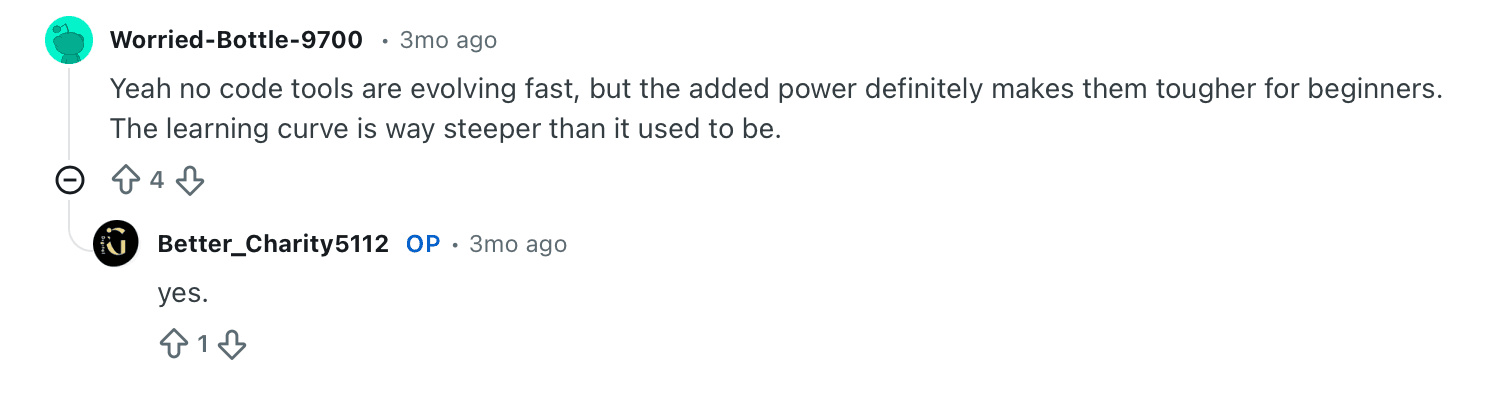
The tools may remove the need to write code, but they still require developer-style thinking, which limits their practicality for small teams without technical time to spare.
3. They don’t handle exceptions or approvals well
Most no-code tools assume that work always moves forward without interruption. When something unexpected happens, the workflow often has no clear next step, and you have to intervene to keep things moving.
That assumption breaks down quickly when working with documents. Real operations need systems that can pause, surface issues, and involve humans at the right moment, which is why document-aware approaches like AI-driven document processing matter in automation.
In practice, teams run into situations where:
A document needs review or approval before the process can continue
Extracted data contains an issue that the system can’t flag or route correctly
When tools can’t handle these cases, teams fall back on manual coordination. And at the end, automation without guardrails creates friction instead of removing it.
5 no-code automation tools for small businesses
We’ve picked the five best no-code automation tools for your small business:
1. Docxster
Docxster is a document automation platform built from the ground up for small and mid-sized businesses in document-heavy industries like manufacturing, logistics, and supply chain. While most automation tools assume data exists in clean, structured format, Docxster starts where the real work begins: with PDFs, scans, handwritten documents, and other unstructured inputs.
Rather than building workflows around templates or predefined structures, it extracts and validates information directly from real-world documents—invoices, bills of lading, shipping documents, compliance paperwork, and other formats that vary from vendor to vendor. This matters because small businesses can't afford to clean and reformat data before automation starts. They need tools that handle the variability upfront.
The platform is built so that business users like operations manager and finance teams that can own their automation.
You don't need an IT team, implementation partner, or six-month implementation cycle. If you understand your process, you can map it out visually, connect it to your existing systems, and deploy it yourself.
“These are teams of five, ten, fifteen people handling large turnovers. Automation isn’t about replacing them. It’s about helping one person do the work of ten, so the business can handle more without burning people out.”

Ramzy Syed
Founder, Docxster
That philosophy shows up in how our product works. Docxster treats automation as something business users own. If you understand your process, you can break it into steps and build the workflow yourself, without writing code or waiting on technical specialists.
Key features
Document-first data extraction: Extracts data directly from invoices, shipping documents, IDs, and other real-world business paperwork, even when formats vary.
Templateless field mapping: Identifies and maps fields dynamically without relying on fixed document templates, so vendor changes don’t break workflows.
Human-in-the-loop validation: Routes low-confidence cases for review and correction, supporting approvals and compliance without stopping automation.
No-code workflow builder: Enables business users to build document workflows with routing, conditions, and approvals using a visual interface, without IT support.
Structured data export: Pushes validated data into enterprise resource planning (ERP) systems, accounting tools, or spreadsheets in a clean, usable format.
2. Zapier

Zapier is a no-code workflow automation platform that lets users connect and orchestrate actions across thousands of apps without writing code. It supports individuals, solopreneurs, and teams who need to move data between systems or build repeatable processes. Users create automated flows (called “Zaps”) using a visual editor. A trigger from one app starts a series of connected actions across others, and users can scale those workflows as needs grow.
Key features
Visual workflow builder lets you configure automation without code
Connects with more than 8,000 apps across business functions
Supports multi-step automation with conditional logic and actions
Offers no-code database tables and form builders for simple data collection
AI orchestration and agent support expand what workflows can do
Pricing
Zapier offers a free plan, with paid plans starting from approximately $20/month when billed annually.
3. Activepieces
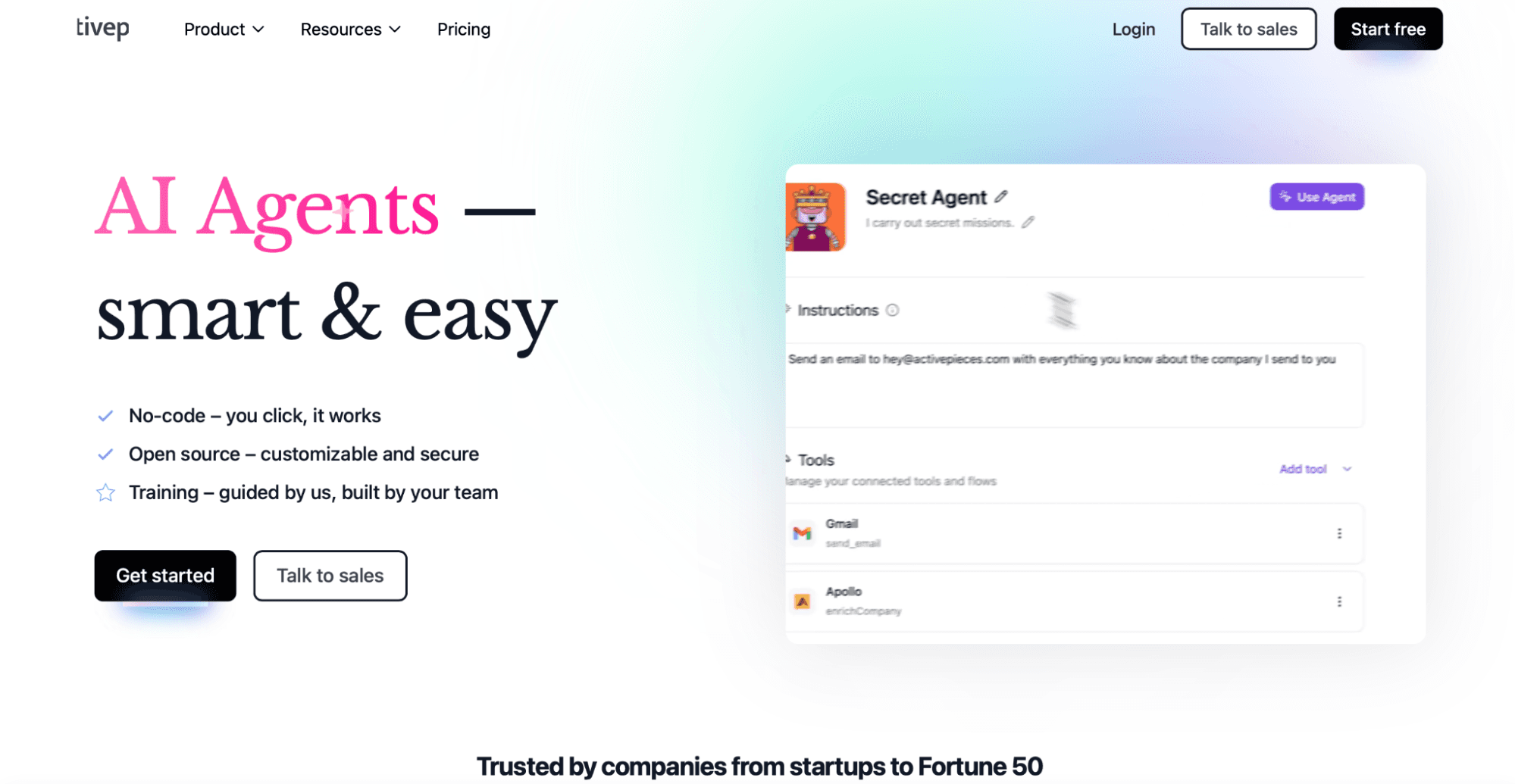
Activepieces is a no-code automation platform built for teams wanting to create app-to-app workflows with more control than typical SaaS tools. It focuses on event-based automation using triggers and actions, and it works well when you need predictable, structured data flows. Teams often choose it when they want flexibility or self-hosting instead of a fully managed SaaS.
Key features
Visual workflow builder using triggers, actions, and conditions
Strong support for webhooks and API-based integrations
Self-hosted and open-source option for more control
Works best with structured inputs like app events and form data
Pricing
Activepieces has a free Standard plan that includes 10 free active flows, charging $5 per additional active flow per month. Its Ultimate plan has an annual contract; contact sales for more information.
4. Airtable
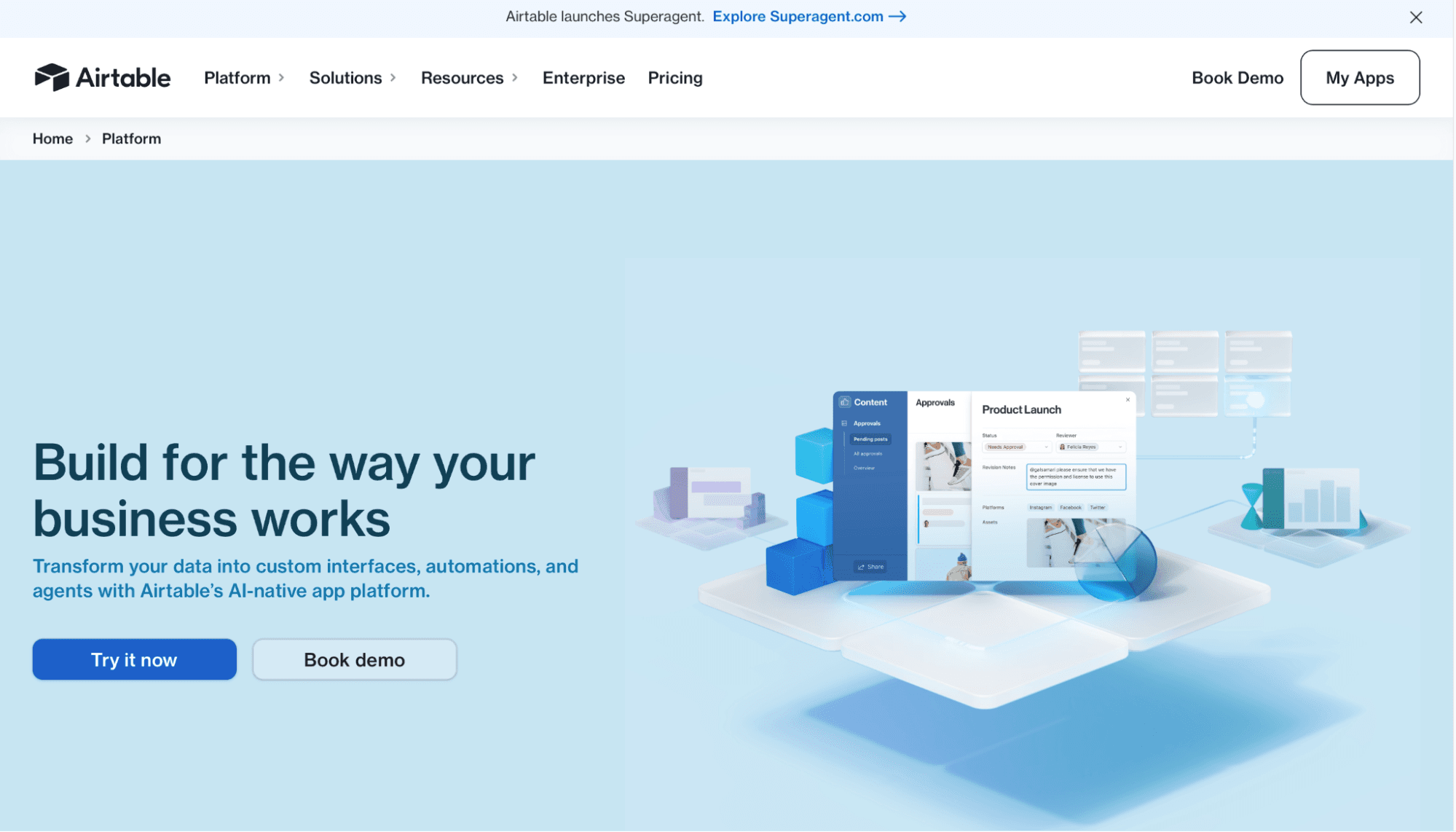
Airtable is a no-code database tool that lets teams store structured data and automate actions when records change. It works well when your workflows start with clean, tabular data rather than documents. Automation in Airtable runs directly on top of tables, making it useful for tracking processes, approvals, and internal operations.
Key features
Table-based data model with defined fields and record structure
Built-in automations triggered by record updates or form submissions
Approval-style workflows using status fields and conditional actions
Forms for collecting standardized inputs into tables
Limited logic and branching compared to dedicated automation tools
Pricing
Airtable offers a free plan, with paid plans starting from $20 per user/month when billed annually.
5. ChatGPT

ChatGPT is often used as a no-code automation layer for tasks that require interpretation rather than fixed rules. Small businesses use it inside workflows to classify text, extract information, generate responses, or handle edge cases that traditional logic struggles with. It doesn’t manage workflows on its own but adds flexibility when embedded into automation.
Key features
Natural language input for transforming and generating data
Useful for handling unstructured text and variability
Can be embedded into automations via API or tools like Zapier
Not a workflow engine or system of record
Pricing
ChatGPT offers a free plan, with paid plans starting from $20/month.
4 workflows small businesses can automate today
If you look at where time actually goes in a small business, it usually isn’t lost in strategy or decision-making. It gets eaten up by repeatable work that still needs human attention because systems don’t talk to each other. Here are the workflows where automation tends to pay off the fastest:
Invoice approvals and payments: Extract key fields from invoices, validate amounts against records, and route them for approval automatically. When something doesn’t match, the workflow flags it early instead of letting errors reach payment.
Customer onboarding documentation: Send IDs, contracts, and compliance forms through a single automated flow that validates information and triggers the next step without manual coordination.
Delivery notes and order confirmations: Standardize and log vendor documents, including handwritten or inconsistent formats, so operations teams don’t have to re-enter data.
Internal approvals and HR checklists: Route expense reports, onboarding tasks, and vendor agreements to the right reviewer at the right time, without chasing people for updates.
These workflows are strong candidates for automation because they sit at the intersection of high volume and predictable handoffs. They don’t require new processes or human behavior changes; they simply remove the manual steps that slow work down today.
What to look for in a no-code automation platform for small teams
Not all no-code tools are built for small teams. Before you commit to a platform, it helps to pressure-test it against how your business actually operates, not how clean the demo looks.
Here are a few questions worth keeping in mind:
Can it extract data from real documents, not just apps?
Your workflows often start with PDFs, scans, receipts, or emailed files, and the platform should handle those inputs without manual cleanup.Can you build workflows without code or developer help?
True no-code means you can design, adjust, and deploy workflows yourself without waiting on technical support.Does it support approvals, flags, and error handling?
You need control over what happens when something needs review, not just simple trigger-based logic.Can it export clean data to your existing tools?
The output should land in systems like Excel, Google Sheets, or your ERP in a usable, structured format.Can it handle variability without breaking?
Real documents change format and structure over time, so the system should adapt without constant reconfiguration.Can you see what’s happening when something fails?
Make sure you can track errors, understand where a workflow stopped, and fix issues without digging through logs.
These criteria help you filter out tools that look flexible on the surface but break under real operational pressure.
Lean into no-code automation to make a sizeable impact
The right automation tool for a small business is the one that fits your actual problems:
Document variability
The need for non-technical ownership
Built-in approvals and error handling
Clean output to your existing systems
Once you identify which of these gaps automation can address in your operation, you can move past the demo phase and start building actual workflows. If you're managing document work that still relies on manual effort and your team is telling you something needs to change, automation designed for your reality is worth exploring.
The ROI is in getting one critical process off your people's plates so they can focus on what actually moves the business forward.
Improve your document operations with Docxster
FAQs: No-Code Automation for Small Businesses
What is no-code automation for small businesses?
No-code automation lets small businesses build workflows without writing code, usually through visual builders, triggers, rules, and app integrations. For document-heavy teams, it helps move work from manual copying and checking into automated extraction, validation, routing, and export steps.
How can a small business automate without coding?
A small business can start by choosing a no-code platform, mapping one repetitive workflow, and setting up triggers, actions, approvals, and exports visually. Document-first tools are especially useful when the work starts with invoices, PDFs, scans, receipts, delivery notes, or other unstructured files rather than clean app data.
What are the best workflows for small businesses to automate first?
Good starting points include invoice approvals, payment checks, customer onboarding documents, delivery notes, order confirmations, expense approvals, HR checklists, and vendor agreements. These workflows are usually repetitive, high-volume, and easy to measure, which makes them strong candidates for early automation.
Why do many no-code tools fall short for document workflows?
Many no-code tools assume the data already exists in a structured format, such as a form submission, app event, or database record. Small businesses often work with PDFs, scans, emails, and inconsistent vendor documents, so the team still has to clean or extract the data before the automation can run.
Is Zapier enough for small business automation?
Zapier is useful for connecting apps and automating simple workflows, especially when the inputs are structured and predictable. But for complex document workflows, changing formats, or heavy approval logic, teams may need a more document-aware automation platform or a workflow setup with stronger exception handling.
What is the difference between no-code automation and AI document processing?
No-code automation provides the workflow structure, including triggers, routing, approvals, and exports. AI document processing helps with the messy input layer by reading and extracting data from documents that vary in layout, format, or quality.
Can no-code automation handle invoices, receipts, and scanned documents?
Yes, but only if the platform can extract data from unstructured or semi-structured documents. Tools that rely on fixed templates may struggle when vendors change layouts, while templateless or AI-based extraction is better suited for variable invoices, receipts, scans, and emailed files.
Does no-code automation replace employees?
No-code automation is usually more about reducing repetitive work than replacing people. In small businesses, it helps lean teams spend less time copying data, chasing approvals, and fixing document errors, so they can focus on customer work, operations, and decisions.
What should small businesses look for in a no-code automation platform?
Small businesses should look for document extraction, visual workflow building, validation rules, approval routing, exception handling, error visibility, and exports to tools they already use. The platform should also be simple enough for business users to manage without constant developer support.
Will AI replace no-code automation?
AI will not replace no-code automation completely. AI helps interpret messy inputs and make workflows smarter, while no-code platforms provide the structure, controls, integrations, approvals, and execution layer that businesses need to run processes reliably.
Is ChatGPT a no-code platform?
ChatGPT works like a no-code tool because you can automate tasks through natural language, but it does not replace a real no-code platform for running workflows, approvals, and integrations.
How to automate without coding?
Use a no-code automation platform like Docxster to build workflows visually, automate document processing, and push structured data into your existing tools without scripts.
Is Zoho a low-code or no-code platform?
Zoho is primarily a low-code platform. Many automations still require configuration logic or scripting beyond simple drag-and-drop.
Turn documents into decisions.
See how Docxster gets you from inbox to insight in minutes, not days. Bring your toughest workflow — we'll show you what it looks like solved.


