

-
11 min read
How to Handle Complex Table Extraction Without Templates
Struggling to extract accurate tables from PDFs? Learn how to use Docxster to capture tabular data with consistency and avoid template failures.
Last updated:
TL;DR
Table extraction turns rows-and-columns locked inside PDFs, scans, and images into structured data you can export as CSV/JSON or push into systems.
It’s hard because tables require both spatial accuracy (cell boundaries) and semantic accuracy (what each value means in context) — OCR alone can’t handle that.
Format inconsistency (merged cells, missing borders, shifting headers) is the #1 reason “works on simple tables” tools fail on real invoices, BOLs, and POs.
Scans and image-based tables add visual noise (shadows, stamps, handwriting) that breaks traditional approaches; vision-language models help by combining text + image understanding.
A reliable workflow is hybrid: OCR + layout analysis + AI extraction + human review for low-confidence cells, then automated routing into ERP/finance/TMS tools.
Your accounts payable team receives a routine supplier invoice. The system should extract the table in seconds. Instead, it returns scrambled values, missing rows, and fields merged in all the wrong places.
A quick task becomes a 30-minute manual cleanup. When you multiply that across hundreds of documents, the productivity loss becomes huge. Document-intensive industries like logistics, and manufacturing face this every day. The moment data appears in rows and columns, automation accuracy starts collapsing.
The reason is that previous technologies couldn’t parse through tables easily. Unlike plain text, tables combine structure, spacing, and meaning in a way machines struggle to read.
This guide breaks down why table extraction is so difficult, what causes these failures, and how newer systems are finally addressing the problem.
What is table extraction?
Table extraction is the process of identifying and retrieving structured data from tables in documents, such as PDFs, scanned images, spreadsheets, or web pages. The goal is to turn visual or embedded table data into a usable, machine-readable format.
In other words, table extraction converts locked or unstructured tables into structured data that you can analyze, store, or integrate into systems. This process makes information in invoices, reports, or forms more accessible and actionable.
At a high level, the process involves four key steps:
Detecting tables: Locating the table regions within a document using visual or layout cues
Parsing structure: Understanding the rows, columns, and cell boundaries
Extracting content: Reading and capturing text or numerical data within each cell
Converting output: Transforming the extracted data into formats like CSV, JSON, or database tables
Together, these steps ensure that you can convert even complex or irregular tables into clean, usable data.
Why is table extraction difficult?
To understand how to do table extraction well, we first need to see why it’s hard to get right. This section breaks down the main challenges:
1. Semantic and spatial complexity
Table extraction demands precision on two fronts: spatial and semantic. The platform must detect each element’s position on the page and interpret its semantics.
This is where optical character recognition (OCR) falls short. This technology can read text, but it can’t understand structure. Without layout intelligence, columns can blur together, and values can lose context.
As Jishnu N.P. explains, “OCR reads line by line from left to right, the data from left and right get mixed up in a single line. Layout makes blocks of text in the document, giving spatial context.”
But the complexity doesn’t end with simply combining OCR, layout, and AI. These layers depend on one another, and each must be accurate. If even one layer produces an error, it could corrupt your tables. For instance, your headers could be swapped, or individual cell values could be jumbled.
In manufacturing and logistics companies where documents flow by the thousands, these tiny misfires scale fast. And this is why semantic and spatial complexity remains the first—and most stubborn—barrier to accurate table extraction.
2. Inconsistent formats across tables
Apart from semantic and spatial complexity, table data often arrives in inconsistent formats. This is because table layouts change between documents. Some tables may drop borders, while others may merge cells, split headers, or add extra summary rows. For example, below you can see a bill of lading (BOL) and a purchase order table. While both are tables, they don’t follow the same format.

BOL contains elements like customer order number, weight, commodity description, and more.
Now, let’s look at a purchase order:

As you can see in the image above, the purchase order table appears very different. It has columns like quantity, description, unit price, and amount.
A Reddit user described the struggle of inconsistent formats while automating table extraction. They tested PDFplumber, Tabula, and GPT-based models, and said:
“With simple tables, they work fine, but as soon as things get a bit complex in terms of table structure, they just aren't good enough.”
This happens because most extraction tools treat tables as unstructured text blocks rather than recognizing the grid, hierarchy, and relationships that hold them together.
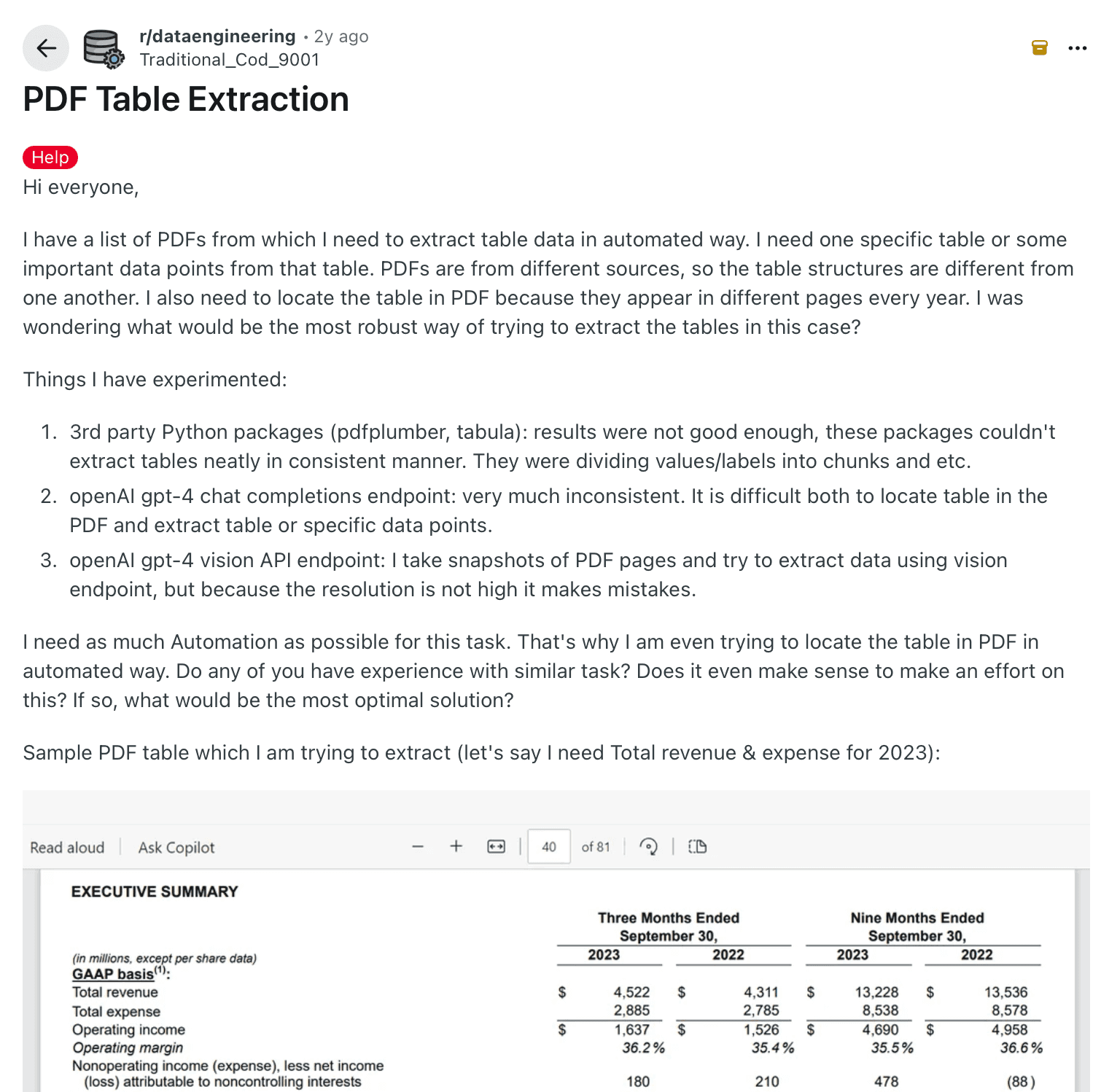
Reddit post showing challenges caused by inconsistent table formats in PDF data extraction
Unlike plain text, tables don’t have grammar rules per se. If the structure or format changes, even advanced models will struggle to determine where one cell ends and the next begins. The inconsistency makes it harder to extract tabular data.
3. Multimodal document formats
Many real-world tables appear as scans or images rather than digital PDFs, which adds extra complexity to extraction. They often include:
Shadows that blur cell boundaries
Handwritten notes that sit on top of rows or columns
Stamps that cover text or break the table layout
Logos or graphics that blend into the background of the table
All of these create visual noise that makes the table harder for any system to read with consistency.
As Jishnu explains, traditional OCR can only detect characters. It can’t interpret images or textures, so numbers or labels inside images often go unread. This limitation breaks document extraction for documents that combine visuals and data, such as invoices or inspection forms.
Vision-language models (VLMs) solve much of this by combining image and text understanding. They can read printed text, detect layout, and skip irrelevant marks. Still, the mix of text, texture, and noise makes consistent parsing one of the hardest challenges in table extraction.
4. High maintenance overload
Table extraction systems need continuous upkeep. Even a small change in layout, such as a vendor adding a column or moving a header, can break field mappings and disrupt data capture.
Traditional OCR and rule-based models fail when layouts shift, and even LLMs struggle with unpredictable formats. Every change requires extra time spent tuning the system to handle the next variation.
Across thousands of document templates, this constant adjustment creates high-maintenance overload and slows your automation.
How to confidently extract tabular data with AI
By now, you’ve seen how messy table extraction can get. That’s exactly why today’s workflows rely on a hybrid approach that integrates OCR, layout understanding, and AI rather than treating them as separate fixes.
Docxster brings these elements together on a single platform, built on a vision-language model that unifies text, structure, and meaning. Here’s how it works:
Step 1: Ingest documents from different sources
The first step is to collect all your documents from all sources, such as WhatsApp, Gmail, Outlook, Tally, etc. With Docxster, you can connect all these data sources in our workflow builder, and it’ll automatically pull the right documents from the right places.
For example, say your plant receives supplier invoices and delivery challans across email, WhatsApp, and your procurement portal. You can integrate all these sources so that every document flows into one place without manual downloads.
Step 2: Detect the table layout and extract structured data
After you collect your documents, your AI system needs to understand how each table is arranged. It has to read the text, identify the layout, and understand how every cell relates to its header and row. With Docxster, you can do this because it combines OCR, layout analysis, and AI extraction in a single pass.
For example, say your accounts team receives vendor invoices that have shifting column formats and embedded totals. The AI reads the table, interprets the structure, and extracts line items, taxes, and amounts in a consistent format.
Step 3: Validate low-confidence fields with human review
AI is powerful, but you may still have documents that are blurry, inconsistent, or poorly formatted. When confidence drops, the safest approach is to let a human reviewer check those fields. This keeps your workflow accurate without slowing down the rest of the process. Docxster makes this easy by sending only uncertain fields for review, while everything else moves forward.
For example, say a scanned quality inspection sheet has smudged text in one column. The AI flags only those unclear cells so your operations team can correct them quickly.
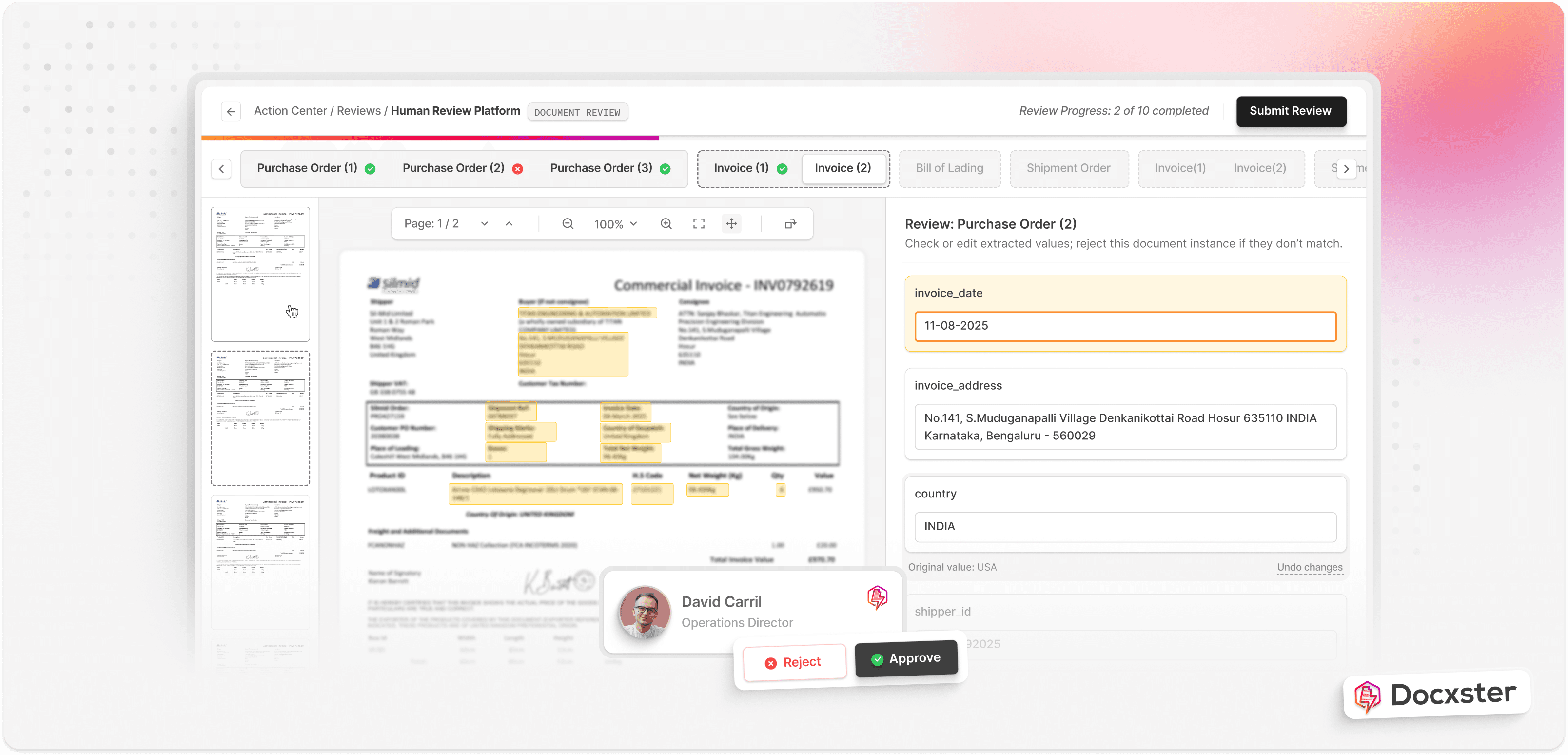
Step 4: Send verified data to your downstream systems
Once the data is verified, you can send it to the tools your team relies on. This might be your ERP, finance platform, or analytics tools. Docxster connects directly to these tools, so your extracted tables flow into your workflows without manual copying or reformatting.
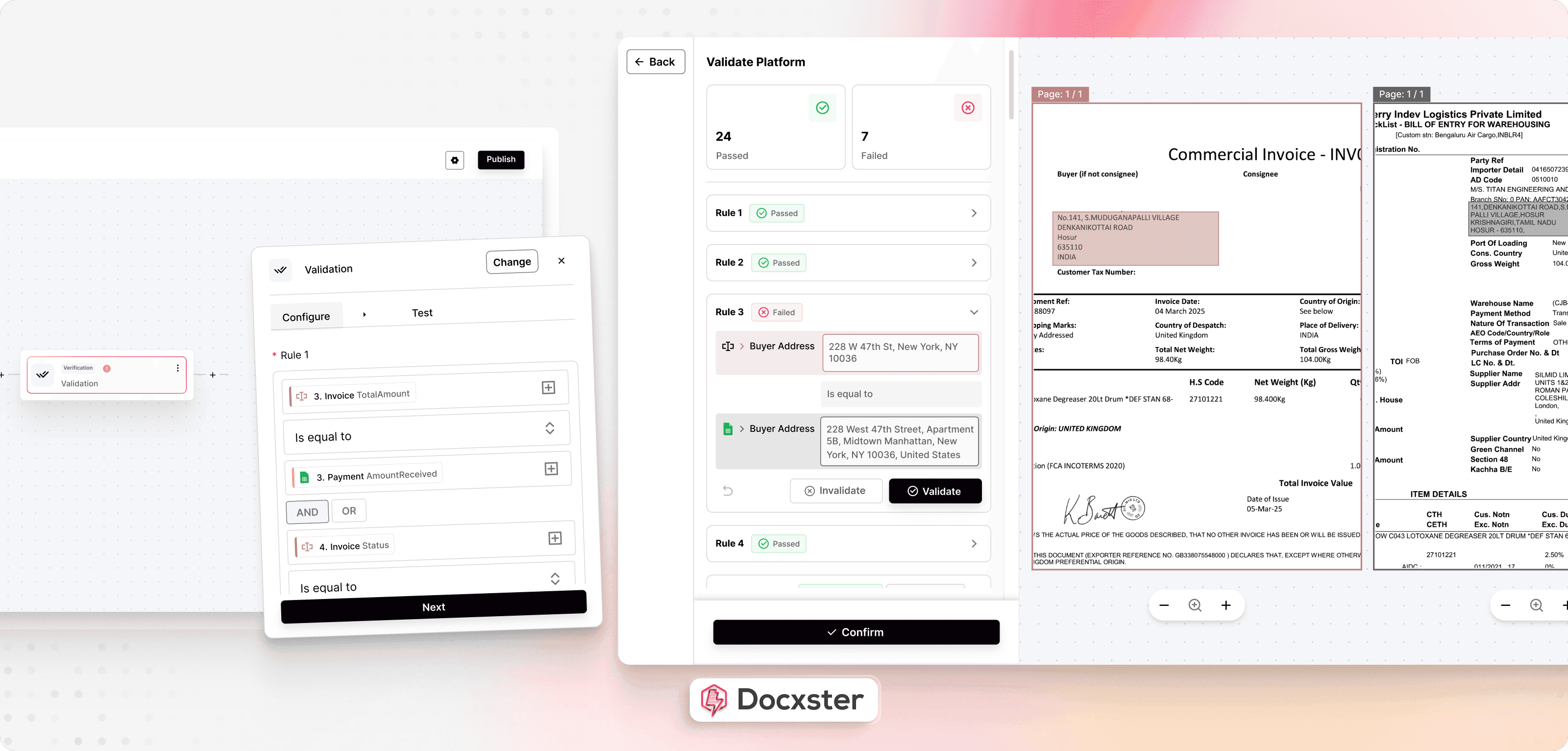
For example, after extracting line items from shipment manifests, the verified data flows straight into your transport management system (TMS) or ERP. Your team can then reconcile quantities and update inventory in real time.
Extract tabular data in seconds using Docxster
The structural complexity of tables demands tools that understand structure and context the way you need them to. For years, table extraction has slowed your automation efforts, but now you can finally eliminate that bottleneck.
Docxster was built to help you do just that, solving problems with inconsistent layouts, scanned documents, and changing formats. It brings text recognition, layout understanding, and contextual intelligence into a single workflow that adapts to your documents rather than requiring you to adapt to the tool.
You get reliable extraction across invoices, reports, and scanned records without the constant rework. What used to take hours to fix rules or retrain models now happens in seconds.
Ready to process documents with complex tables in minutes?
FAQs: Table Extraction
1. What causes scrambled values and missing rows in invoice tables?
Scrambled values usually happen when the system cannot correctly detect cell boundaries or reading order. Missing borders, merged cells, shifting headers, and multi-line descriptions make it difficult to segment rows properly. Scans, stamps, and shadows can also blur structure and cause values to be dropped or misassigned.
2. What’s the difference between OCR-based table extraction and AI-based table extraction?
OCR-based systems primarily detect characters and attempt to infer structure afterward, which often breaks when layouts change. AI-based extraction understands layout and context together, mapping values to the correct headers even when formats shift. This reduces template maintenance and improves reliability across real-world documents.
3. What is an extraction table?
An extraction table is the structured output created after pulling tabular data from a document. It organizes the extracted information into rows and columns so it can be used like spreadsheet data. This makes validation, analysis, and system integration much easier.
4. How do you extract data from a table?
You use a table extraction tool that detects table regions, identifies rows and columns, and captures each cell’s content. The system then exports the structured data into formats like Excel, CSV, or JSON. For complex documents, validation rules and human review help maintain accuracy.
5. How do you extract a table from a PDF?
A PDF table extraction platform reads both digital and scanned PDFs, reconstructs the grid structure, and converts it into clean, editable data. Strong tools handle shifting headers, merged cells, and inconsistent formats without relying on rigid templates. The output can then be exported or integrated directly into business systems.
6. What are the best tools for extracting tables from PDFs?
The best tools combine OCR, layout analysis, and AI extraction rather than treating them separately. Platforms that support human-in-the-loop validation perform better on complex invoices, bills of lading, and purchase orders. When evaluating options, always test them on your most inconsistent and messy samples.
7. How do you train a model for table extraction from images?
Training involves providing labeled examples that define table regions, cell boundaries, and the specific fields you want extracted. Including diverse layouts and scan qualities improves robustness. Many platforms offer pre-trained models with optional customization so you can fine-tune extraction for your document types.
8. How do you confidently extract tabular data at scale?
A reliable approach combines OCR, layout detection, AI-based extraction, confidence scoring, and selective human validation. Low-confidence fields are reviewed, while high-confidence data flows automatically into ERP, finance, or analytics systems. This keeps accuracy high without slowing down large document volumes.
Turn documents into decisions.
See how Docxster gets you from inbox to insight in minutes, not days. Bring your toughest workflow — we'll show you what it looks like solved.


