


-
17 min read
Why Your Logistics Document Process is Bleeding Money (And How IDP in Logistics Fixes It)
Every delayed shipment and misprocessed document has ripple effects throughout the supply chain. Here's how you can avoid that with IDP.
Last updated:
TL;DR
Logistics document workflows are breaking because teams still process bills of lading, customs forms, invoices, PODs, and delivery notes manually across scattered systems.
Manual document handling creates delays, data entry errors, compliance risks, duplicate work, and siloed information across TMS, WMS, ERP, and accounting platforms.
Intelligent Document Processing, or IDP, uses AI to extract, validate, route, and export logistics document data from PDFs, scans, handwritten notes, and mobile photos.
No-code IDP helps logistics teams update workflows, validation rules, approvals, and exception handling without waiting on IT or rebuilding rigid templates.
High-impact IDP use cases include BOL processing, invoice reconciliation, customs documentation, and proof-of-delivery processing.
It's 2 PM on a Thursday. Your shipment to Frankfurt should have cleared customs hours ago, but it's sitting in a warehouse because someone mistyped a single digit in the HS code.
Now you're facing overnight storage fees, missing your delivery window, and dealing with an angry customer who's threatening to find a new logistics partner.
This scenario plays out thousands of times daily across logistics operations worldwide. The culprit isn't incompetent staff or bad luck—it's document processing workflows that weren't built for the realities of modern supply chains.
That's why forward-thinking logistics companies are moving toward intelligent document processing (IDP) solutions. In this article, we’ll explain how IDP in logistics works and how you can realistically use it.
How logistics companies process documents today—and why manual workflows are breaking down
Logistics runs on documents, and they're complex. From bills of lading to customs forms, you're dealing with sensitive information that needs to be accurate across systems and formats. Here's what Alan Chen, President & CEO of DataNumen had to say:
"In logistics, document processing has always been a critical part of operations. For us, most of our document handling was manual until recent years—staff would spend hours inputting data from invoices, bills of lading, and customs forms into our systems.'
— Alan Chen, President & CEO, DataNumen
Here are the main issues we’re seeing:
Document workflows are chaotic
You receive complex documents in multiple formats throughout the day. For example:
Scanned images arrive from Chennai port authorities.
PDFs come through email from suppliers in Ohio.
A driver photographs a handwritten delivery note with their phone because the original got damaged in transit.
For a single BOL shipping automotive parts from Detroit to Mumbai, this might mean validating 15 to 20 data points across:
Container numbers
Weights
Destinations
Special handling instructions
Regulatory requirements
When you're processing 200-300 documents daily, this manual verification becomes the primary bottleneck in your operation.
A single mistyped container number can delay an entire shipment, triggering demurrage charges at Jawaharlal Nehru Port and forcing you to explain to customers why their delivery timeline just shifted by a week.
Manual data entry errors are common
Inaccuracies get flagged manually, but only after entering your system. This triggers email chains and phone calls to suppliers, carriers, or customs brokers to resolve discrepancies.
We've heard horror stories about how small errors cost companies crores in shipment delays.
The problem compounds when errors cascade through multiple systems. An incorrect HS code on a customs form delays clearance and affects inventory planning, customer notifications, and financial reporting.
By the time you catch the mistake, the damage spreads far beyond a single shipment.
Managing documents is a hassle
Documents typically get saved in folders organized by date, customer, or shipment ID across multiple systems. For example:
Google Drive holds scanned customs forms.
SharePoint contains supplier agreements.
Local computers store PODs that drivers submitted months ago.
When finance needs that specific duty payment receipt from three months ago, someone spends 30 minutes digging through nested folders before finding it in an email attachment.
In short: whenever anybody on your team or an external auditor requests this documentation, it becomes a multi-day project involving different departments.
Document data lives in siloed systems
The same data gets entered into your TMS, WMS, and accounting system, because none integrates properly. A shipment manifest gets typed into the warehouse system for picking, re-entered into the transportation system for routing, and manually transferred to the billing system for invoicing.
This triple-entry approach wastes time and introduces new error opportunities at each step.
Chen notes that piles of paperwork cause serious operational issues:
"I vividly remember the chaos of peak shipping seasons when piles of paperwork would slow everything down. It wasn't just inefficient but created opportunities for human error, impacting timelines."
— Alan Chen, President & CEO, DataNumen
When information differs between systems, determining the "single source of truth" becomes impossible. Operations teams in Mumbai might show a shipment as delivered while customer service in Dallas still shows it in transit, leading to confused customers and internal finger-pointing.
Why scaling makes everything worse
As your business grows, manual processes don't scale proportionally. You can't hire fast enough to handle peak seasons, and training new staff on complex document procedures takes months. A new logistics coordinator needs 6-8 weeks to understand your specific customs documentation requirements for shipments between the US and India.
During peak festival season, shipping to India or holiday season exports to the US, document volume can triple overnight. Your team works overtime, accuracy drops due to fatigue, and the cycle of errors and corrections accelerates.
Meanwhile, compliance requirements keep evolving. For instance, you must deal with new DGFT regulations, updated FDA requirements, or changing carrier policies. This creates an environment where staying current feels impossible.
The manual approach, manageable at 50 daily shipments, became a liability at 300.
Each new vendor introduces different document formats. Every new trade lane brings additional compliance requirements. What once provided control now creates chaos, and the very workflows that built your business start holding it back.
Why the logistics industry needs a no-code IDP solution
Traditional document automation tools force logistics companies to use rigid templates and lengthy implementation cycles. But logistics documents don't follow templates—they come from hundreds of vendors, carriers, and authorities, each with their own formats.
That's where a no-code IDP solution changes the process. Here's why logistics companies specifically need this approach:
1. Eliminate processing delays without the setup nightmare
Think of your document processing like a busy container terminal where paperwork delays can back up the entire operation.
When bills of lading get stuck in approval cycles or customs forms wait for signatures, the ripple effects spread quickly. A single mistyped container number can delay an entire shipment, triggering demurrage charges that easily reach thousands of dollars while your customer's delivery timeline shifts by a week.
Your supply chain moves at the speed of its slowest document.
When you're processing 200-300 documents daily, manual verification becomes the bottleneck that constrains your entire operation. You don't have three months to implement a new system while competitors are already moving freight faster, and peak season won't wait for lengthy IT projects to finish.
How Docxster solves it
Docxster lets you upload documents and start seeing results immediately without building templates or waiting for IT resources. The platform processes hundreds of documents simultaneously through batch processing, extracting key details whether they arrive as clean PDFs or photos from a driver's phone.
You can use the drag-and-drop workflow builder to automate your entire document chain. The platform extracts data from incoming documents, validates entries using your business rules, triggers human review for exceptions, routes approved data to the right people, and pushes everything directly into your ERP or TMS.
Those costly document delays become rare exceptions rather than daily operational challenges within days.
2. Handle document variations without breaking
Your documents don't follow templates. Bills of lading arrive in dozens of formats from different carriers worldwide. Customs forms vary by country and commodity type. Handwritten delivery notes come back with coffee stains and illegible signatures.
Traditional OCR tools break when faced with this reality. They need perfect conditions and rigid formatting to function properly. But logistics doesn't work that way.
How Docxster solves it
Docxster understands context and meaning instead of just recognizing characters. The platform knows the difference between a shipment ID and a customs code so you won't get stuck fixing mistakes caused by rigid templates.
The platform handles document variations automatically:
Template-free processing for any vendor format
Handwritten text recognition for signed PODs and delivery notes
Complex layout handling across multi-page documents with tables and stamps
Format flexibility from clean PDFs to mobile photos of damaged paperwork
When a BOL lists 10 containers but your booking shows 8, Docxster flags this immediately. The platform cross-checks extracted data against your records and catches discrepancies before they cause problems downstream.
This prevents errors from cascading through your supply chain, where a simple data mismatch can trigger cargo examinations, storage fees, and customer complaints that take weeks to resolve.
3. Stay compliant without the compliance headaches
Keeping up with changing compliance requirements is challenging when you're managing shipments across different countries. Manual document workflows make it nearly impossible to adapt quickly to new regulations. For example, Indian import regulations shift with policy changes, or European customs requirements add new documentation demands.
"Customs documentation, which once took hours to review, now takes minutes. It's beneficial during international shipments where compliance and precision are crucial,"
— Alan Chen, President & CEO, DataNumen
When new regulations hit, you scramble to update processes, retrain staff, and modify validation procedures. Meanwhile, shipments wait because your workflows can't handle the new requirements quickly enough.
How Docxster solves it
Docxster automates compliance validation by extracting data and validating it against the latest regulatory requirements in minutes. When regulations change, you can update validation rules without waiting for IT support or experiencing downtime.
For example, if new import regulations require specific licensing information for shipments to certain countries, you can add this as a necessary check in your workflow without coding knowledge. The platform maintains complete audit trails for every document, approval, and validation step, giving you the documentation needed for regulatory inspections or dispute resolution.
You can also use Docxster Drive, a secure document storage feature with built-in compliance features. It maintains clear audit trails for regulatory inspections while ensuring documents stay encrypted and access-controlled.
4. Scale without scaling headaches
When you manage logistics workflows manually, routing documents through email chains becomes a coordination nightmare.
You're constantly asking, "Who has the customs forms?" and "Did the POD get approved?" Document status updates require phone calls, email follow-ups, and manual checking across multiple platforms.
As your operation grows, these coordination problems multiply exponentially. What worked for 50 shipments per day breaks completely at 200. New hires need weeks to understand your document routing procedures. And peak seasons expose every weakness in your manual coordination efforts.
How Docxster solves it
Docxster provides visual workflow management through drag-and-drop interfaces that anyone can understand and modify. You get real-time status tracking showing where each document sits and who's responsible for the next step. You don't have to spend time on email detective work to figure out workflow status.
You can create parallel approval workflows where multiple teams review documents simultaneously instead of waiting for sequential approvals. For example, customer service and finance teams can validate delivery confirmations at the same time, cutting processing time in half while maintaining oversight quality.
The platform scales effortlessly with your operation.
Adding new team members means assigning them to existing workflows rather than training them on complex email procedures. Also, new branches or offices can use the same workflow templates with minor modifications for local requirements.
5. Connect everything without custom integration projects
After extracting data accurately, you still face the challenge of getting that information into your existing platforms without manual data entry. Your TMS needs shipment details. Your WMS requires inventory updates. Your ERP demands financial data. Your accounting platform expects invoice information.
Right now, this means someone manually enters the same data multiple times across different platforms.
Invoice information gets typed into your accounting platform, then entered again in your TMS for shipment tracking, then manually added to your customer management platform for billing updates.
This triple-entry approach creates multiple opportunities for errors.
When information differs between platforms, determining the correct data becomes impossible. While you can use custom integrations, it'll take months to get them up and running.
How Docxster solves it
Docxster uses built-in connectors and APIs to send extracted data directly to your existing platforms without custom development work. The platform supports standard data formats and common integration protocols, making connections straightforward.
For example, you can pull files from Google Drive or Gmail, process them, and then push them back into Google Sheets as needed.
4 no-code IDP use cases for logistics companies
Here are four critical document workflows where no-code IDP makes an immediate difference for logistics operations:
1. Bills of lading processing and validation
Bills of lading arrive in dozens of formats from carriers worldwide, each containing critical shipment details that affect your entire supply chain.
Docxster automatically processes BOLs regardless of format—whether clean PDFs from major carriers or mobile photos from trucking partners. The platform extracts the following information without templates:
Shipper information
Container numbers
Weights
Commodity descriptions
Special handling instructions
The platform validates extracted data against your booking records, flagging discrepancies like container count mismatches before they reach terminal operations. Validated BOL data flows directly to your TMS, WMS, and accounting platforms, eliminating manual data entry while maintaining accuracy.
2. Account reconciliation and invoice processing
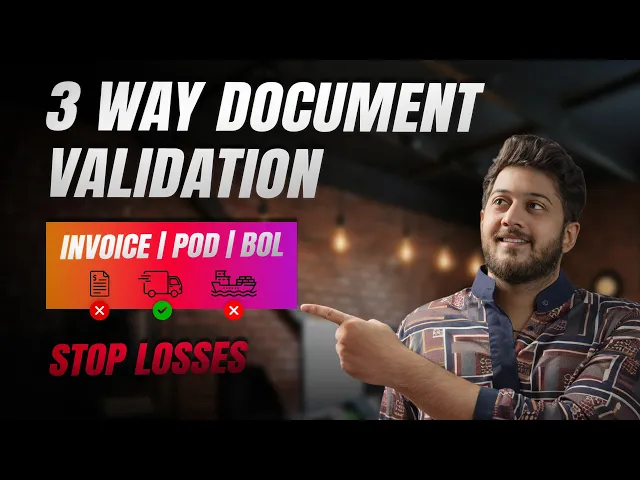
Invoice reconciliation creates cash flow bottlenecks when you're manually matching hundreds of vendor invoices against shipment records and purchase orders each week.
Docxster automatically captures invoices from emails, vendor portals, and scanned documents. It extracts information like invoice numbers, amounts, vendor details, and payment terms regardless of format variations. The platform handles everything from structured carrier invoices to handwritten fuel receipts.
Also, automated validation steps extracted data against your ERP and shipment records, flagging discrepancies for review. Custom approval workflows route invoices based on amount thresholds—invoices under $500 auto-approve after validation, while larger amounts require manager sign-off. Validated data exports directly to accounting platforms, accelerating payment cycles.
3. Customs documentation and clearance
A single error in your customs documentation could trigger cargo holds and thousands of dollars in penalty fees.
To avoid this, we process customs declarations, commercial invoices, and certificates of origin from various sources, extracting critical data like:
HS codes
Country of origin
Declared values
Required certifications
The platform cross-verifies information across customs forms, invoices, and packing lists to identify discrepancies before submission.
When regulations change, you can update validation rules without IT support. Docxster maintains detailed audit trails for regulatory compliance while exporting validated customs data directly to broker platforms and customs portals. As a result, it reduces clearance delays and ensures accurate submissions.
4. Proof of delivery and shipment completion
Manual POD processing delays invoicing cycles and complicates delivery dispute resolution, especially when drivers submit handwritten documents with varying legibility.
Docxster processes PODs from multiple sources, including mobile photos and scanned documents, extracting delivery dates, recipient names, signatures, and exception notes with high accuracy.
Also, the validation workflows cross-verify POD data against original shipping instructions to confirm complete delivery. Exception flagging identifies partial deliveries or damaged goods requiring follow-up.
Validated PODs automatically trigger invoicing processes, improving cash flow by eliminating the typical delay between delivery confirmation and billing.
Use a no-code IDP to process logistics documents faster and more accurately
Remember that Thursday afternoon shipment stuck in Frankfurt? With the right IDP platform, scenarios like this become the exception rather than the rule.
Document automation won't solve every logistics challenge overnight. You'll still deal with regulatory changes and the occasional document that requires human expertise. However, most companies see dramatic improvements within months.
Your teams spend less time firefighting document errors and more time on strategic work like optimizing routes and strengthening vendor relationships. Manual data entry drops from 6-8 hours daily to 1-2 hours for exception handling.
You can only experience this change when you embrace imperfect progress over perfect paralysis.
Looking for a reliable document processing solution for your logistics business?
FAQs: Intelligent Document Processing for Logistics
1. What is Intelligent Document Processing (IDP) in a logistics context?
IDP is an AI-powered way to read, understand, and process logistics documents like bills of lading, customs forms, invoices, and PODs. It automatically extracts key fields, validates them against your rules, and pushes clean data into your operational systems, reducing manual data entry and errors.
2. Why are traditional manual workflows breaking down in logistics?
Manual workflows can’t keep up with the volume, variability, and time sensitivity of modern supply chains. Teams are overwhelmed by scattered files, inconsistent formats, repeated data entry, and evolving compliance requirements—leading to delays, fees, and frustrated customers when mistakes slip through.
3. What types of logistics documents can IDP handle?
IDP can process bills of lading, commercial invoices, customs declarations, packing lists, certificates of origin, freight invoices, fuel receipts, and proof-of-delivery documents. It works across clean PDFs, scanned images, and even mobile photos of handwritten paperwork from drivers or ports.
4. How does IDP prevent customs delays and HS code errors?
IDP extracts HS codes, product descriptions, values, and origin details from customs documents and cross-checks them against your workflows or external rules. It flags mismatches or missing data before submission, reducing cargo holds, surprise duties, and costly storage fees caused by simple typos or omissions.
5. Can IDP handle messy, handwritten, or photo-based documents from drivers?
Yes. Modern IDP combines OCR, computer vision, and NLP to read handwritten notes, stamped forms, and low-quality images. It pulls out key details like dates, signatures, delivery exceptions, and container numbers—even when the original document isn’t perfect—and routes uncertain fields for human review when needed.
6. How does a no-code IDP platform help logistics teams specifically?
No-code IDP lets operations and finance teams build and adjust workflows themselves using drag-and-drop interfaces. They can define validation rules, routing steps, and exception handling without waiting for IT, which is crucial when regulations, partners, or volumes change quickly across trade lanes and seasons.
7. How does IDP support compliance for international shipments?
IDP automatically checks extracted data against your compliance rules and keeps detailed audit trails of who did what and when. When regulations change, you update validation steps in the workflow instead of retraining everyone from scratch, making it easier to stay aligned with customs, trade, and documentation standards across regions.
8. Can IDP scale with peak seasons and growing shipment volumes?
Yes. IDP processes documents in parallel, so when volumes spike—from 50 shipments a day to 300 or more—it continues to extract and validate data within the same time window. You don’t need to hire and train large temporary teams just to survive peak periods like holiday exports or festival season imports.
9. How does IDP integrate with existing logistics systems like TMS, WMS, and ERP?
Most IDP platforms offer connectors, APIs, and standard export formats so extracted data can flow directly into your TMS, WMS, ERP, and accounting tools. That means shipment details, inventory updates, and billing data are synced automatically instead of being retyped multiple times into different systems.
10. What kind of results can logistics companies expect from implementing IDP?
Logistics teams typically see fewer document-related delays, lower demurrage and storage fees, faster billing cycles, smoother customs clearance, and a big reduction in manual data entry. Staff spend more time managing exceptions and improving processes rather than firefighting errors in paperwork.
Turn documents into decisions.
See how Docxster gets you from inbox to insight in minutes, not days. Bring your toughest workflow — we'll show you what it looks like solved.


