
-
Proforma Invoice vs Commercial Invoice: How Brokers Pull Clean Entry Data From Both
Learn the difference between a proforma and commercial invoice, which entry fields each supplies, and how brokers pull clean customs data from both
Last updated:



Both proforma and commercial invoices are part of a customs broker’s daily life. You do not only prepare both invoices, you may also have to extract information from each of them.
However, there can be differences and confusion between what each invoice is exactly for, and most importantly, how to extract clean and useful information from both.
In this article, we have laid down the difference between proforma invoice and commercial invoice, and then given a simple way to extract clean information from both.
Quick decision: What each type means & when to use each
Proforma invoice | Commercial invoice | |
|---|---|---|
What it is | A preliminary invoice sent before the sale is final | The final billing document for a completed sale |
When it is issued | Before the goods ship, at the quote or order stage | Once the goods are sold and ready to ship |
Payment | Not a demand for payment | The document the buyer settles payment against |
Role in the transaction | States what the transaction is expected to be | Records the actual price paid or payable |
Role in the customs entry | Accepted at entry only when the commercial invoice is not yet available | The required source for customs invoice data and the rest of the declaration |
If you want to automate extracting invoice data for customs entry, schedule a call with Docxster (yes, that’s us) and we will show it running live on your own invoices.
What is a proforma invoice
A proforma invoice is a preliminary invoice the seller sends before the goods ship. It lists the expected line items, quantities, unit prices, currency, and terms of sale. The buyer uses it to arrange financing or secure import permits before the order is confirmed. It states what the transaction is expected to be rather than what has been billed, so it is not a demand for payment.
Here’s a sample of what a proforma invoice looks like:
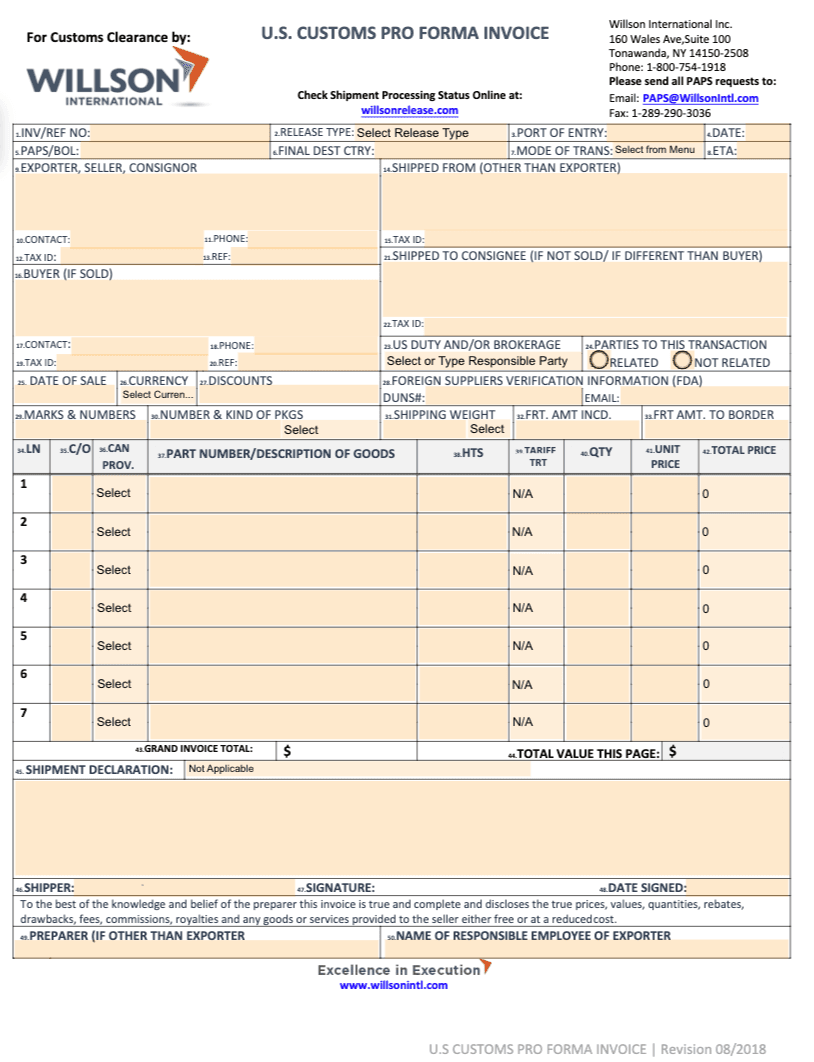
Source
An image showing a sample proforma invoice
How it is used in customs entry
When the commercial invoice is not available at the time of entry, CBP allows a proforma invoice to be filed in its place. It has to carry enough detail for CBP to examine the merchandise and determine duties. That means the description, quantities, values, country of origin, and the parties. Because those figures are estimates, the commercial invoice still has to confirm the declared value.
What is a commercial invoice
A commercial invoice is the final billing document the seller issues once the goods are sold and ready to ship. It records the actual price paid or payable, along with the line items, quantities, currency, country of origin, and the buyer and seller details. It is a binding record of the sale, which is why the buyer uses it to settle payment and the broker uses it to file.
Now if you ask what is a commercial invoice for shipping, it serves as both a shipping document and the foundation of your customs invoice data. Understanding what is a commercial invoice and how it differs from a proforma is essential for clean entry preparation.
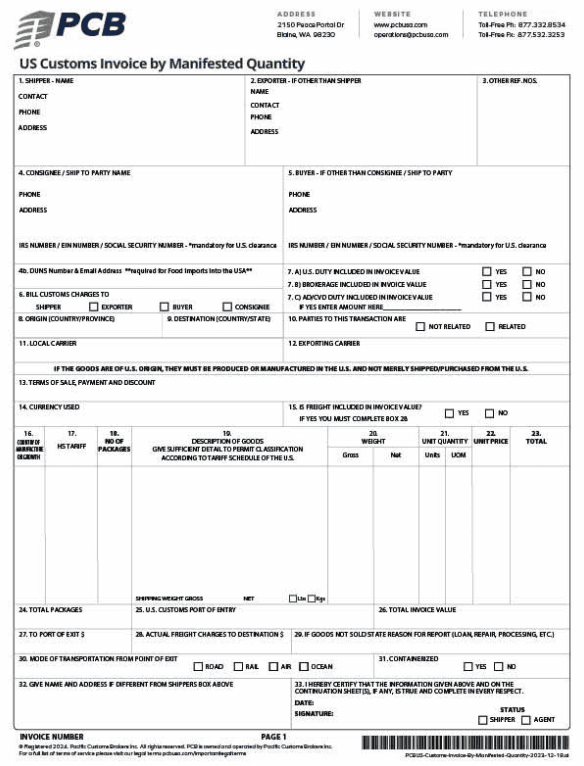
An image showing a sample commercial invoice
How it is used in customs entry
When the commercial invoice is not available at the time of entry, CBP allows a proforma invoice to be filed in its place. It has to carry enough detail for CBP to examine the merchandise and determine duties. That means the description, quantities, values, country of origin, and the parties. Because those figures are estimates, the commercial invoice still has to confirm the declared value.
Proforma invoice vs commercial invoice: In a nutshell
The commercial invoice vs proforma invoice distinction is not just semantic—it has operational consequences for your customs workflow. While both documents contain product and pricing information, their role in the entry process differs fundamentally, which is why understanding the difference between proforma invoice and commercial invoice matters for compliance and speed.
What makes invoice data hard to convert into entry data
We’ve talked to multiple customs brokers and found out reasons why invoice data is hard to convert to entry data:
1. Manual extraction of every entry field
Every field a customs entry requires has to be transcribed from the invoice and typed into the filing software by hand, one document at a time. That means re-keying information the shipper already sent, which is the step broker’s name when asked where their time goes.
During our demo calls, one broker said the work amounts to “re-entering information that we have, either by email, usually in a PDF or an Excel, and we end up re-entering that information into our software.“
Because each field is transferred by hand, the effort grows with shipment volume. Every transfer is also a point where an error can enter, and those errors surface later as CBP rejections after filing.
2. No standard invoice format
Each exporter issues its invoices in its own layout, and many arrive scanned or in another language. During our demo calls, one broker said: “Everybody uses different formats. Different commercial invoice templates, and all the templates are always different.“
A person has to work out where each field sits on every new layout. That makes capture slow and hard to repeat, because the reading starts from scratch each time a new supplier format arrives.
3. Reconciliation across documents
The proforma and the commercial invoice are prepared at different points in the transaction, so their prices and quantities do not always match, and the same figures also have to line up against the packing list and the bill of lading. Brokers reconcile these by hand before filing.
One described needing “to compare the weight of the shipment, from what’s on the bill of lading to what’s on an invoice or a packing list.“
Those mismatches can trigger a CBP request for information after filing, and manual side-by-side comparison is slow and easy to get wrong.
How to extract customs-ready data from both invoice types
Both proforma and commercial invoices can be used to extract customs-ready data.Here is how to extract, validate, and prepare that information for customs processing:
Step 1: Extract structured fields and line items
Start by extracting the relevant header fields and product-level line items from the invoice. This may include the following details:
Supplier and importer details
Invoice number and date
Currency
Country of origin
Product descriptions
Quantities
Unit values
Total value
Instead of creating and maintaining a separate template for every supplier, Docxster can extract data from different document layouts without template-based setup. This helps teams handle a wider range of invoice formats while reducing manual data entry.
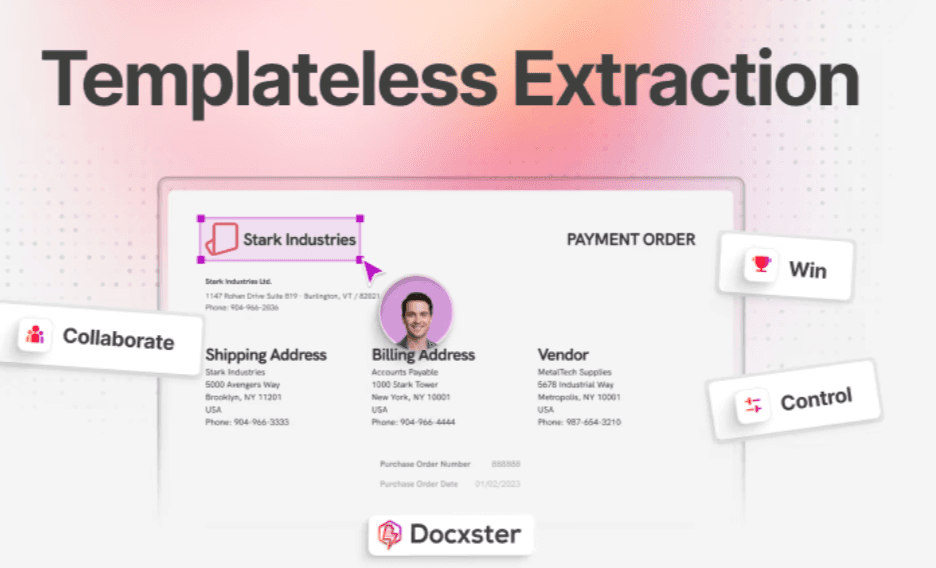
Docxster extracts the relevant fields and line items into a structured output. This allows the same workflow to handle both proforma invoices used earlier in the shipment process and commercial invoices used to support the final customs entry.
Step 2: Set the data structure required for customs
Extraction is only useful when the output matches the information your entry process requires. Define a consistent invoice-data structure that reflects your brokerage’s rules, required fields, and downstream entry workflow.
In Docxster, teams can define the fields they need through a schema, including constant fields that always hold the same value and therefore do not need to be found in each document. For example, a workflow can assign a fixed brokerage-specific value without asking the extraction model to look for it on every invoice.
Step 3: Validate data and route exceptions early
Before the invoice data moves to entry preparation, check it for missing values, inconsistent information, or details that require clarification. Catching exceptions at this stage prevents incomplete or unreliable data from progressing further into the workflow.
Docxster workflows are designed to manage the end-to-end process: document intake, data extraction, validation, and upload to the entry platform. Rather than treating each incoming file as a separate manual task, brokerages can build a repeatable process around the checks their team already performs.
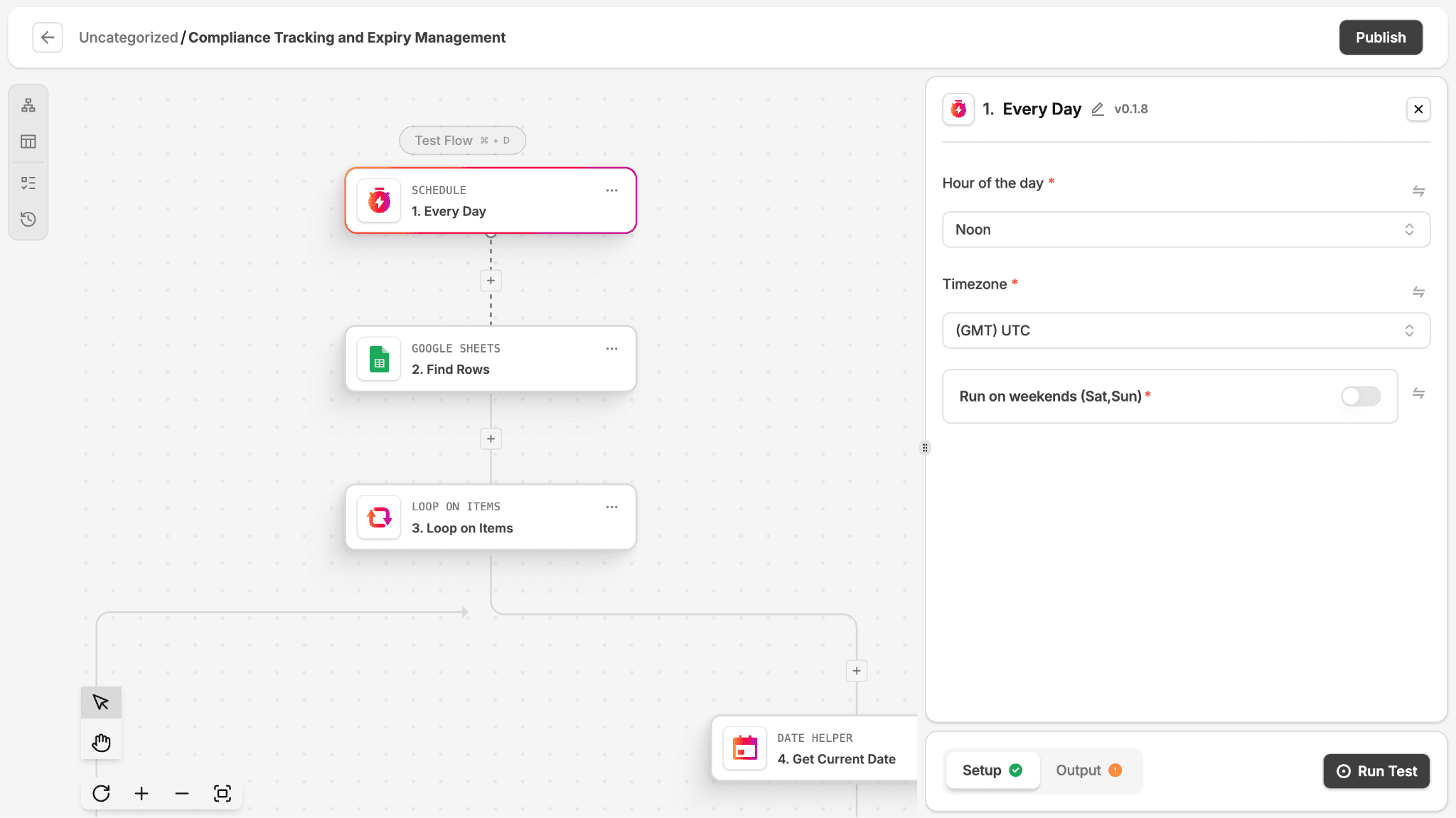
An image showing Docxster’s workflow builder
Step 4: Review only the data that needs attention
A human review step remains important for low-confidence fields, unclear scans, unusual line items, or exceptions identified during validation. However, reviewing every value on every invoice creates unnecessary work.
Docxster supports confidence-based review so teams can decide which documents or data points require a second set of eyes before finalization. Reviewers can work from cleaned, standardized OCR output rather than raw document text.
Step 5: Reuse verified product data
After a line item has been cleaned, reviewed, and confirmed, save it as a structured record for future use. Over time, this creates a reliable internal reference for recurring products and reduces repetitive work across future shipments.
Docxster Tables can store structured workflow data using text, number, date, and dropdown fields. Workflows can write extracted data into tables or retrieve existing records later, making it possible to build a reusable product or parts library from verified invoice line items.
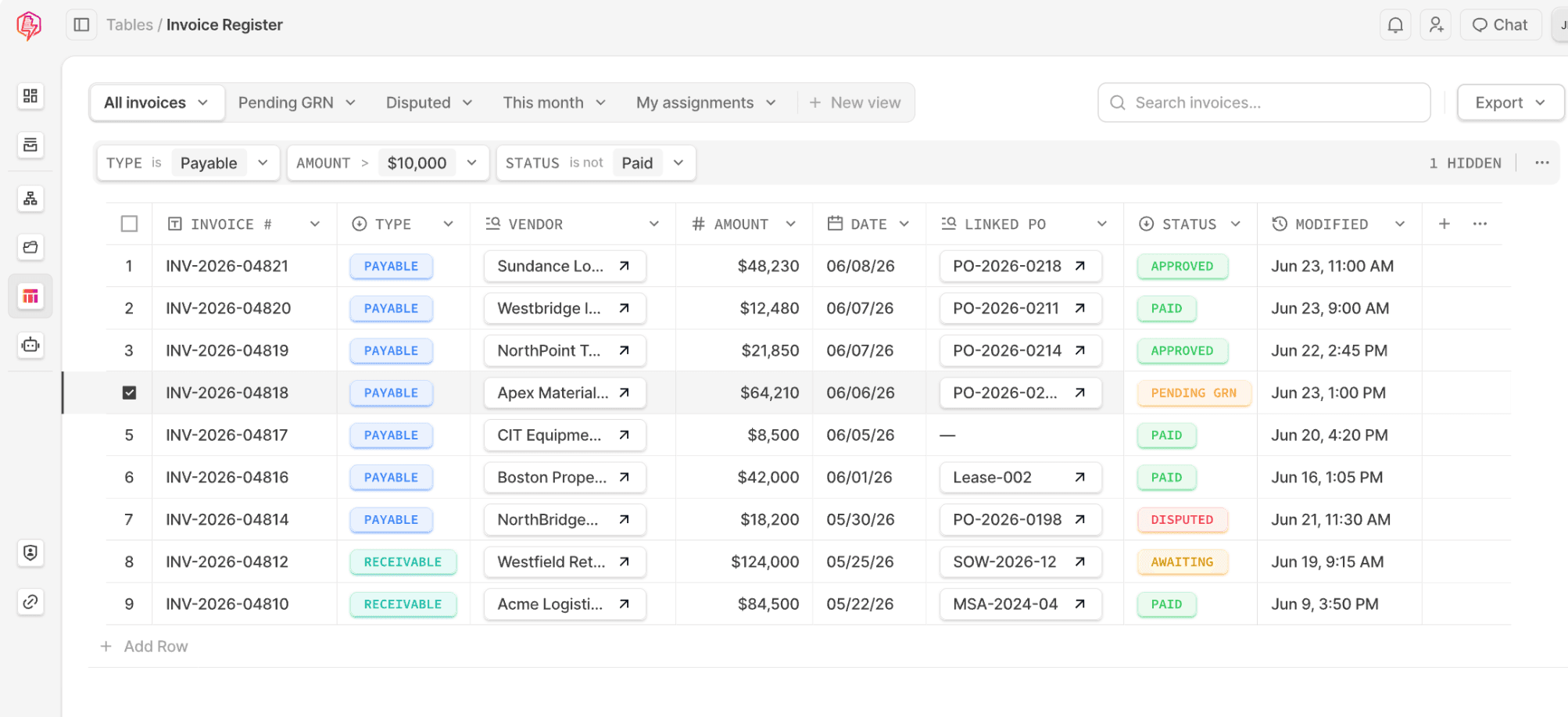
An image showing Docxster’s table feature
Choosing software that turns both invoices into clean entry data
The difference between a proforma and a commercial invoice matters, but for a broker it is not a definitional question. Both documents are where your entry data comes from, so the real work is not telling them apart. It is turning each one into fields the entry can use.
That work is also where the time goes. The hours disappear into transcribing values by hand, interpreting a new supplier format, and cross-checking figures across documents, none of which is the judgment you are licensed to make. If that reading and checking happens at intake, before the data reaches your filing software, what is left for you is the review and the declaration.
Docxster does that upstream step for customs brokers. It reads both invoice types whatever the layout, extracts and validates the entry data, and flags where the documents disagree, while the classification call and the final entry stay with you. Book a demo to see it run on your own invoices.
Book a demo to see it run on your own invoices.
FAQs
When should you use a proforma invoice instead of a commercial invoice?
Use a proforma before the sale is final, when the buyer needs an estimate to arrange financing or permits. Use the commercial invoice once the goods are sold, since it records the actual price and is what the entry is built on.
Can you clear customs with a proforma invoice?
You can file a proforma at entry when the commercial invoice is not yet available, but the commercial invoice is still required and has to confirm the declared value before the entry is complete.
Is a proforma invoice the same as a commercial invoice?
This is a free, responsive FAQ section for Framer. Drop it into any project, customize styles and text, and use it to save time on support or info pages.
How do I add this FAQ component to my project?
No. A proforma states what the transaction is expected to be and is not a demand for payment. The commercial invoice is the binding record of the completed sale.
Do you need a commercial or proforma invoice with a carrier like FedEx?
For goods that have been sold, you provide a commercial invoice. A proforma is accepted only when there is no sale, such as samples or no-charge items marked for customs purposes only.
What are common mistakes with proforma invoices?
The main ones are using a proforma when a commercial invoice is required, leaving descriptions too vague for classification, and letting the proforma figures differ from the final commercial invoice without reconciling them.
Turn documents into decisions.
See how Docxster gets you from inbox to insight in minutes, not days. Bring your toughest workflow — we'll show you what it looks like solved.


