

From Commercial Invoice To Filed Entry,
From Commercial Invoice To Filed Entry,
From Commercial Invoice To Filed Entry,
Without the Keying
Without the Keying
Without the Keying
Docxster helps customs brokers file 7501 entries, 7512 in-bonds, and Importer Security Filings (ISFs) in NetCHB.
Trusted by customs brokers


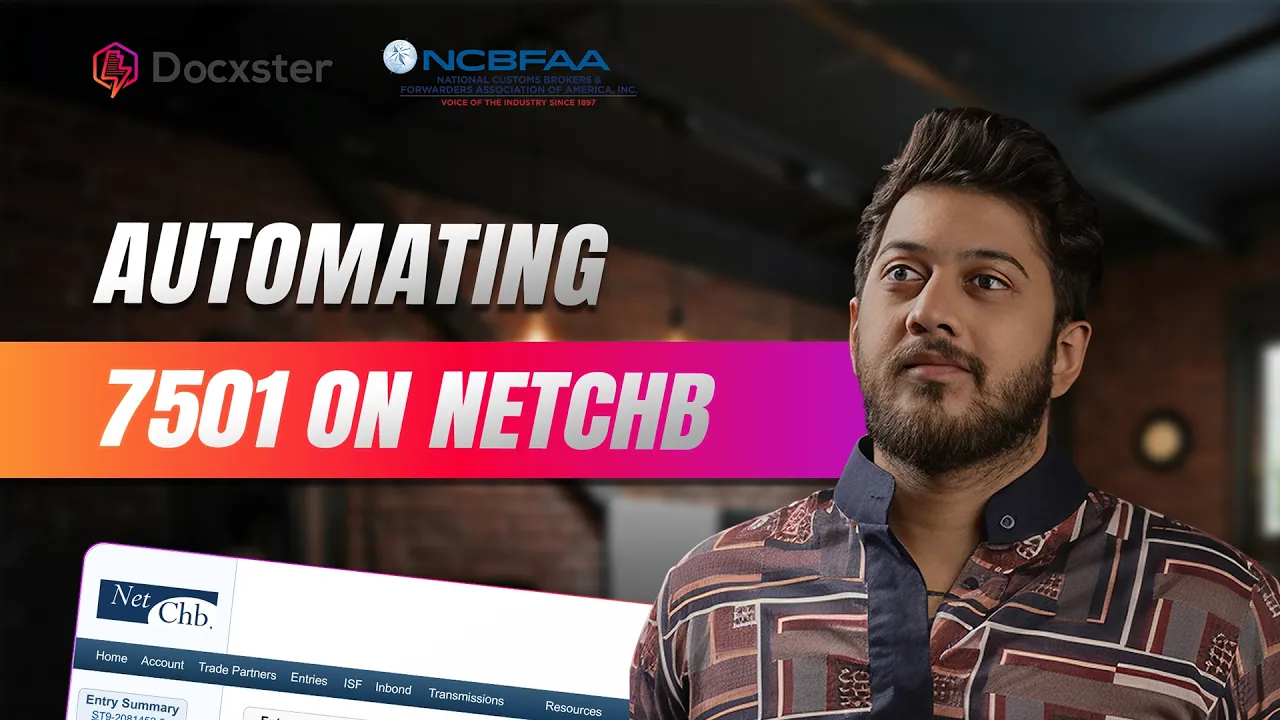
Watch Docxster Prepare 7501 Entries
In NetCHB
In this walkthrough, messy shipments arrive by email and end up as entries in NetCHB. Here is what happens, step by step:
Want to see it on your own invoices?
01
Email the shipment documents to one address.
Send the commercial invoice, bill of lading, and packing list to your Docxster forwarding address. Scans, phone photos, and handwritten invoices all work.
02
Docxster checks the set.
It sees which documents arrived and which did not. If one is missing, such as a packing list, Docxster emails the sender right away.
03
Docxster reads every document.
It pulls the header details and every line item, even on invoices with more than 100 lines.
04
HTS and PGA codes fill in.
The codes come from the commercial invoice or from your parts table. If a part is missing, the reviewer looks it up in the table.
05
An entry writer opens the shipment in the action center.
Fields are checked before approval. A SCAC code must be four letters, and Docxster will not let a reviewer approve anything else.
06
The reviewer approves each document.
Give the airway bill, packing list, and invoice line items a quick look, approve each one, then submit the review.
07
Docxster consolidates lines and converts currency.
Lines that share a primary HTS code are combined and their quantities added up. In the video, 150 lines become 70. Euro values become U.S. dollars. Consolidation is set per account.
08
The entry appears in NetCHB.
It shows up with its header information, consolidated lines, and entry number, ready for your Licensed Customs Broker (LCB) to review.
What The Docxster
NetCHB Integration Does
Entries in NetCHB.
Docxster turns the documents on a shipment into a draft entry in NetCHB: parties, lines, values, quantities, and HTS codes, ready for review.
Missing documents, caught right away.
Docxster checks which documents arrived and emails the sender when one is missing, such as a packing list.
Codes from your data.
HTS and PGA codes fill in from the commercial invoice or your parts table. Docxster does not guess.
Checked before it lands.
Every field is tested against your rules, so a bad value, like a SCAC code that is not four letters, is stopped before it reaches NetCHB.
Post summary corrections.
Docxster also prepares post summary corrections (PSCs) in NetCHB, so changing an accepted entry summary before it liquidates does not mean retyping it.
Why Customs Brokers Use
Docxster With NetCHB


Read from photo
Invoice2
Invoice no.GT-INV-4587
Date12 Nov 2026
Seller5
NameGlobalTech Trading LLC
AddressUnit 2208, JLT, Dubai, UAE
Phone+971 4 567 8901
TRN100356789400003
Emailsales@globaltech.me
Buyer3
NameAl Noor Enterprises Pvt. Ltd.
AddressPlot 14, Industrial Area, Bengaluru
GSTIN29AABCA1234M1ZP
Shipment10
Port of loadingJebel Ali, UAE
IncotermCIF Nhava Sheva
Port of dischargeNhava Sheva, India
CurrencyUSD
ModeSea
Payment100% Advance
OriginUAE
Vessel / voyageMSC Orion / VOY1234
ETD15 Nov 2026
ETA21 Nov 2026
Line items12
ItemHS codeQtyTotalLaptop 15.6"
8471.30
50
32,500.00
Wireless mouse
8471.60
50
600.00
Laptop bag
4202.92
50
900.00
Totals4
SubtotalUSD 34,000.00
FreightUSD 1,200.00
InsuranceUSD 300.00
CIF totalUSD 35,500.00
 Ready for LCB reviewLicensed Customs Broker
Messy documents are normal.
Scans, phone photos, handwriting, and foreign-language invoices are read the same way as clean PDFs.
Entry 0482913-2Maersk Line
Entry 0482914-0Hanse Logistics
Entry 0482915-7Acme Industrial
NetCHBYour team’s filing system
NetCHB stays your filing system.
Entries live in the NetCHB account your team already uses.
QWERTYUASDFGHJZXCVBNM
2,418keystrokes
Approved with just one click
Approve
Approved
Aisha · ReviewerLess keying, fewer corrections.
Your entry writers review drafts instead of typing each line.


 Same 4 people
92Entries per week
More entries, same team.
Your brokers spend their time on classification and client questions, not on typing.
Workflow · Acme imports
Invoice #4587Acme Industrial
Ifimporter is AcmeThenroute to Team ATeam B
 Team AImports desk
 Team BComplianceTeam BComplianceMaya · Ops
Your team owns the workflow.
The no-code workflow builder lets business users change rules and routing without waiting on IT.
Why Customs Brokers Use
Docxster With NetCHB
Read from photo
Invoice2
Invoice no.GT-INV-4587
Date12 Nov 2026
Seller5
NameGlobalTech Trading LLC
AddressUnit 2208, JLT, Dubai, UAE
Phone+971 4 567 8901
TRN100356789400003
Emailsales@globaltech.me
Buyer3
NameAl Noor Enterprises Pvt. Ltd.
AddressPlot 14, Industrial Area, Bengaluru
GSTIN29AABCA1234M1ZP
Shipment10
Port of loadingJebel Ali, UAE
IncotermCIF Nhava Sheva
Port of dischargeNhava Sheva, India
CurrencyUSD
ModeSea
Payment100% Advance
OriginUAE
Vessel / voyageMSC Orion / VOY1234
ETD15 Nov 2026
ETA21 Nov 2026
Line items12
ItemHS codeQtyTotalLaptop 15.6"
8471.30
50
32,500.00
Wireless mouse
8471.60
50
600.00
Laptop bag
4202.92
50
900.00
Totals4
SubtotalUSD 34,000.00
FreightUSD 1,200.00
InsuranceUSD 300.00
CIF totalUSD 35,500.00
Ready for LCB reviewLicensed Customs BrokerMessy documents are normal.
Scans, phone photos, handwriting, and foreign-language invoices are read the same way as clean PDFs.
Entry 0482913-2Maersk Line
Entry 0482914-0Hanse Logistics
Entry 0482915-7Acme Industrial
NetCHBYour team’s filing system
NetCHB stays your filing system.
Entries live in the NetCHB account your team already uses.
QWERTYUASDFGHJZXCVBNM
2,418keystrokes
Approved with just one click
Approve
Approved
Aisha · ReviewerLess keying, fewer corrections.
Your entry writers review drafts instead of typing each line.
Same 4 people92Entries per week
More entries, same team.
Your brokers spend their time on classification and client questions, not on typing.
Workflow · Acme imports
Invoice #4587Acme Industrial
Ifimporter is AcmeThenroute toTeam ATeam B
Team ATeam BTeam AImports deskTeam BComplianceTeam BComplianceMaya · OpsYour team owns the workflow.
The no-code workflow builder lets business users change rules and routing without waiting on IT.
Filings You Can Prepare
In NetCHB With Docxster
Docxster prepares drafts of the filings your entry writers key every day. Your team reviews each one in NetCHB before it goes anywhere.
TodayWith Docxster
| Filing | What entry writers key today | What Docxster prepares |
|---|---|---|
| 750175017501 entry summaryAt entry | What entry writers key today Invoice lines typed one by one: part number, description, quantity, value, country of origin, and HTS code, plus FDA or other partner government agency (PGA) data on regulated goods. Entries run from one-liners to 500 lines. | What Docxster prepares A draft entry with the lines filled in. HTS codes come from your customer’s parts list when a part matches. Missing details go back to the importer by email. |
| 75127512In-bond (CBP Form 7512)On arrival | What entry writers key today House bill of lading data retyped, and the last move copied with new dates, vessel, container, and piece counts. | What Docxster prepares A draft in-bond built from the transportation documents, plus a cargo manifest query by in-bond number to pull the master and house bills. |
| 10+210+2ISF (Importer Security Filing)Before loading | What entry writers key today ISF sheets and worksheets keyed by hand, then matched to the invoice and bill of lading. | What Docxster prepares ISF details read from the shipping documents and checked against the invoice, ready for review. |
| PSCPSCPost summary correction (PSC)Before liquidation | What entry writers key today Changed values, quantities, or HTS codes retyped when an entry summary needs to be corrected after CBP accepts it and before it liquidates. | What Docxster prepares A draft correction with the changed lines updated from the corrected documents, ready for your broker to review and file. |
Workflows Brokers Ask Us
To Solve In NetCHB
These are the jobs brokers bring to us most. Each one starts with documents in an inbox and ends with a draft your entry reviewer can approve.
Forward the email, review the draft.
Entry writers open each email and attachment, then key the entry. With Docxster, you forward the day’s emails to one address, review the extracted fields on one screen, and approve. A draft entry or in-bond appears in NetCHB, and you review it a second time there. No more converting PDF invoices to Excel for upload.
Documents arrive in pieces.
A forwarder sends the airway bill first, then the invoice and packing list days later, sometimes across 10 to 15 emails. Docxster holds the data until the set is complete, then emails the sender for anything still missing. When a packing list is absent, the email goes out right away, so a Friday pile-up does not sit in the inbox until Monday.
The invoice is vague or incomplete.
A description like “steel parts” blocks an HTS code, and a missing declared value or certificate of origin stalls the entry. Docxster flags the line and emails the importer. A default rule per importer can fill a value that is routinely left off.
Repeat parts, no more SKU-by-SKU keying.
For importers who ship the same parts again and again, Docxster matches each part number to the customer’s parts list and fills in the HTS code. The code comes from your parts table, not from a guess by Docxster. Parts lists load from Excel or CSV. When no part matches, the reviewer looks it up in the table or decides.
Long invoices.
Some invoices list 100 items by size and color with no subtotals, and some entries run to 500 lines. Docxster consolidates lines that share a primary HTS code and adds up their quantities. In the demo video, 150 lines became 70 in NetCHB, and consolidation can be set per account.
Corrections before liquidation.
When an invoice changes after CBP accepts the entry summary, someone retypes the changed lines to file a post summary correction (PSC). Docxster reads the corrected documents and prepares the PSC in NetCHB for your broker to review and file before the entry liquidates.
Photos, handwriting, and euro invoices.
A badly lit photo or a handwritten invoice is read the same way as a clean PDF. Invoices in euros are converted to U.S. dollars on the way to NetCHB, and the reviewer checks them first.
Many invoices on one entry.
Docxster splits a scanned file that holds 10 invoices, reads each one, and builds the lines in a single run, instead of typing 40 one-line invoices by hand.
Regulated goods.
FDA, USDA, and other PGA lines need extra data, such as product codes and end-use codes, and sometimes a prior notice. Docxster can add these from your rules and prepare the prior notice for review.
In-bonds without retyping.
In-bond work can be the bulk of the day. Docxster reads the documents, prepares the in-bond, and runs the cargo manifest query by in-bond number so the master and house bills are on screen.
OutlookSearchFocusedOtherInbox · 12 unreadHLHanse Logistics8:02 AMSH-24817 · AWB, invoice, packing listHi team, all three documents for SH-24817 attached.MLMaersk Line7:48 AMArrival notice · MAEU 241788301Container due at Los Angeles on 14 Nov.AIAcme Industrial7:30 AMInvoice INV-30917 (photo)Photo of the signed invoice attached.
FocusedOtherInbox · 12 unreadHLHanse Logistics8:02 AMSH-24817 · AWB, invoice, packing listHi team, all three documents for SH-24817 attached.MLMaersk Line7:48 AMArrival notice · MAEU 241788301Container due at Los Angeles on 14 Nov.AIAcme Industrial7:30 AMInvoice INV-30917 (photo)Photo of the signed invoice attached.FW: SH-24817 · AWB, invoice, packing list– □ ✕Send▾DiscardToentries@docxster.aiAWB.pdf212 KBCI.pdf388 KBPL.xlsx64 KB
Entry 7501Draft
38 lines · $52,174SH-24817 · from 3 attachments
ImporterInvoiceAcme Industrial Inc.Entry typeYour rule01 · ConsumptionPort of entryAWB2704 · Los Angeles
Review in NetCHB
NetCHB Integration FAQs
Does Docxster integrate with NetCHB?
Yes. The Docxster NetCHB integration is a native, direct connection to NetCHB, the Automated Broker Interface (ABI) software many U.S. customs brokers use to file with U.S. Customs and Border Protection (CBP) through its Automated Commercial Environment (ACE). Docxster reads commercial invoices, packing lists, and bills of lading, then creates draft 7501 entries, 7512 in-bonds, ISFs, and post summary corrections (PSCs) in NetCHB for your team to review.
Does Docxster file entries with CBP?
By default, no. Docxster creates a draft in NetCHB. Your Licensed Customs Broker (LCB) reviews it and transmits it to CBP’s Automated Commercial Environment (ACE), exactly as they do today.
What can Docxster prepare in NetCHB?
Docxster prepares drafts of 7501 entries, 7512 in-bonds, Importer Security Filings (ISFs), and post summary corrections (PSCs). It fills in the lines, matches HTS and PGA codes from your parts table, consolidates lines that share an HTS code, and emails the sender when a document is missing.
Can Docxster prepare post summary corrections (PSCs) in NetCHB?
Yes. A post summary correction (PSC) lets a filer correct an entry summary through the Automated Broker Interface (ABI) in CBP’s Automated Commercial Environment (ACE), after CBP accepts it and before it liquidates. Docxster reads the corrected documents and prepares the PSC in NetCHB for your broker to review and file.
Do we have to change how we use NetCHB?
No. Your team keeps filing in the NetCHB account it already uses. Docxster replaces the retyping step before NetCHB, not NetCHB itself.
Which documents can Docxster read?
Docxster reads commercial invoices, packing lists, bills of lading, and certificates of origin, plus other customs paperwork such as entry summaries and ISF data. It handles PDFs, Excel files, scans, phone photos, handwritten invoices, and email attachments in 50+ languages, without templates. Invoices in euros are converted to U.S. dollars.
What happens if a document is missing?
Docxster checks which documents arrived and which did not, then emails the sender right away when one is missing, such as a packing list. The draft is built once the set is complete, so a Friday pile-up does not sit in an inbox until Monday.
Who checks the data before it reaches NetCHB?
Every field is checked against your rules before approval, and anything uncertain goes to a reviewer who sees the source document next to the extracted value. Every review action is logged, and your Licensed Customs Broker (LCB) reviews the draft again in NetCHB.
What does CBP say about customs brokers using AI tools like Docxster?
CBP says customs business, as defined in 19 U.S.C. § 1641, must be conducted by a licensed customs broker, and that automated tools cannot hold a license or perform customs business on their own. In its fact sheet on customs brokers and automated tools, CBP expects the licensed broker to keep active supervision, with a human in the loop, and to stay responsible for the accuracy of everything transmitted to CBP, including classification. Docxster is built to be used that way: it does not classify merchandise on its own, HTS codes come from the commercial invoice or your parts table, your team sets the rules, a person reviews every entry, and your licensed broker decides what gets filed. This is not legal advice. Check with your own counsel about your duties under 19 U.S.C. § 1641 and 19 CFR Part 111.
Is my data secure, and is it used to train AI models?
Docxster stores documents in secure cloud storage with granular access controls and a full audit trail of every review action. Customer documents are NOT used to train AI models.
Does Docxster work with other systems besides NetCHB?
Yes. Docxster also integrates with Magaya, and exports to QuickBooks, Zoho, SAP, Oracle, Salesforce, Google Sheets, and custom systems through an API (Application Programming Interface).
How do I get started?
Book a demo and bring a real commercial invoice. We will run it through Docxster and show you the draft in NetCHB. Setup uses your existing NetCHB account.
Is Docxster affiliated with Descartes or NetCHB?
No. NetCHB and Descartes are trademarks of The Descartes Systems Group Inc. Docxster is an independent integration and is not affiliated with or endorsed by Descartes.
See your own invoices in NetCHB.
Bring a real commercial invoice and we will run it through Docxster into NetCHB.
Products
Products


Solutions
Solutions


Learn


