Google Docs
Read, edit, and generate documents mid-workflow
Copying text between a document and wherever your workflow actually runs is its own manual step, one more thing to keep in sync by hand. Docs sits alongside Drive in Docxster's workflow builder, built for the content of a document rather than the file wrapper around it. A workflow can pull text out of a document, add to one, or build a new one from a template, so that copying step goes away.
How it works
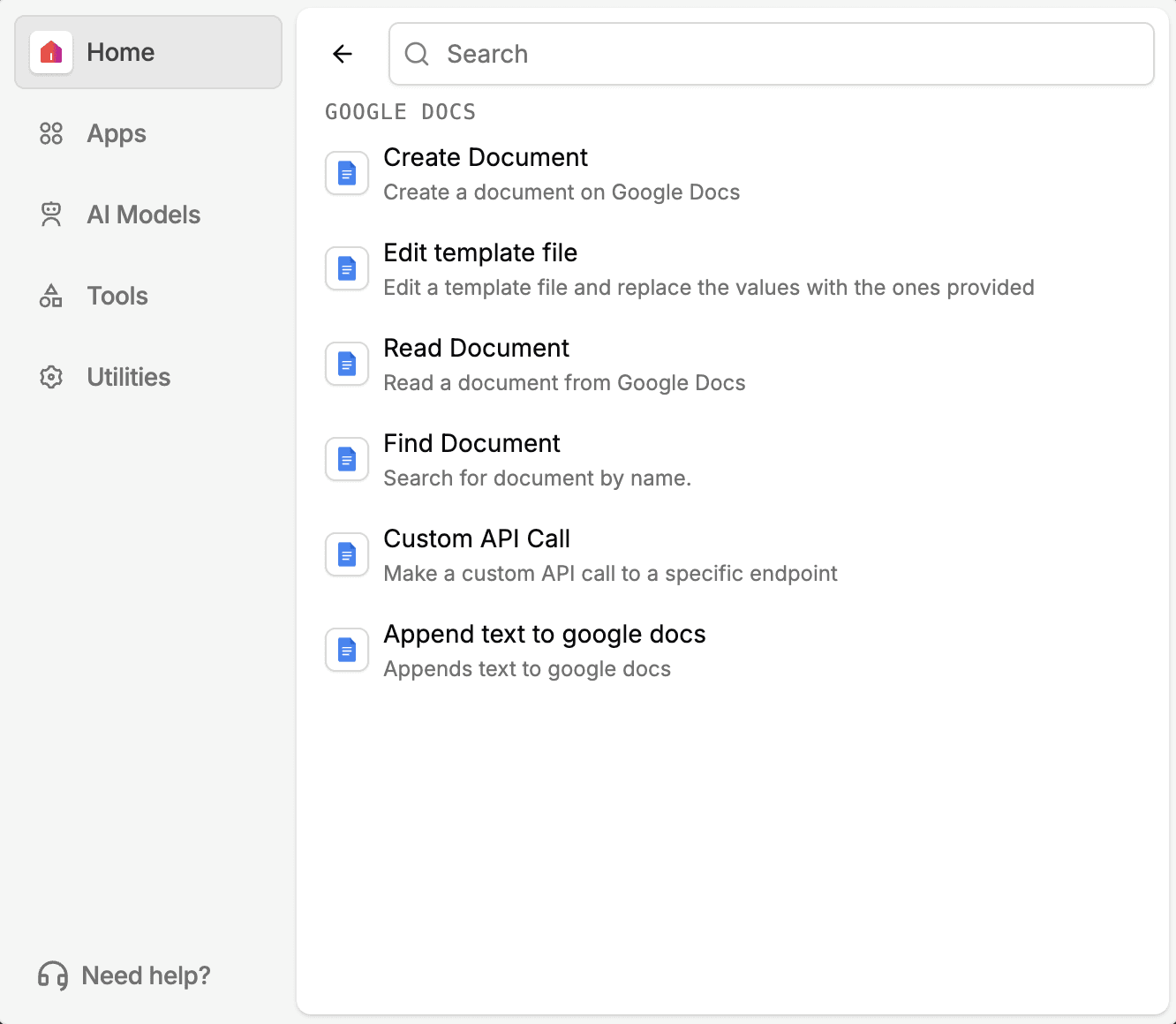
Docs gives a workflow five things to do with a document: append text to an existing one, create a brand new document, edit a template file, read a document's contents, or find a document by name or other criteria.
Editing a template file means a workflow can take a standard document, a contract shell or a report format, and fill it in programmatically rather than someone opening it and typing the same structure every time.
Reading and finding work together for the cases where a workflow needs to check what's already in a document before deciding what to do next, instead of assuming a fixed layout.
Docs' actions plug into the same workflow as Drive and Sheets, so a document read here can feed a value into a Sheet row, or a document created here can start life inside a Drive folder a later step already knows about.
Where this is useful
Freight and logistics operations
If you run freight and logistics operations, a workflow can edit a template shell for a rate confirmation or proof of delivery once the shipment details are confirmed, instead of someone opening a blank document and typing the same structure for every load. Because a document created here can start life inside a Drive folder a later step already knows about, the finished rate confirmation lands exactly where your team expects to find it.
Customs brokers
If your customs brokerage tracks entry filings in Docs, a workflow can find and read a commercial invoice or entry summary before deciding what to do next, rather than assuming a fixed layout. That same document read here can feed a declared value or HS code straight into a Sheet row, keeping your compliance record in sync without anyone retyping the number.
Lending and mortgage
If you process loan applications, a borrower disclosure template can get filled in automatically once loan details are confirmed, instead of a processor opening the template and typing the same structure by hand each time. You can do the same with a closing cost disclosure or income verification summary, so the paperwork is ready before anyone has to build it themselves.
Manufacturing and procurement
If you track supplier terms in procurement, a standing purchase order or material certification template can be appended to as a workflow pulls terms out of a supplier's incoming document, instead of someone copying the details over by hand. Because Docs' actions plug into the same workflow as Sheets, those terms can land in a tracking sheet in the same run.
Turn documents into decisions.
See how Docxster gets you from inbox to insight in minutes, not days. Bring your toughest workflow. We'll show you what it looks like solved.


