Google Gemini
Add Gemini to any workflow and pick the model version that fits
Gemini is the AI step in Docxster's Google integrations. You call it from inside a workflow, so you never leave the workflow to get a model in the loop. You choose the model version for each step instead of being tied to one.
How it works
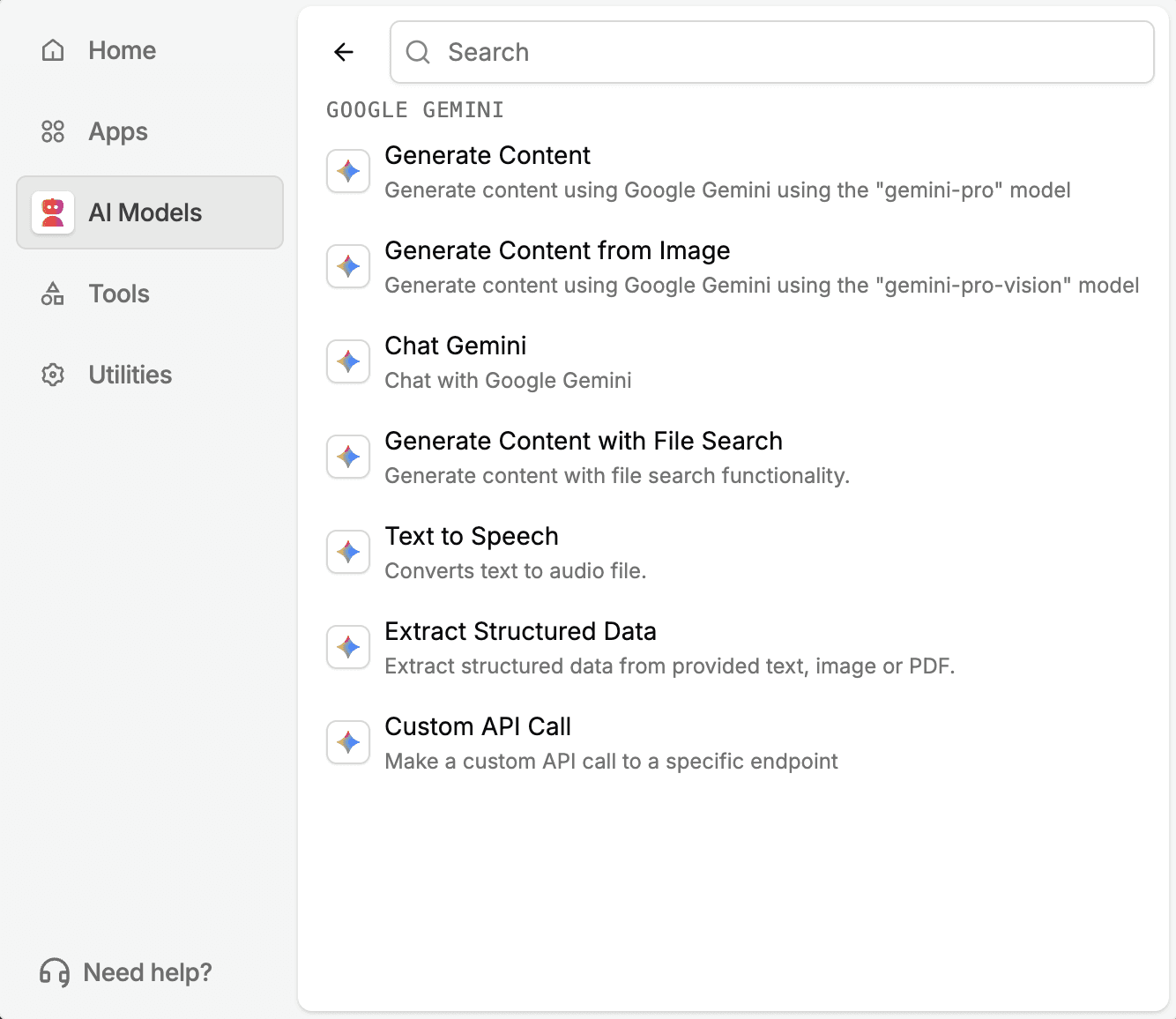
Find Gemini under AI Models when you add a step. It offers seven actions, so one step type covers jobs that would otherwise need a separate tool:
Generate Content: generate content with Google Gemini.
Generate Content from Image: generate content from an image you send into the step.
Chat Gemini: chat with Google Gemini from inside your workflow.
Generate Content with File Search: generate content using file search, so the output draws on your own reference files.
Text to Speech: convert text to an audio file.
Extract Structured Data: pull structured data out of text, an image, or a PDF.
Custom API Call: make a custom API call to a specific endpoint.
A set of model-level tools comes with it: Google Search grounding, URL context summarization, Maps lookups, and file search. A Gemini step can pull in outside information instead of working only from what is already in the workflow.
The model version is your choice. Build the workflow once, then point the step at whichever version fits the job. You do not redesign the step later.
Most teams will lean on Extract Structured Data day to day. It turns a document, an email body, or a free-text field into something a later Sheets or Docs step can act on directly.
Where this is useful
Freight and logistics operations
Carriers send rate sheets, load manifests, and BOLs in their own layouts. Extract Structured Data pulls the key fields from the text, image, or PDF, and your next Sheets step receives them in a structured form. Your team stops retyping the same fields from document after document.
Customs brokers
Commercial invoices and packing lists hold the HS codes and declared values you file against. Extract Structured Data pulls those key fields before the workflow ever touches a spreadsheet. Your team keys in fewer values by hand, so fewer declared values get mistyped.
Lending and mortgage
Loan applications, income verification sheets, and closing cost disclosures arrive in mixed formats. Extract Structured Data turns them into structured fields that a later Docs or Sheets step uses directly. Your team spends less time copying numbers between files.
Manufacturing and procurement
Supplier price lists, packing slips, and purchase orders never share the same columns. A Gemini step pulls the fields you need from each one, so your procurement team works from one consistent format.
General operations and finance
A free-text field on an incoming request becomes structured data. That data feeds straight into the next step in your workflow.
Marketing and web operations
Generate Content with File Search drafts copy grounded in your team's own reference material. Your team starts from what you already know instead of a blank prompt.
Turn documents into decisions.
See how Docxster gets you from inbox to insight in minutes, not days. Bring your toughest workflow. We'll show you what it looks like solved.


