
-
20 min read
10 Best No-Code Tools to Automate Your Business Workflows
Struggling with high-pain manual processes? We’ve reviewed 10 no-code tools to automate some of the most laborious tasks using AI and simple automation.
Last updated:
TL;DR
No-code automation tools help business teams build workflows, connect apps, route approvals, and move data between systems without waiting on IT.
The best tool depends on the workflow: Zapier, Make, and n8n are strong for app-to-app automation, while Airtable and Lovable are better for building internal apps or structured systems.
Document-intensive teams need more than simple app connectors because their workflows often start with PDFs, scans, invoices, BOLs, handwritten forms, and inconsistent layouts.
Docxster is the best fit for finance and operations teams that need no-code document extraction, validation, routing, approvals, and ERP-ready exports.
For teams processing hundreds of documents a day, the core issue is usually not a connector problem—it's a document problem that needs automation at the source.
No-code automation tools changed who gets to build workflows. Finance and operations teams that used to wait months for IT to ship a custom integration can now connect apps, route approvals, and move data between systems in an afternoon. The category has exploded since 2022, and most teams now have at least one no-code tool running somewhere in their stack.
But the reality is more complicated.
The State of No-Code Document Automation survey of 310 finance, operations, and IT leaders found that 73% of teams running automation today still depend on IT to make it work. This means the "no-code" promise often stops at the demo. The tools that actually deliver on it are the ones business users can own end-to-end.
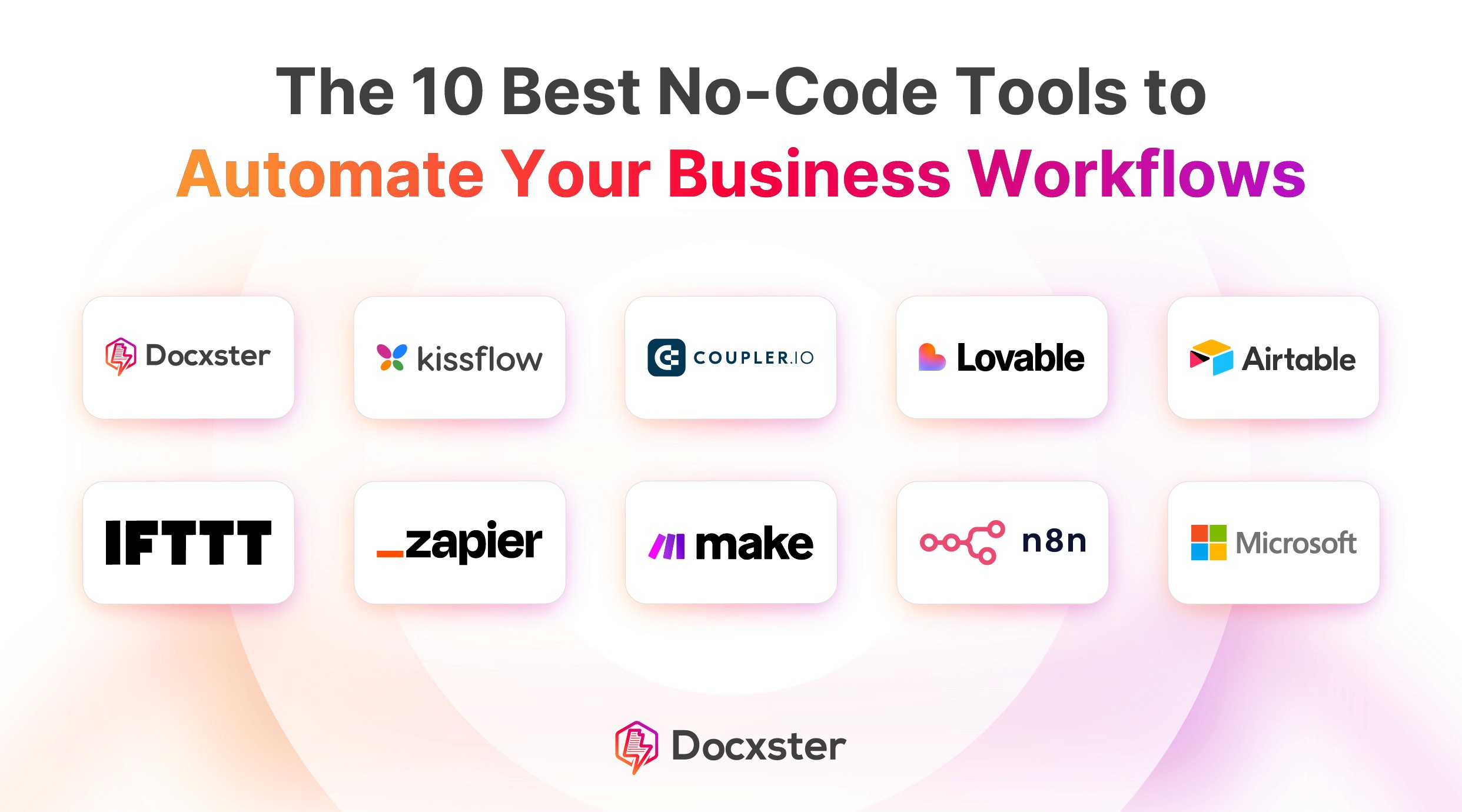
This list breaks down the 10 best no-code automation tools for 2026, what they’re built for, and where they fit in a real workflow.
Tool | Key feature | Pro | Con | Starting price |
Intelligent document extraction & no-code workflow builder | Extracts & validates data from messy, unstructured documents without IT support | Specialized for ops & finance — not suited for general automation | Contact us | |
Kissflow | Visual process builder with app development & case management | Manages approvals, requests & tracking in one system without IT support | Processes get hard to manage when heavily customized | $2,500/mo |
Coupler.io | Automated data sync to spreadsheets & dashboards | Pulls reports from multiple platforms directly into spreadsheets automatically | Pricing not flexible enough for smaller teams | $32/mo |
Lovable | Chat-to-build app generation with automated backend integration | Non-technical founders can go from idea to live web app without writing code | Credit model keeps changing, making costs hard to predict | $25/mo |
Airtable | Relational database with custom interfaces & automations | Replaces scattered spreadsheets with one connected system across your whole operation | Per-user pricing compounds fast as your team grows | $20/user/mo |
IFTTT | Simple trigger-action applets across 1,000+ apps | Connects 1,000+ apps with zero technical knowledge required | Only handles simple rules — no multi-step logic or document processing | $4.99/mo |
Zapier | Multi-step zaps across 8,000+ app integrations | Automates repetitive tasks across 8,000+ apps without any technical skills | Costs add up fast — every action counts as a task | $29.99/mo |
Make | Visual drag-and-drop canvas with real-time execution tracking | Visual builder lets you see exactly how data flows between your apps | Steep learning curve — one small mistake can break the whole workflow | $10.59/mo |
n8n | Self-hosted, fair-code automation with JavaScript support | Self-hosting keeps sensitive data entirely within your own infrastructure | Requires managing your own servers, updates & security patches | $27.50/mo |
Power Automate | Cloud & desktop RPA with Microsoft 365 native integration | Automates complex legacy desktop software that other cloud tools cannot touch | Premium connectors required for non-Microsoft tools, adding to costs quickly | Varies |
1. Docxster
Best for: Finance and operations teams in document-intensive industries, like logistics and manufacturing, needing end-to-end document automation.
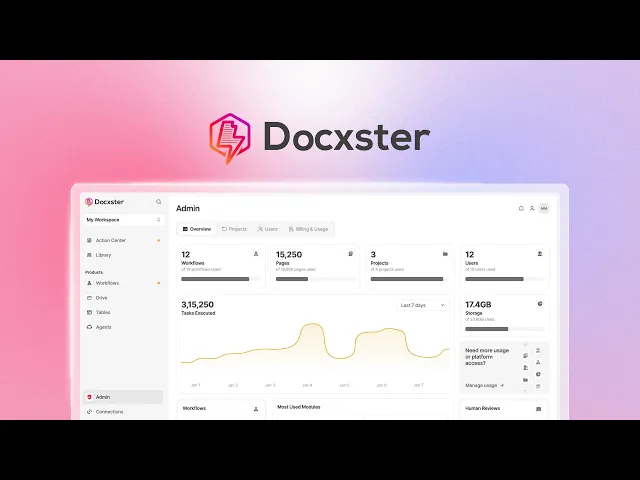
Docxster (that's us!) is a no-code document automation platform that helps you extract and transform your document data without building complex IT tools. We've seen far too many document-intensive teams like finance and operations struggle to use OCR or low-code tools to extract data—let alone use that data to do something.
It takes a different approach than other tools by starting where the complexity actually lives—inside your PDFs, scanned invoices, and handwritten forms. While other platforms focus on what happens after the data is clean, Docxster is a document-first platform that helps you extract, validate, and route data directly from the source file. It unifies intelligent document processing with workflow automation so business users can manage the entire lifecycle of their data without needing templates or IT support.
Ramzy Syed, the founder of Docxster, highlights this shift from complex, IT-heavy implementations to accessible automation:
"Traditional systems are complex. You need to have IT teams and implementation partners, which cost a lot of time and money. But new age systems like ours are citizen automation. If you can use Excel, you should be able to build automations by yourself."
Many teams adopt no-code tools to automate workflows but still rely on multiple systems to handle documents and data. As a result, work gets split across tools instead of running through one continuous process. These capabilities make Docxster perfect for teams that need to move fast without waiting for engineering resources.
Key features
High-accuracy optical character resolution (OCR) and intelligent extraction: Automatically identifies and captures data from both electronic files and handwritten forms with 99% accuracy. It supports messy real-world documents like invoices, bills of lading (BOLs), and passports, learning from corrections over time to maintain consistency across multiple vendor formats.
Automated validation: Tests extracted data against predefined rules and external enterprise resource planning (ERP) systems (like matching invoices to POs) to catch errors before they impact operations. This reduces validation time by 90% and ensures compliance without slowing down high-volume processing.
No-code workflow builder: A drag-and-drop interface that lets business users create complex, multi-step approval workflows. It handles conditional logic (e.g., if invoice > $5k, route to CFO) and integrates seamlessly with your existing ERP or customer relationship management (CRM) to eliminate manual handoffs.
Human-in-the-loop review: A dedicated verification interface that routes low-confidence data to human reviewers. This balances speed with control, allowing teams to handle high-stakes documents and exceptions while maintaining a complete audit trail of every interaction
Templateless data extraction: Automatically captures data from scanned goods received notes (GRNs), handwritten QA checklists, delivery notes, and bills of materials (BOMs) without needing predefined formats. It works across inconsistent, real-world documents and improves accuracy over time as it learns from corrections.
Schema-based workflows: Define exactly what data you want to capture without writing any code. This ensures consistency across documents while keeping setup simple for business users.
Error validation and auto-flagging: Automatically detects mismatched orders and missing fields and flags them early to keep errors from moving downstream.
Export-ready structured output: Sends structured data directly to your ERP or manufacturing execution system (MES), or exports it as Excel or PDF for immediate use in downstream processes.
Pros | Cons |
Business users can build, test, and deploy complex workflows without writing a single line of code. No-code workflow builder lets finance and operations teams own the entire pipeline from extraction to ERP without filing IT tickets. | Specialized for document-related use cases, making it less suitable for general personal automation. |
Handles unstructured documents (scanned invoices, BOLs, GRNs, handwritten forms) without templates. | Narrower in scope than tools like Zapier or Make. If you need to connect 6,000 apps for marketing automation or internal notifications, this isn't that tool. |
Processes handwritten notes, scanned images, and unstructured layouts that standard tools reject. | Smaller integration library than the major horizontal players, though it covers the ERPs (SAP, Tally, NetSuite) that mid-market manufacturing and logistics teams actually run on. |
Human-in-the-loop review keeps a person in control of low-confidence extractions, with full audit trails. | |
Built-in validation against ERP data (invoice-to-PO matching, missing field flags) catches errors at the source instead of downstream. | |
Purpose-built for manufacturing and logistics document types rather than retrofitted from a horizontal automation platform. | |
AI-powered search capability that finds information buried deep inside document content, not just file names. |
Pricing
Contact the team for a demo and we’ll walk you through how it can work for your document workflows.
2. Kissflow
Best for: Enterprise teams wanting a unified platform for Business Process Management (BPM) and internal workflows.
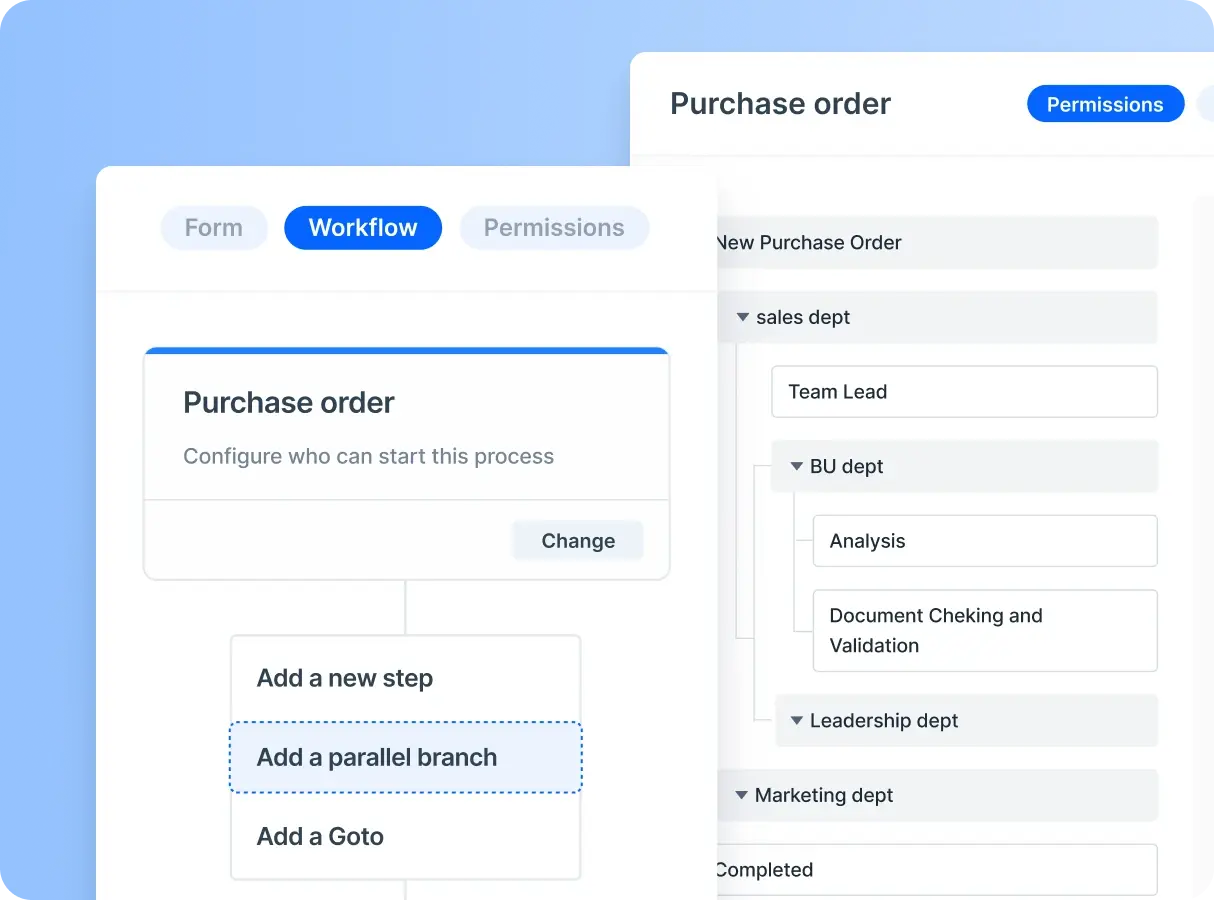
Kissflow combines process management, project boards, and case management into one suite. It’s essentially an app-building platform where you have to design the form and build the workflow logic before a single task can be done. For operations teams that just want to process a document, it often requires significant setup time and IT involvement to build the very tools you need to do your work.
Key features
Process builder: A visual interface to design complex, multi-step approval workflows and business rules.
App development: Allows makers to build custom internal applications for HR, Procurement, and Finance.
Case management: Distinct tools for handling unstructured, ad-hoc requests like IT tickets or bug tracking.
Analytics & reporting: Deep insights into process bottlenecks, service level agreement (SLA) breaches, and team productivity.
Integration board: Connects with other enterprise tools like Zapier, Slack, and Google Workspace.
Pros | Cons |
Clean UI and drag-and-drop builder make it simple to set up workflows without IT support. | Processes become difficult to manage when they are highly customized or require advanced integrations. |
Helps automate approvals, requests, and P2P workflows, reducing manual work and delays. | Custom reports and analytics are not always easy to configure or flexible enough for detailed needs. |
Manages requests, approvals, and tracking in a single system, improving visibility across teams. | Software can be slow to load or may crash occasionally. |
Pricing
Basic plan starts at $2,500/month for limited features; Enterprise offers custom flexible pricing.
3. Coupler.io
Best for: Marketing and sales teams syncing clean application data directly to dashboards.
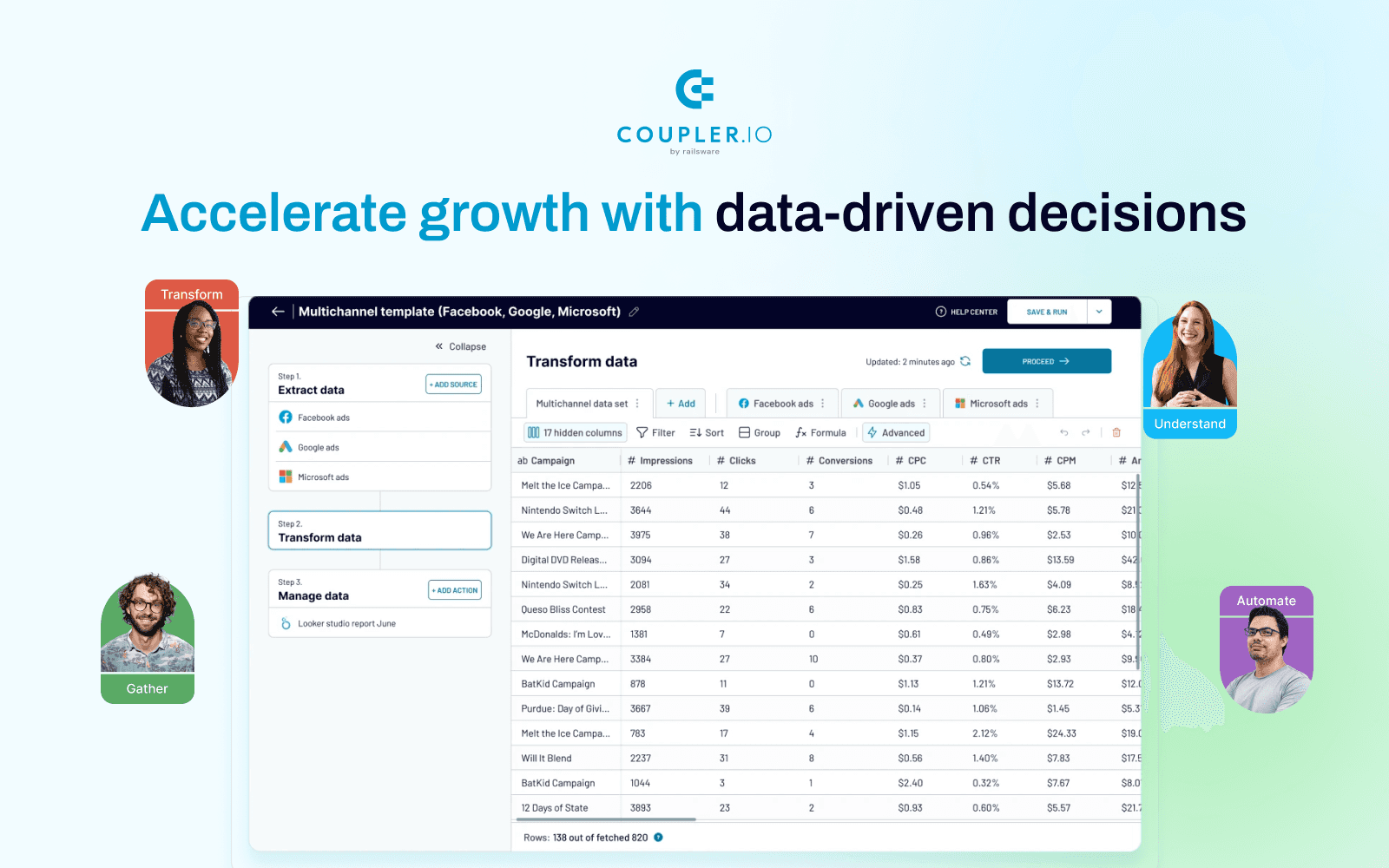
Coupler.io is an automation tool that turns raw data into insightful reports by syncing information between apps and spreadsheets or visualization tools. It excels at pulling metrics from platforms like HubSpot, Shopify, or Facebook Ads and formatting them for analysis in Excel or Looker Studio. While it is powerful for digital reporting, it relies entirely on APIs to fetch data that’s already structured and digital.
Key features
Automated data sync: Schedules regular updates to keep reports and dashboards current without manual exports.
Destination flexibility: Pushes data directly into Google Sheets, Excel, BigQuery, or Looker Studio.
Data transformation: Built-in tools to filter, sort, and blend data columns before they reach the destination.
Marketing and sales focus: Deep library of connectors specifically for ad platforms, CRMs, and e-commerce stores.
Pre-built templates: Offers ready-made dashboard templates to visualize metrics immediately after connection.
Pros | Cons |
Deep connector library makes it easy to integrate multiple data sources in one place. | Pre-built dashboards lack flexibility for customization. |
Pulls customised reports directly into spreadsheets, saving a huge amount of manual work. | Pricing plans aren’t flexible enough to accommodate smaller teams with limited budgets. |
Automates data pipelines from multiple platforms into centralized dashboards without requiring any coding or engineering resources. | Combining multiple data sources comes with a learning curve, as keeping column types consistent across datasets takes trial and error. |
Pricing
Starter plans begin at $32/month, with limits on the number of data runs.
4. Lovable

Best for: Rapidly building and deploying full-stack web applications using natural language.
Lovable is an AI-powered full-stack engineer that automates the entire software development lifecycle, allowing users to ship functional web apps without writing a single line of code. It bridges the gap between traditional no-code builders and custom development by generating production-ready code (React and Supabase) through a simple chat interface.
While it’s incredible for building clean-slate software and internal tools, it’s primarily a creation engine for apps. It isn’t built to automate the heavy lifting of extracting data from the physical paper trail (like scanned invoices or logistics forms) that runs most back-office operations.
Key features
Chat-to-build automation: Instantly generates front-end UI and back-end logic based on plain-English instructions.
Automated backend integration: Easily sets up databases, user authentication, and storage via Supabase without manual configuration.
Real-time iteration: Updates and deploys changes to your application in seconds as you chat with the AI.
Version control automation: Automatically manages GitHub commits and branches, making the technical side of DevOps invisible.
Responsive design: Automatically ensures all generated apps are optimized for mobile, tablet, and desktop views.
Pros | Cons |
Non-technical founders can go from idea to a live web app without writing a single line of code. | Costs are hard to predict because the credit model keeps changing. |
Guides you through every step with smart suggestions. | It excels at building new apps, but automating workflows across existing legacy tools can be tricky. |
Moves from idea to a working prototype at outstanding speed, all through simple natural language prompts. | Can’t natively read or automate data entry from unstructured physical documents like PDFs or scans. |
Pricing
Starter plans begin at $25 per month, and a free plan is also available.
5. Airtable
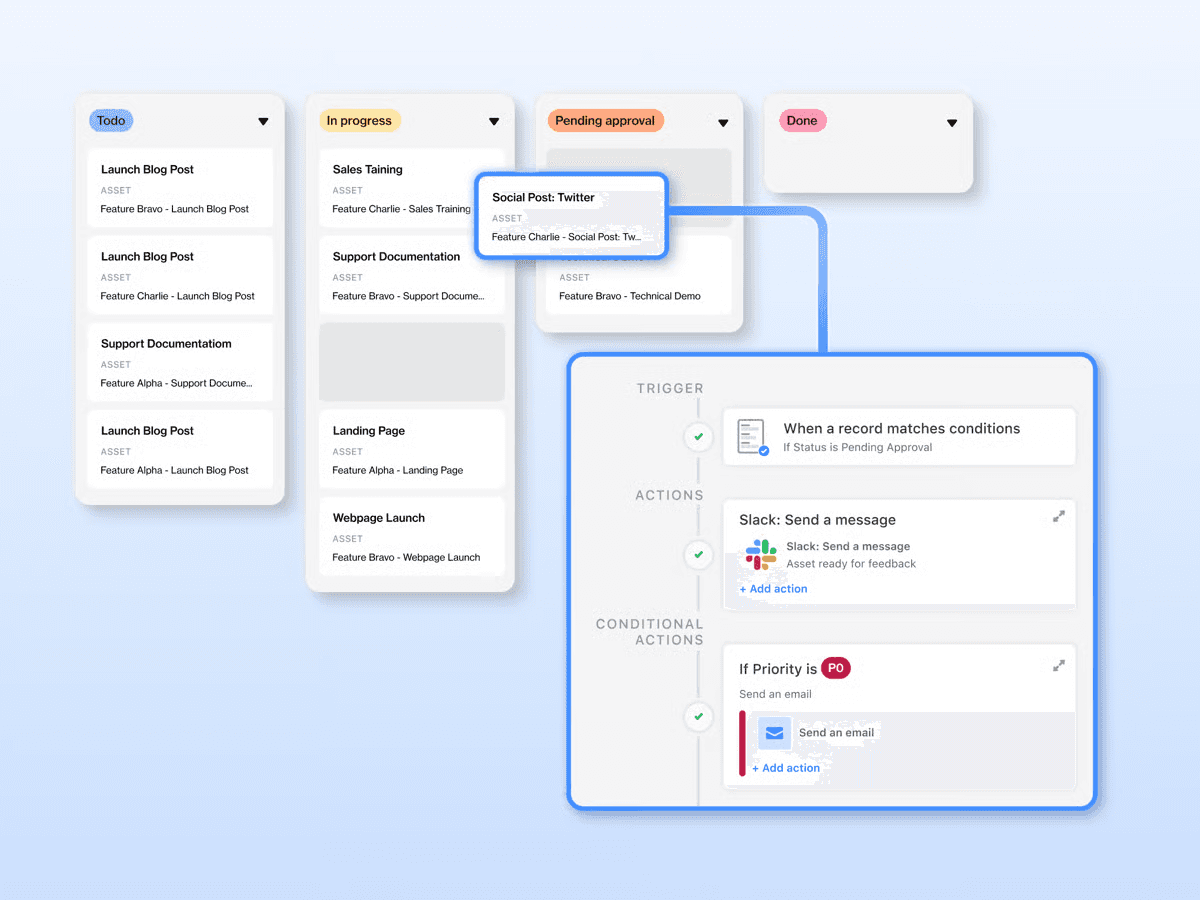
Best for: Converting static spreadsheets into relational databases and interactive team apps.
Airtable organizes structured information, like project trackers or inventory lists, into relational databases. Unlike a standard spreadsheet, it lets you link records between tables and build custom interfaces so your team can view data without breaking the backend. However, its designed for clean data. It doesn’t natively process or extract information from unstructured files like PDFs or invoices without paid AI add-ons.
Key features
Relational database: Create deep links between records in different tables to build a single source of truth that avoids duplicate data entry across your projects.
Interface designer: Build custom front-end dashboards with a drag-and-drop editor so teams can interact with data without seeing the backend complexity.
Multiple views: Visualize your projects and data exactly how you need by instantly switching between Grid, Kanban, Gantt, and Calendar layouts.
Automations: Build custom logic to automatically send emails, update statuses, or create tasks in other apps whenever specific records change.
Pros | Cons |
Lets you build and automate real operational workflows without needing engineering support for every change. | Fast-moving operations will quickly max out the 1,000-row limit on the Free plan or the 50,000-row limit on the Team plan. |
Replaces scattered spreadsheets with a single connected system that tracks and reports across your entire operation. | Per-user pricing compounds quickly. Upgrading from Team ($20/user/month) to Business ($45/user/month) to get more rows more than doubles your cost. |
Connects natively with Salesforce, Slack, and Jira. |
Pricing
Free plan available; Team plans start at $20/user/month.
6. IFTTT
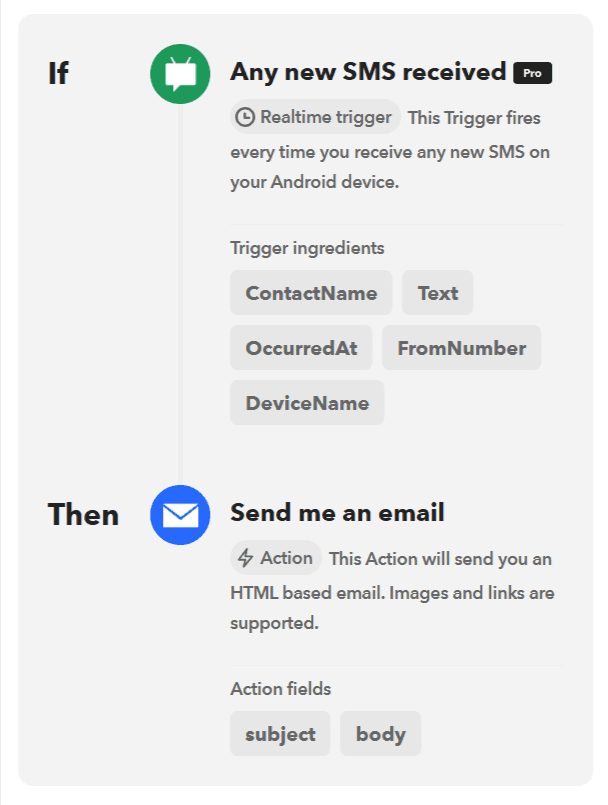
Best for: Solopreneurs and marketers automating simple tasks like social media posting and cross-app content syncing.
IFTTT connects different web services through simple trigger-action rules, making it useful for small business owners who need to streamline basic digital tasks. It excels at marketing automations, such as automatically sharing a new blog post to LinkedIn or saving email attachments to Google Drive.
While it’s great for keeping social channels active or syncing simple lists, it lacks the depth for complex business operations and can’t handle multi-step data processing or document extraction.
Key features
Social media automation: Automatically cross-post content between platforms like Instagram, Twitter, and LinkedIn.
Webhooks: Connect custom lead forms or applications to other services using simple web requests.
AI content tools: Use built-in AI to generate social captions, summarize notes, or draft emails automatically.
Productivity sync: Sync tasks and calendar events between different apps like Trello, Google Calendar, and Todoist.
Applets: Follow pre-built automation recipes that allow non-technical users to set up workflows in seconds.
Pros | Cons |
Connects to over 1,000 apps and services, so you can automate across your business tools, productivity apps, and even smart devices in one place. | Only handles simple rules, can’t route documents differently based on conditions (like an invoice amount) or handle multi-step approvals. |
Setup is simple and fast—just connect your services and define the trigger, no technical knowledge required. | Completely lacks the capability to read, extract, or validate data from business documents. |
Caters to every automation level, from simple single-step tasks to more advanced multi-action workflows as your needs grow. | The free plan makes you wait up to an hour for an automation to trigger. You must pay to unlock 5-minute execution speeds. |
Pricing
Free plan available; Pro starts at $4.99 per month.
7. Zapier
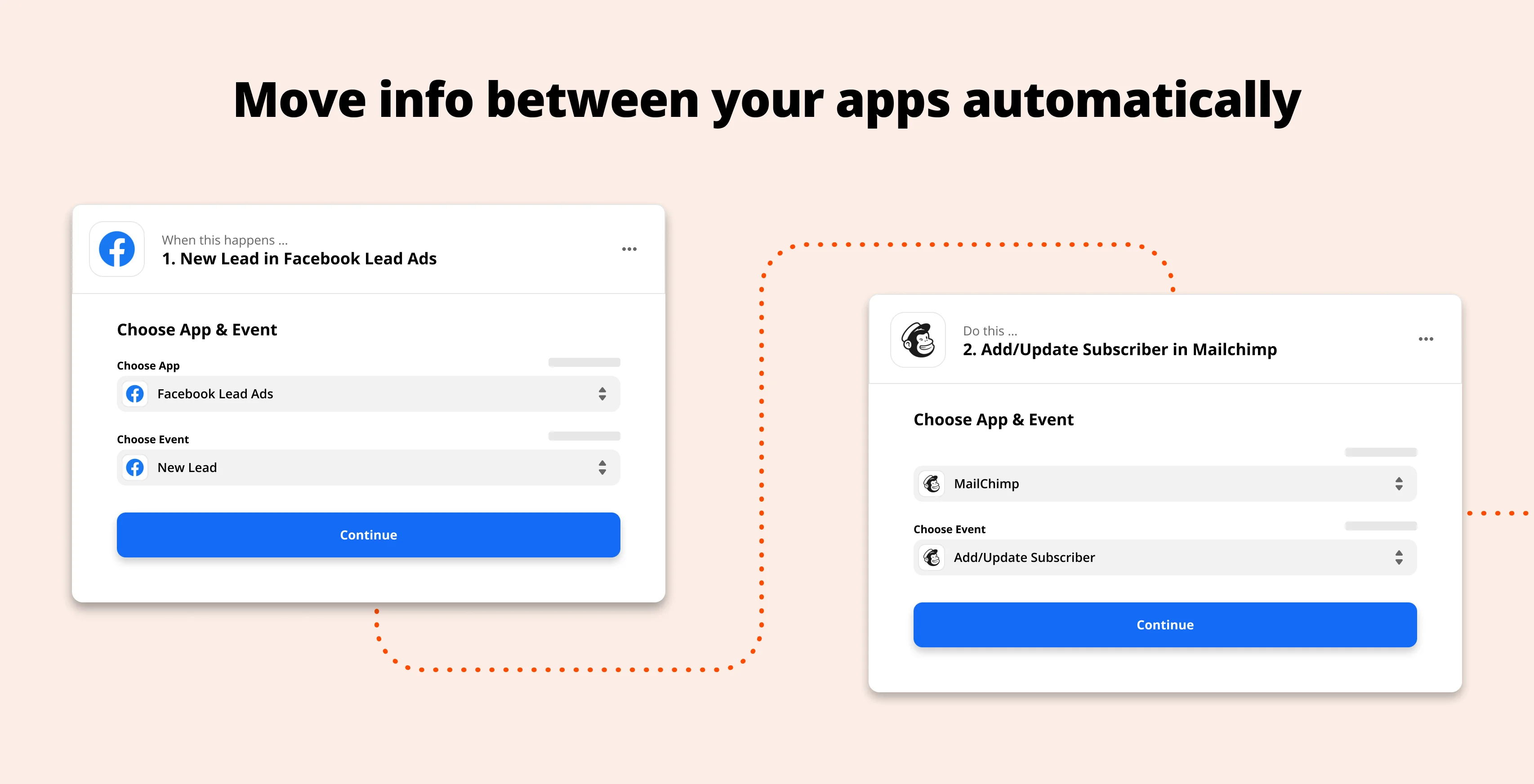
Best for: Connecting disparate apps and moving data between them using simple trigger-based workflows.
Zapier is the industry standard for connecting web applications, acting as the glue that moves information from one tool to another. It excels at linear “if this, then that” workflows, allowing you to push data from a form to Slack or a lead from Facebook to your CRM.
While it orchestrates data movement well, it’s primarily a connector rather than a processor. Standardizing messy data or extracting details from documents often requires adding paid AI steps or third-party plugins, which can quickly drive up the complexity and cost.
Key features
Massive integration library: Connects with over 6,000 apps, ensuring almost any tool you use can talk to another.
Multi-step zaps: Allows you to chain multiple actions together from a single trigger for longer workflows.
Zapier tables: A no-code database that lets you store and edit data midway through an automation.
Visual editor: A clean, linear interface that makes building simple automations intuitive for non-technical users.
Built-in formatters: Basic tools to tweak text, dates, and numbers before passing them to the next app.
Pros | Cons |
Automates repetitive tasks across your workflows without the user needing any technical skills. | The more useful it becomes, the more you pay. Every action counts as a task, and costs add up fast. |
The free plan is generous enough to automate meaningful parts of your business from day one. | Customer support is locked behind higher-tier plans, leaving smaller teams without help when things go wrong. |
Connects natively to over 8,000 apps across your CRM, accounting, and project management domains. | Advanced workflows can get messy quickly, with simple ideas often requiring multiple steps and frustrating workarounds to debug. |
Pricing
Free plan available; paid plans start at $29.99 per month.
8. Make
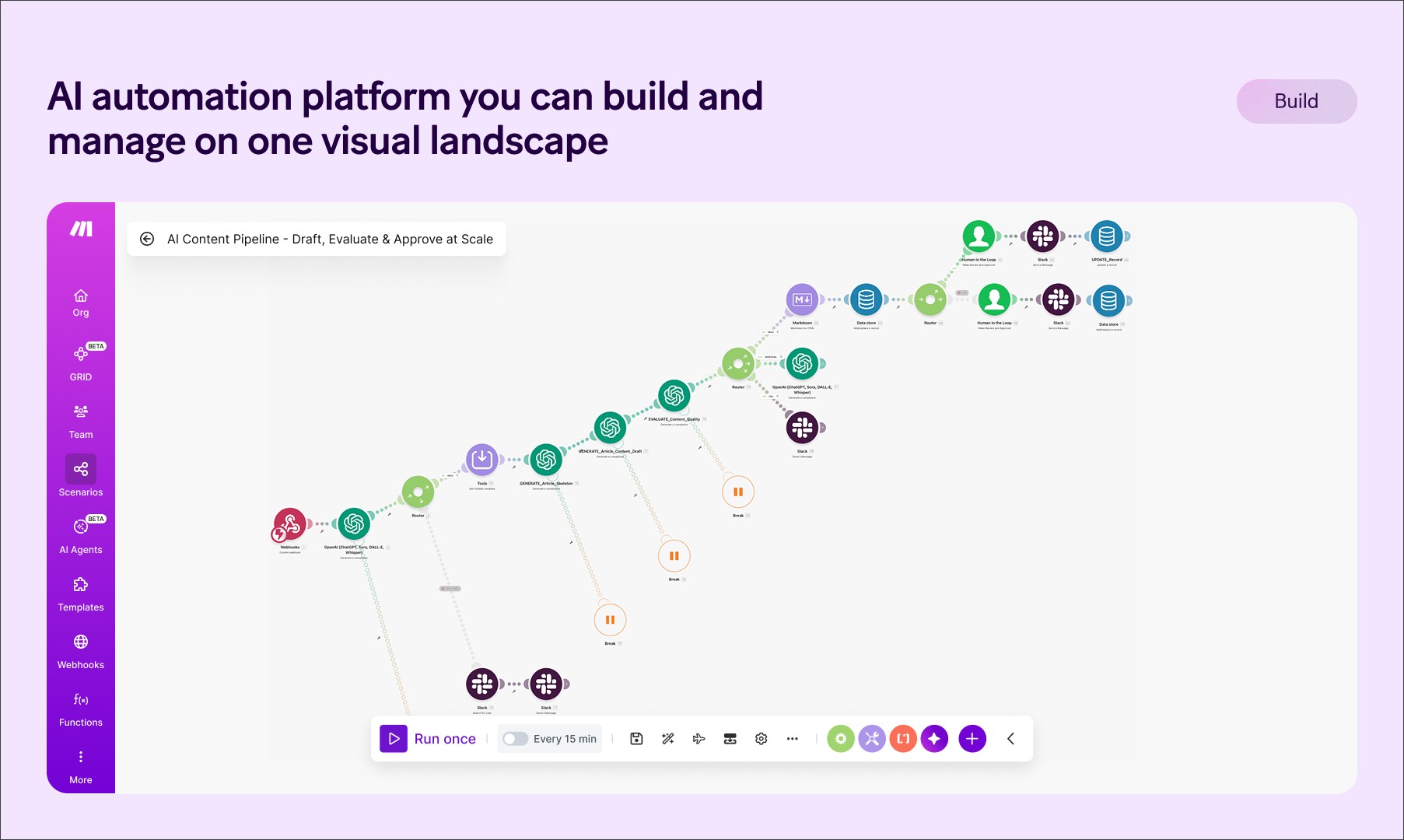
Best for: Visualizing and automating complex, multi-step business logic across thousands of apps.
Make is a visual platform that allows you to design, build, and automate anything—from simple tasks to complex workflows—in minutes. Unlike simpler trigger-action tools,
It uses a drag-and-drop canvas where you can connect apps like a digital switchboard. It excels at handling sophisticated logic, branching paths, and detailed data manipulation, allowing you to build workflows that look like architectural diagrams and watch your data flow in real time.
Key features
Visual workflow builder: A drag-and-drop canvas that lets you see exactly how your data flows and branches.
Complex logic and branching: Use routers and filters to create sophisticated if/then paths within a single automation.
Data manipulation: Built-in functions for changing text formats, performing math, or parsing JSON without writing code.
1,000+ app integrations: Native connectors for everything from Google Sheets and Slack to high-end enterprise CRMs.
Real-time execution tracking: Watch your automation run live and see exactly where a process might have failed at any specific step.
Pros | Cons |
The visual workflow builder lets you clearly see how data moves between your apps, making automation easier to understand. | The learning curve can be steep, and even a small configuration mistake can break an entire workflow. |
Flexible enough to be as simple or as advanced as you need—works for non-technical and technical users alike. | As automations grow more complex, they become harder to maintain without proper structure from the start. |
Connects tools like Google Sheets, Gmail, and Asana so your project data stays updated across your whole team automatically. | When something goes wrong, error messages are too technical for non-technical users to understand without outside help. |
Pricing
Free plan available; paid tiers start at $10.59 per month
9. n8n
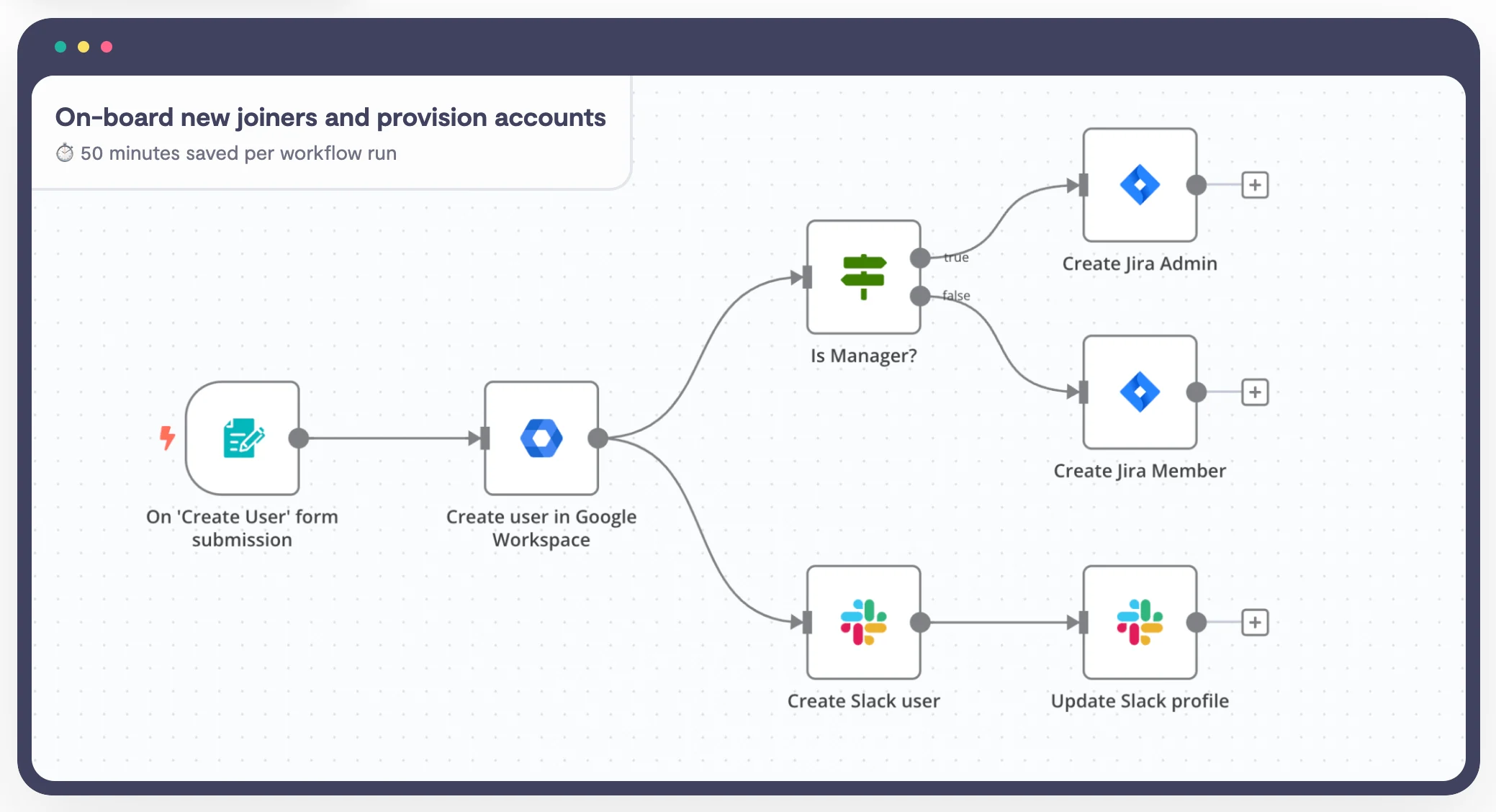
Best for: Technical teams and developers who want full control, self-hosting, and complex automation without vendor lock-in.
n8n is a fair-code workflow automation tool that blends the visual ease of no-code with the power of a fully programmable backend. Unlike closed platforms, it allows you to self-host your automations, giving you complete control over data privacy and security.
It treats automation like development, letting you use custom JavaScript, branch logic, and debug workflows in real-time, making it the top choice for building app-grade automations that sit behind your own firewall.
Key features
Fair-code & self-hosted: Run it on your own servers for total data control and compliance (GDPR/HIPAA).
Node-based visual editor: Connect nodes to build workflows with advanced branching, loops, and merges.
Developer-friendly: Native support for JavaScript/Python functions and HTTP requests for custom API integrations.
AI agent capabilities: Built-in nodes to chain LLMs (OpenAI, Anthropic) into operational workflows.
Granular debugging: Inspect data execution at every node to pinpoint exactly where a workflow fails.
Pros | Cons |
Self-hosting ensures sensitive data never leaves your infrastructure. | Self-hosting requires managing your own servers, updates, and security patches. |
G2 reviewers state that the visual node-based editor makes building complex automations intuitive. | Some features require diving into documentation as the setup can be complicated. |
Self-hosted versions can be cheaper for massive execution volumes compared to per-task SaaS pricing. | The managed cloud version has strict execution caps (2,500 for the starter plan) that can get expensive quickly. |
Pricing
n8n’s monthly plans start at $27.50 per month.
10. Microsoft Power Automate
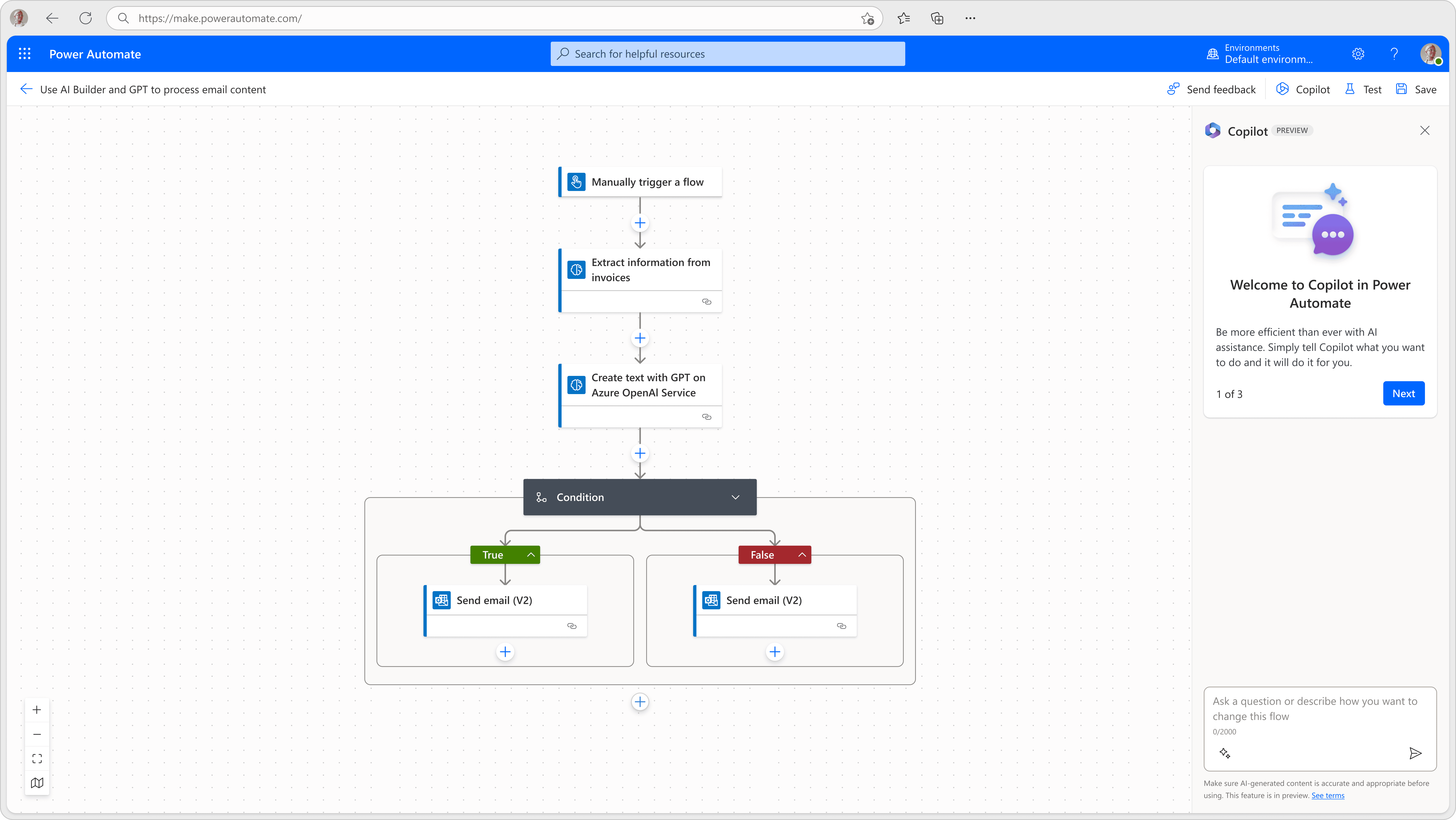
Best for: Enterprises deeply embedded in the Microsoft ecosystem needing robust RPA and workflow automation.
Microsoft Power Automate is an enterprise tool built to streamline repetitive tasks within the Microsoft ecosystem. It connects with Office 365 apps to handle approvals, data collection, and notifications automatically.
Beyond simple cloud workflows, it offers Robotic Process Automation (RPA) to control older desktop software that lacks modern APIs. The platform now also includes AI Copilot features, allowing users to generate complex automations simply by describing what they need in plain English.
Key features
Cloud and desktop flows: Blends API-based automation with UI-based desktop automation for legacy apps.
Microsoft 365 integration: Connects natively to Excel, SharePoint, Teams, and Dynamics 365 without complex setup.
Copilot AI: Uses natural language prompts to build and edit workflows instantly.
Process mining: Analyzes existing workflows to find bottlenecks and suggest optimizations.
Enterprise governance: Includes advanced security controls and data loss prevention policies for IT compliance.
Pros | Cons |
Integration for teams already working in Office 365 and SharePoint. | Basic connectors like SharePoint and Outlook are included, but connecting to tools like Salesforce, SQL Server, or custom APIs requires premium connectors, which can increase costs. |
Capable of automating complex legacy desktop software that other cloud tools cannot touch. | Moving beyond basic templates requires writing Excel-like code formulas to format data or filter text. |
Copilot significantly lowers the barrier to entry by writing the flow logic for you. | Large, complex flows can experience slower execution times compared to code-based alternatives. |
It’s only limited to the Microsoft ecosystem. |
Pricing
Free for basic use with select Microsoft 365 licenses; Premium plans start at $15 per user per month.
Why Docxster is the best no-code automation tool for document-intensive industries
The right no-code tool depends on the work you're trying to automate. If you're connecting SaaS apps and pushing structured data between them, tools like Zapier, Make, and n8n cover that ground well. If you're building internal apps from scratch, Lovable or Airtable are strong bets. If you live inside the Microsoft stack, Power Automate is the obvious choice.
But for finance and operations teams in manufacturing and logistics, the bottleneck isn't usually app-to-app data movement. It's the documents that arrive as PDFs, scans, and handwritten forms where you have to re-enter by hand before any automation can begin.
Docxster is built for that gap. It starts where the data actually lives—inside the document—and gives finance and operations teams a no-code path to extract, validate, and route that data into their ERP without engineering involvement.
If your team is processing hundreds of documents a day and your no-code stack still requires someone to type them in first. We solve that.
Ready to automate your document worlfows with confidence?
FAQs: No-Code Automation Tools
What is a no-code automation tool?
A no-code automation tool lets users build workflows through visual builders, drag-and-drop interfaces, triggers, and rules instead of programming languages. This helps business teams automate repetitive tasks without relying on IT for every workflow change.
What are the best no-code automation tools for 2026?
Some of the best no-code automation tools include Docxster, Kissflow, Coupler.io, Lovable, Airtable, IFTTT, Zapier, Make, n8n, and Microsoft Power Automate. The right choice depends on whether you need document automation, app integrations, reporting, internal app building, or enterprise workflow automation.
Which no-code tool is best for document-intensive teams?
Docxster is best suited for document-intensive finance and operations teams because it starts with the document itself. It helps extract, validate, route, and export data from PDFs, scans, invoices, BOLs, handwritten forms, and other unstructured documents.
How is Docxster different from tools like Zapier or Make?
Zapier and Make are strong for connecting apps and moving structured data between systems. Docxster is different because it handles the messy document layer first, extracting and validating data from files before sending it into ERPs, CRMs, spreadsheets, or other tools.
What should teams look for in a no-code automation tool?
Teams should look for ease of use, workflow flexibility, integrations, approval routing, error handling, reporting, and security. Document-heavy teams should also look for OCR, intelligent extraction, validation rules, human-in-the-loop review, and support for inconsistent file formats.
Are no-code automation tools only for non-technical users?
No. No-code tools are designed to make automation accessible to business users, but technical teams can still use them for faster workflow development, governance, and system integrations. The best setups often let business teams own routine workflows while IT manages security and platform oversight.
What is the difference between no-code and low-code automation?
No-code automation is built for users who want to create workflows without writing code. Low-code automation uses visual tools too, but still often requires developers for custom logic, integrations, or more complex technical requirements.
Is Zapier the best no-code automation tool?
Zapier is one of the most popular no-code automation tools for connecting apps, but it is not always the best fit for document-heavy operations. If the workflow starts with PDFs, scans, invoices, or handwritten forms, teams may need a document-first platform instead of a general app connector.
Can no-code automation tools process documents?
Some no-code tools can support document workflows, but many need add-ons, templates, or third-party tools to extract data from documents. A document-focused platform is better when teams need to process unstructured files, validate extracted data, route exceptions, and export clean outputs.
How do I choose the right no-code automation platform?
Start with the workflow you need to automate. If you are connecting SaaS apps, tools like Zapier, Make, or n8n may work well; if you are building internal databases, Airtable may fit; if your bottleneck is document data trapped in PDFs, scans, or forms, a platform like Docxster is the better starting point.
Turn documents into decisions.
See how Docxster gets you from inbox to insight in minutes, not days. Bring your toughest workflow — we'll show you what it looks like solved.


