-
The Customs Broker Software That Actually Cuts Manual Data Entry (2026)
Most customs broker software just files the entry. See what actually cuts the manual data entry before filing, plus five tools worth comparing in 2026.
Last updated:



TL;DR
Search "customs broker software" and most of it just files the finished entry, which is the last step of the job.
The manual hours go to the work before filing: reading the invoices, keying the line items, and checking that everything matches across documents.
Customs broker software splits into two types, the filing systems that transmit to CBP and the document automation layers that prepare the data first.
The layer that cuts manual work is the upstream one, so look for accurate capture, cross-document validation, a human review before filing, and a direct handoff into your system.
Five tools are worth comparing on that basis, and the review compares them on how much of the pre-filing work each one actually removes.
Search "customs broker software" and most of what comes back does one thing. It transmits a finished entry to CBP, which is the last step of the job.
The work that fills your day comes before that. You read the invoices, packing lists, and BOLs, key the line items in, and check that everything matches across documents. A filing software does none of that, so you can buy the best one available and the manual work is still there.
This article covers what customs broker software includes, the types it splits into, what to look for, and five options worth comparing.
What really is a customs broker software
Customs broker software is the software a broker uses to prepare and file a customs entry with CBP. Most of these tools handle the filing part itself, transmitting a completed entry to CBP through the Automated Broker Interface (ABI). They take an entry you have already keyed and checked and send it to CBP, which works only if the data going in is already correct.
The two types of custom broker software
A custom broker software can be classified in two types and here are those:
1. Filing and entry systems
Filing and entry systems transmit a completed entry to CBP through ABI. You prepare the entry data, and the system files it on your behalf. These platforms are built for the transmission step, so they work on the assumption that the data reaching them is already keyed, checked, and correct. The preparation that gets an entry to that point sits outside what they do.
2. Document automation and data capture layers
Document automation layers sit upstream of filing and handle the document work that comes first. They read the invoices, BOLs, and packing lists as they arrive, pull the line items and values into clean data, and check that data across documents before the entry is filed. A person reviews the result and approves it, and then it moves into the filing system already in use.
Key areas where a customs broker spends manual hours
When it comes to filing a customs entry the manual work does not sit in one place. It builds up across the day. Across our demo calls we identified that these are the tasks where most manual work happens and takes time:
1. Keying long, multi-tariff entries by hand
The most common one is data entry. A single customs entry can carry hundreds of line items, and each one has to be keyed into the filing system by hand.
Under the current tariff setup, keying the line is only half the job. Each line also needs the right additional tariffs added on top, and which ones apply depends on the product and where it came from.
One broker described what that does to a large entry:
"So when you've got to go through an entry with four or 500 lines and add the additional tariffs into each line, depending upon what it is, that takes time."
On a long invoice with mixed goods, that call repeats on every line, and a single entry can take a full day.
2. Verifying classifications that come in wrong
Another chunk of time goes to checking the classifications that come in on the paperwork, most often the HTS code. The first six digits of a code are the same worldwide but the last four are specific to each country, so a code can look complete and still be wrong for a US entry. Before anyone trusts a classification, they have to check:
Whether the code is the US classification or the vendor's own country code
Whether the product description actually supports the code
The reason this matters is that US vendors often put their own country's tariff on the invoice, and a tool that reads whatever it sees will carry that error straight through.
One broker described the automated tools he had been shown:
"A lot of U.S. vendors will put the American tariff, and the AI grabs it and treats it like it's legitimate, but it's not. The first six digits are the same globally, but the last four are unique to each country, and the AI grabs what it sees, so my people have to verify every single one."
3. Chasing usable detail on vague invoices
Some delay comes from the paperwork itself. You cannot classify an entry until the description is specific enough to point to a code, and a lot of invoices do not arrive that way. Descriptions come in generic, and a term like "steel parts" can cover a huge range of products that carry different codes and different tariffs.
One broker explained how routine this is:
"Importers and exporters both, they don't provide proper paperwork. Their invoices are most of the time incomplete, or descriptions very generic. Steel parts. What steel part? Anything could be, like, millions."
When the description is too vague, the entry process stops until you go back to the shipper for the details.
4. Redoing entries after a customs kickback
The last place time goes is rework. An entry that transmits with an error can come back from CBP, and then you do the whole thing a second time. On a long entry that is not a small fix, and a single kickback puts you back into:
The hours already spent keying and transmitting the first version
The time to find and correct the error across every affected line
The re-transmission, and the wait to see whether it clears
Tariff breakdowns make it worse, since one line can split into two and an 800-line invoice becomes a 1,600-line report. One broker walked through what that looks like across his team:
"Right now I've got 10 people working on 400, 500, 600-line items, and it takes 2 to 3 days sometimes. If you get it done in six hours, transmit, get a kickback for errors, then you have to do everything all over again. That's another four hours."
A rejected entry that size can take most of another day to clear.
What to look for in software that cuts manual entry
Once you know the manual work sits before filing, the next question is what to look for in the software that handles it. Here are the four things to look for:
1. Accurate capture from any document format
The first is how well it reads the documents you actually get. Invoices, BOLs, and packing lists arrive as PDFs, scans, and EDI files, and every shipper formats them differently. The software has to pull the line items, values, and quantities from any of them without a clean template to work from, because if it only handles tidy documents, you are back to keying the rest by hand.
2. Automated cross-document validation
The second is whether it checks the data across documents on its own. The numbers on the invoice have to match the BOL and the packing list, and catching a mismatch by eye is slow and easy to miss on a long entry. Software that validates across documents flags those errors before filing, which is where they would otherwise turn into a kickback.
3. A human check before filing
The third is whether a person stays in control. A tool that files on its own is a risk on entries this sensitive, so it should hold the prepared data for someone to review and approve first. That review step also leaves a record of who approved what and when, which is the audit trail you want if CBP questions the entry later.
4. Direct handoff into your filing system
The fourth is where the data goes once it is clean. It should land straight in the filing system you already use rather than coming back to you as a file to import, because a manual import is just the keying work in a different form. A direct handoff is what keeps the whole process from ending where it started.
The best customs broker software that reduce manual work
We’ve done our research and picked five customs broker document automation software you can pick from:
1. Docxster
Docxster is a no-code document automation platform built for the step before filing. It reads the commercial invoices, packing lists, BOLs, and certificates as they come in, pulls the fields the entry needs, checks them across documents, and holds the result for a person to approve.
It does not replace your brokerage system or your filing platform. It sits between the documents and the entry, and handles the manual keying and cross-checking that neither the filing system nor the classification tools cover.
Key features:
Read and extract from any document format: Reads every commercial invoice and packing list, whether printed, scanned, or PDF, and lifts the fields the entry summary needs, so the line items are not keyed by hand.
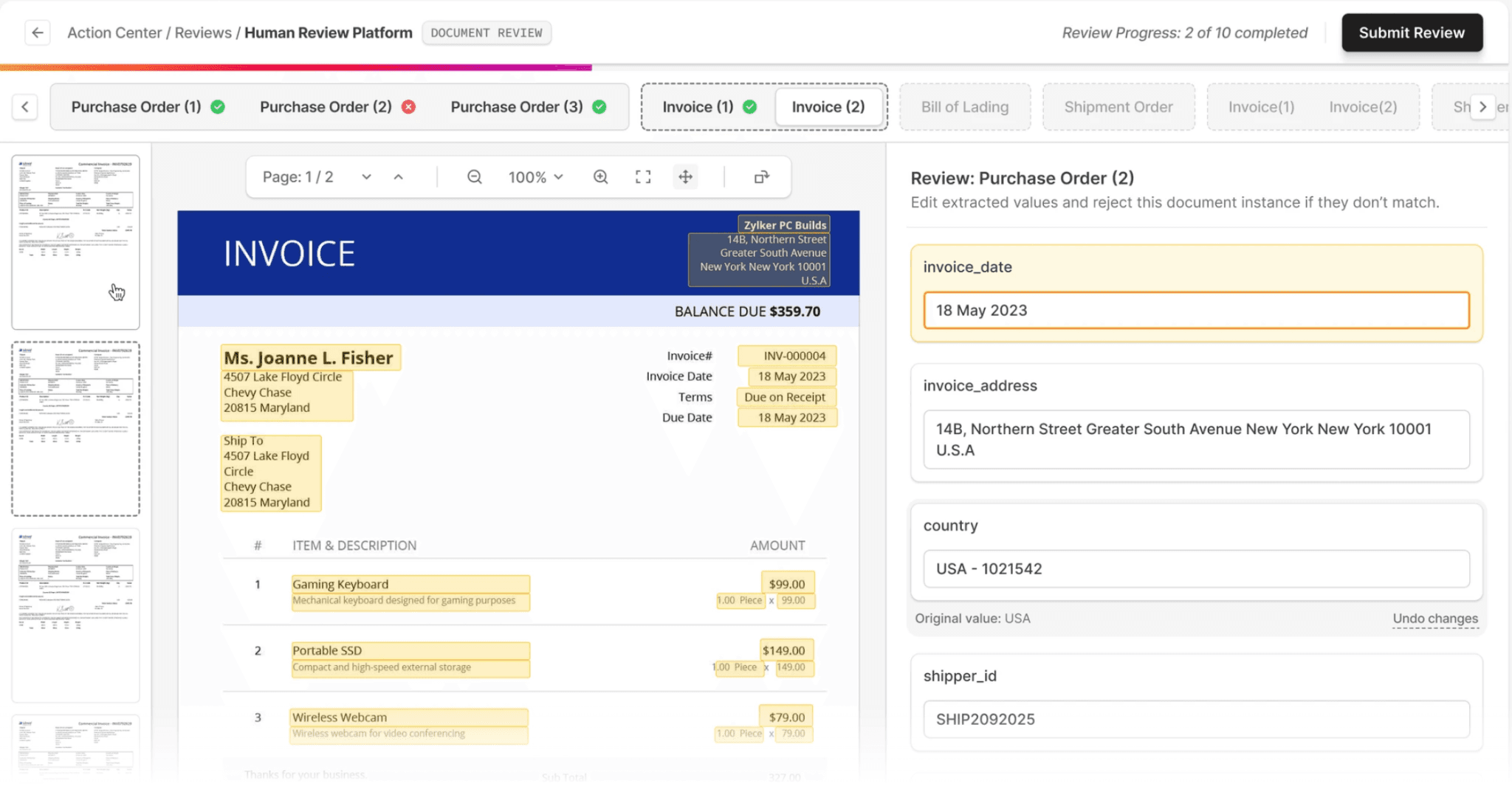
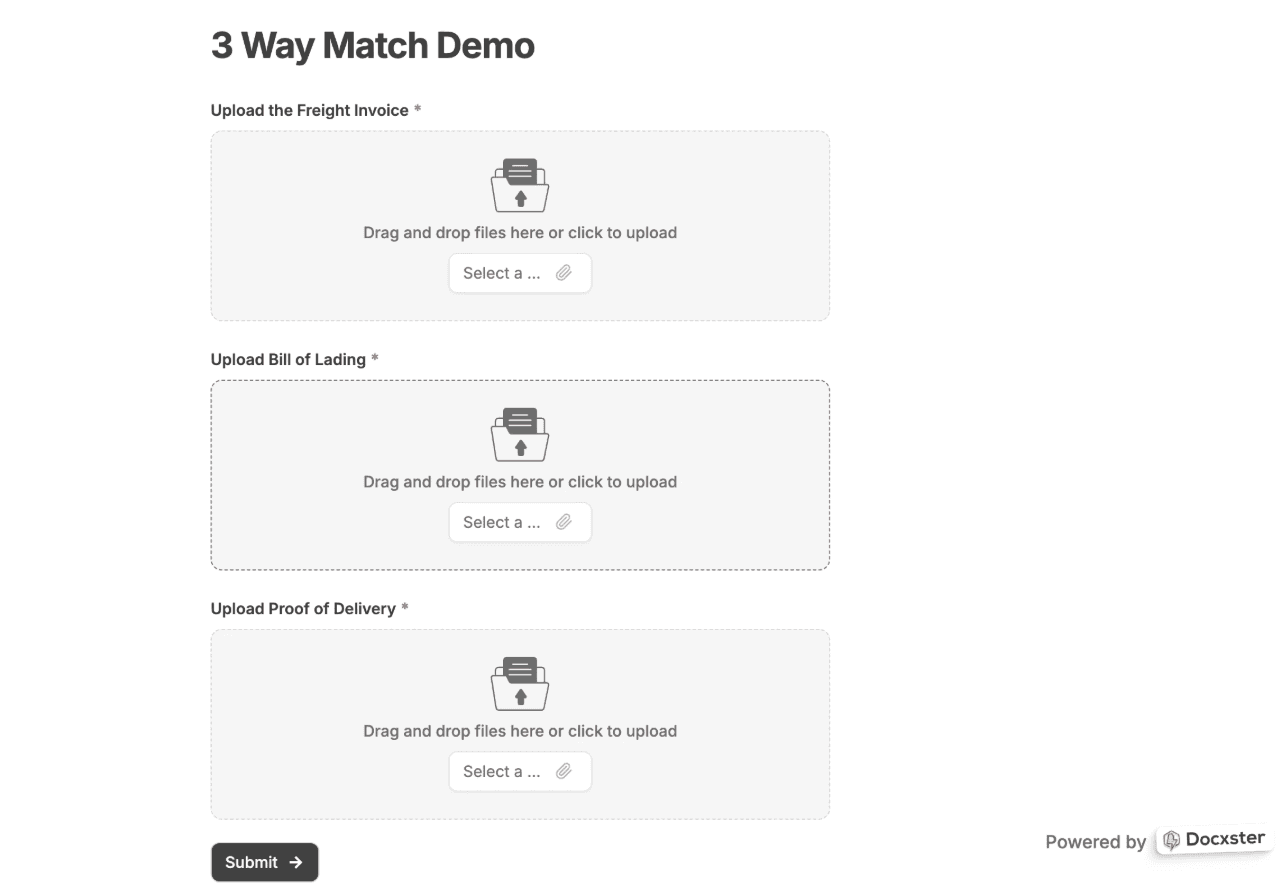
Three-way matching: Checks the invoice, packing list, and BOL against each other on fields like consignee, weight, pieces, and value, then surfaces only the ones that disagree, so a reviewer looks at the mismatches instead of reading every document line by line.
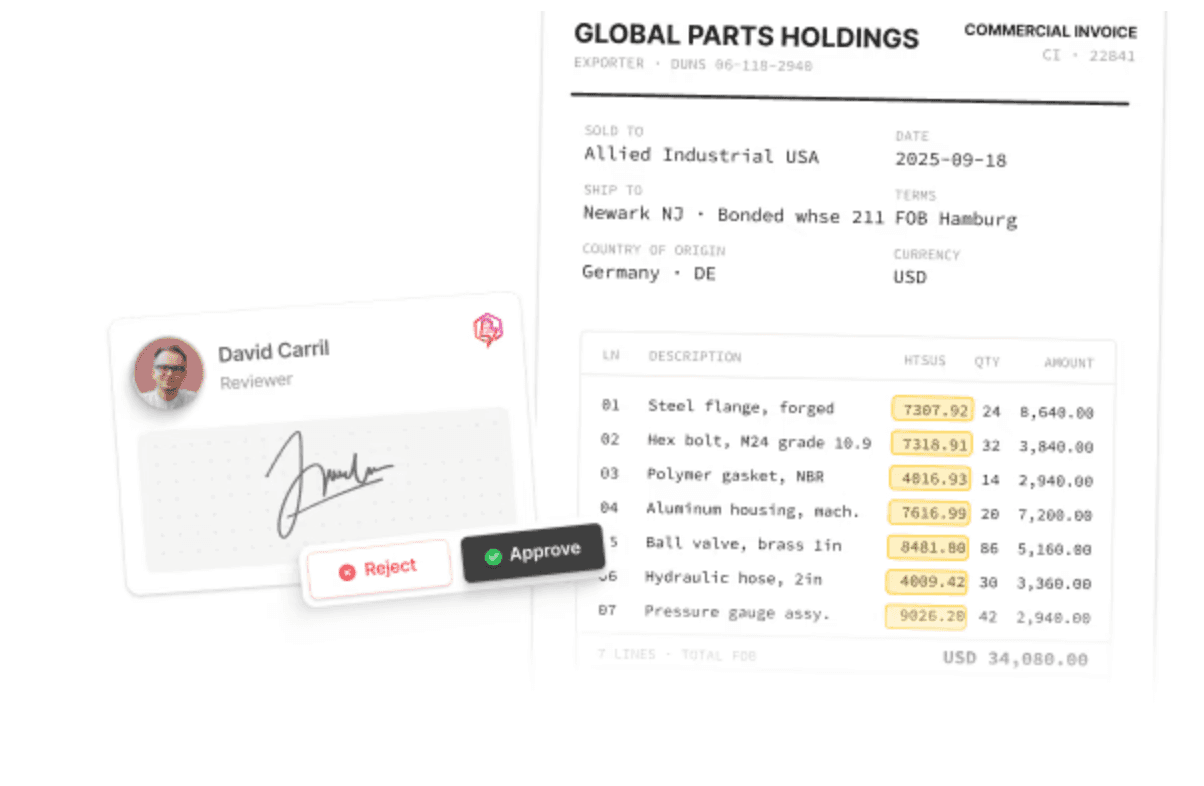
Auto HS classification: Suggests HTSUS codes for each line item from the invoice description, with confidence scores and supporting precedents, and the reviewer confirms the final code.
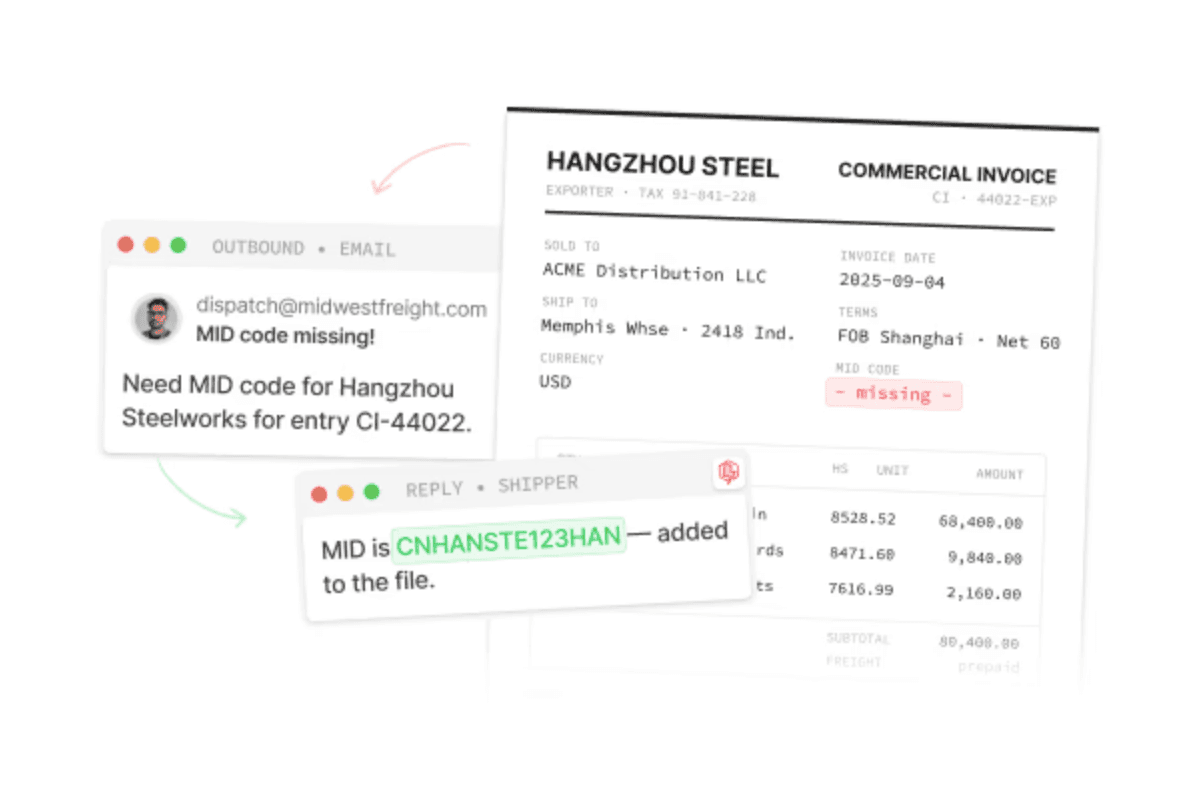
Incomplete data fetching loop: When a required field is missing, Docxster drafts a one-question email to the shipper, reads the reply, and writes the answer back to the entry, which cuts down the back-and-forth on vague invoices.
ISF data collection: Gathers the 10+2 Importer Security Filing elements from the invoice, packing list, classification worksheet, BOL, and carrier feeds ahead of the 24-hour cutoff.
Because Docxster prepares and checks the data rather than filing it, a person approves every entry before it moves to your filing system like Magaya, Descartes or Cargowise, which keeps the licensed broker in control and leaves a record of who approved what.
2. Magaya
Magaya Customs Compliance is a cloud-based, ACE-certified ABI software solution for customs brokers, FTZ or CFS operators, and self-filers. It is primarily a filing platform, so it transmits entries to CBP, but it has added AI modules that pull data from documents and handle some of the prep before filing. On the manual-entry problem, the part that matters is its Broker AI Assistant, which extracts data from a commercial invoice and creates an entry inside the platform.
Key features:
Broker AI Assistant: Extracts data from any PDF or spreadsheet commercial invoice and uses it to create an entry, or appends the data to existing 3461, 7501, ISF, FTZ, or In-Bond forms.
Built-in validation: Alerts you when a filing contains errors before it goes to CBP, which cuts down on rejections.
Automated HTS ordering: Sorts HTS codes across line items in the sequence CBP requires, so you are not ordering them by hand.
Proactive regulatory updates: Applies the latest tariffs and regulations automatically inside the platform, so the rates you file against stay current.
Real-time CBP visibility: Shows your transactions, duties, fees, and CBP response messages in a single window, so you can track where an entry stands after filing.
3. PaperEntry AI (Deep Cognition)
PaperEntry AI is a document automation tool built for customs brokers who want to cut the manual data entry out of their filing process. It sits upstream of the filing system, reading the customs documents as they come in and converting them into the digital format the filing software needs. It does not file the entry itself. It prepares and validates the data that goes into whatever ABI platform you already use.
Key features:
Document extraction across formats: Pulls data from commercial invoices, packing lists, bills of lading, and arrival notices, so the line items do not have to be keyed by hand.
PGA form handling: Reads PGA forms alongside the standard trade documents, which covers the agency data that usually gets entered separately.
Automated data validation: Checks the extracted data as it captures it, flagging issues before the entry moves to filing.
High extraction accuracy: Deep Cognition reports over 99% accuracy on the data it extracts and validates.
Built for the pre-filing step: Converts the documents into the format needed for filing, so the tool fits on top of your current setup rather than replacing it.
4. CervoAI
Cervo (acquired recently by Altana 2) is an automation layer built specifically for US customs brokers. It does not replace your ABI system. It handles the document work before filing, then pushes a draft-ready entry into the filing platform you already use. You upload the invoices and packing lists, Cervo extracts the data, runs its checks, and the entry writer reviews and approves before anything is transmitted.
Key features:
Document extraction across formats: Reads invoices, packing lists, and related documents from PDFs, scans, spreadsheets, and handwritten files, with confidence scores on each field.
HTS classification with a parts library: Recommends HTS codes for each line and stores validated classifications for recurring products, so known items classify automatically and new ones come with ranked suggestions.
PGA screening: Identifies the applicable PGAs from the HTS code and pre-fills known product data, flagging missing fields before you file.
Tariff stacking: Stacks Chapter 99 tariffs in the correct order, covering Section 301, Section 232, IEEPA, and AD/CVD duties.
Pre-submission validation: Checks the entry against the target ABI system's format and field requirements, holding anything that fails rather than transmitting it with errors.
5. Descartes
Descartes is a CBP-approved ABI software vendor, so its OneView Customs House Broker platform files entries directly with CBP through ACE. It is a filing system rather than an upstream document layer, but it includes data checks and classification support that reduce some of the manual work inside the entry itself. It fits the broker who wants the filing platform and the built-in checks in one place.
Key features:
Automatic duty, tax, and fee calculation: Calculates duties, taxes, and fees on the entry, so those figures are not worked out by hand.
Automated PGA and OGA data checks: Checks the data required for PGAs and other government agencies for completeness before the entry goes in.
HS classification support: Includes charge tables and Harmonized System classification support at the line-item level.
Exception-based alerts: Notifies you of rejections, intensive exams, requests for electronic invoices, and TIB expirations, so you act on the entries that need attention rather than watching all of them.
Direct CBP link: Uses a direct connection to CBP to receive and react to customs status messages, with statement management for daily and monthly statements.
Choosing software for the manual entry problem
Most customs broker software files the entry, and filing is the last step. The manual hours go to the work before it: reading the documents, keying the line items, and checking that everything matches.
So the tool that cuts that work is the layer handling the earlier step, not the filing platform. Look for accurate capture, cross-document validation, a human review before filing, and a direct handoff into the system you already use.
Docxster is built for that step. It reads the documents, checks the data across them, and holds it for approval before it reaches your filing system.
Schedule a demo with Docxster to see how it works with your documents.
FAQs
What is a custom broker software used for?
It is used to prepare and file a customs entry with CBP. Most tools handle the filing itself, while some also handle the document work that comes before it.
Are there any types of custom broker software?
Yes. Filing and entry systems transmit the completed entry to CBP, and document automation layers read and check the incoming documents before the entry is filed.
What to look for when choosing a custom broker software?
Look for accurate capture from any document format, cross-document validation, a human review step before filing, and a direct handoff into the filing system you already use.
What is the best customs broker software to reduce manual data entry?
The manual entry work sits before filing, so the tool that reduces it is a document automation layer that reads, checks, and prepares the data. Docxster handles that step and passes clean data to your filing system.
Can customs automation tools suggest HS codes automatically?
Some can suggest an HTS code for a clean line item, but the broker keeps the final call, since the last four digits are specific to each country and still need a human check.
Turn documents into decisions.
See how Docxster gets you from inbox to insight in minutes, not days. Bring your toughest workflow — we'll show you what it looks like solved.


