

-
12 min read
A Guide to Filing the CBP Form 7501 Without Manual Entry
A section-by-section guide to CBP Form 7501, what each field means, which source document it comes from, and how to avoid manual work when filling it.
Last updated:

TL;DR
CBP Form 7501, the Entry Summary, reports what you imported and what you owe, filed through ACE within 10 working days of release.
It runs close to 40 blocks, but almost every value already exists in documents you have: the invoice, packing list, BOL, and the ACE release record.
The only field that starts with the broker is the HTS classification. Everything else is transcription.
It stays manual because those documents arrive as scans and PDFs, each shipper in its own layout, so someone keys every field by hand.
Document automation reads the documents, checks the values against each other, and fills the entry, so what's left for you is the review before you transmit.
Have you ever opened a CBP Form 7501 and felt buried before you started? Dozens of fields, data pulled from four or five documents, and every figure has to be right or the entry comes back from CBP.
Most of the information the form asks for is already sitting in the documents you received. You do not have to gather it from scratch, you can implement better workflows to make the job of filling a CBP form easier.
In this guide, we break down what goes on the 7501, where each field actually comes from, and why so much of it still gets typed by hand when it does not need to be.
What is a 7501 form and when is this form filed
CBP Form 7501, the Entry Summary, is how U.S. Customs and Border Protection records what you imported and what you owe on it. It carries the details CBP uses to assess duty, confirm classification, and verify origin:
Importer of record and consignee
Country of origin
HTSUS classification per line
Entered value per line
Duties, taxes, and fees due
Section 301 and 232 land on the duty line. A single line on the 7501 can carry its base HTSUS rate plus the Chapter 99 numbers for 301 or 232 stacked on top, so the form reports the full duty owed on the goods, additional tariffs included.
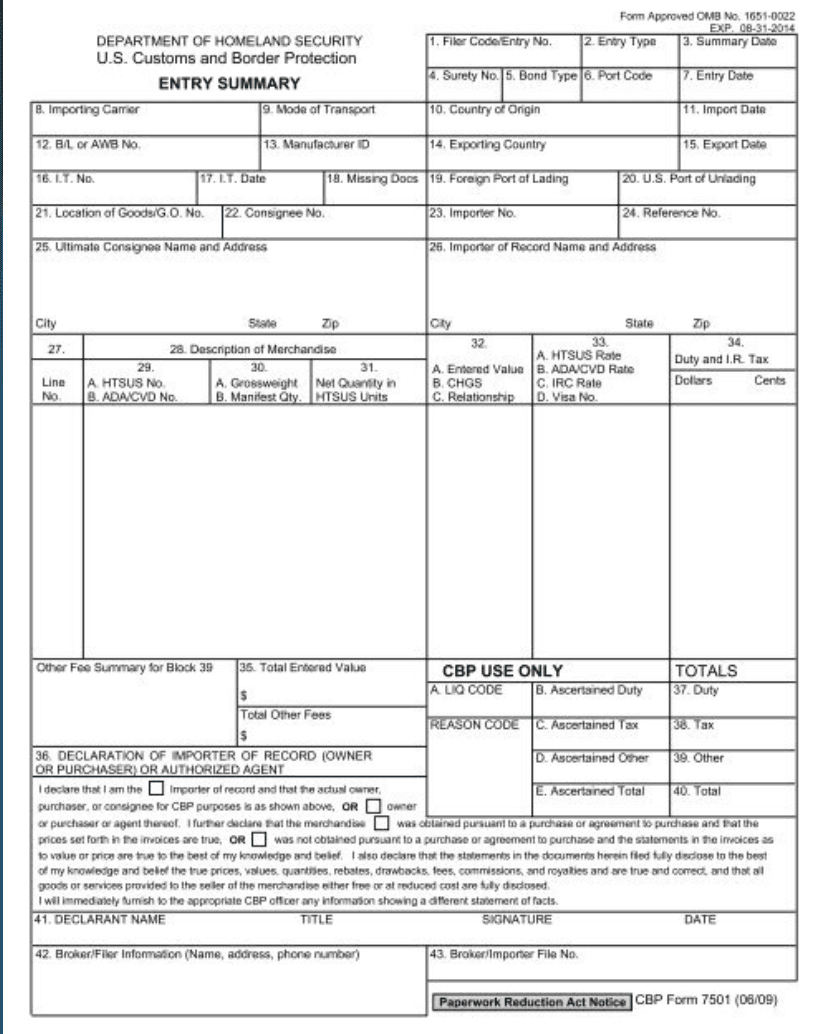
An image showing a sample CBP 7501 form
It is not the first form you file, though. CBP Form 3461 goes in first to release the goods. The 7501 reports that same entry in full afterward, and three things about it decide how the work runs:
When it's due | Filed through ACE within 10 working days of release. The goods are already moving in that window, so this is where the detailed entry work gets done. |
Who's liable | The broker files it under a power of attorney, but the importer of record answers for it. A wrong value or classification lands on the importer, not the person who keyed the form. |
When it applies | Required for formal entries, generally commercial imports over $2,500. That puts the 7501 on the entries carrying the most value and duty. |
So the form is an accounting record with legal weight, filed on a deadline, on specific shipments.
The different blocks of a CBP form 7501
The 7501 fits on one page and holds close to 40 numbered blocks. CBP groups the blocks by what they describe, so the form follows the order of the work: the entry, the parties, the shipment, each line of goods, the classification, and the totals owed. The fields in each group are listed below.
Entry and header information
Filer code and entry number (block 1)
Entry type (block 2)
Port of entry and entry date (blocks 6 and 7)
Importing carrier and mode of transport (blocks 8 and 9)
Import date (block 11)
Bill of lading or air waybill number (block 12)
Parties
Importer of record number and name (blocks 23 and 26)
Ultimate consignee number and name (blocks 22 and 25)
Manufacturer or shipper ID (block 13)
Shipment details
Country of origin (block 10)
Exporting country and export date (blocks 14 and 15)
Gross weight and manifest quantity (block 34)
Line item detail
Description of merchandise (block 32)
Net quantity in HTSUS units (block 35)
Entered value per line (block 36)
Classification
HTSUS number per line (block 33)
Totals and fees
Total entered value (block 39)
Duty and IR tax (block 38)
Merchandise Processing Fee and Harbor Maintenance Fee
Total amount due
Each block has a correct answer, and CBP checks that answer against the record on file.
The catch is that the list makes the 7501 look like a form you complete from scratch, but most of these values are already recorded somewhere before you start.
Fixing a 7501 after it is filed
When an error turns up on a 7501 after it has gone in, you correct it through a Post Summary Correction, or PSC. CBP treats a PSC as the only way to electronically correct an accepted entry summary before it liquidates. It files as a new version of the entry and replaces the one on record, and you can use it to fix classification or valuation errors, among other entry data.
Timing decides the route. A PSC is available while the entry sits in CBP control and has not yet been liquidated. Once it liquidates, the PSC option closes, and a correction has to go through a protest or a prior disclosure. Catching the error early keeps it a quick electronic fix and avoids that heavier path.
Where the data on CBP Form 7501 comes from
Almost none of the fields on the 7501 originate on the form. Each value is copied onto it from a document that already holds it, prepared by the shipper, the carrier, or CBP's own system before the broker opens the entry. The table below maps each field group to the document it comes from:
7501 field group | Fields | Where it already exists |
Entry and header info | Entry number, entry type, port, dates | ACE record and the 3461 already filed for release |
Parties | Importer of record number, consignee, manufacturer/shipper ID | Commercial invoice; POA and importer records on file |
Shipment details | Country of origin, gross weight, piece count | Packing list, bill of lading or air waybill, certificate of origin |
Line item detail | Description, quantity, entered value per line | Commercial invoice |
Classification | HTSUS number per line | The broker's own classification call, made from the invoice description |
Totals and fees | Entered value, duty, MPF, HMF | Calculated from the line data above |
Classification is the only group in the table that does not come from a document. The HTSUS number is the broker's call, read from the invoice description and matched to the tariff schedule. Every other field is transcription, copying a value that already exists onto the form.
The data sits across five or six documents before you start, so every field could be read straight from the document that holds it. Brokers still type it in by hand, line by line.
Why the CBP form data still gets keyed by hand
Every value on the form already exists in a document the broker has, so none of this should still be manual. Three things keep it that way:
1. The source documents may not be machine-readable
The invoice, packing list, and BOL arrive as PDFs, scans, and sometimes handwritten pages. That format is the problem. Filing software can hold a value once someone types it in, but it cannot read one off a scanned image. So a person opens each file and keys the numbers in by hand, and on a 400-line invoice that is a full day of typing before a single classification call gets made.
2. Every shipper formats documents differently
Extraction would be straightforward if every invoice followed the same layout, but none of them do. One shipper gives the part number its own column, the next writes it into a description line, the next leaves it off and the broker has to request it.
That variation rules out a fixed template, because a parser built for the first invoice fails on the second. So each document has to be read on its own terms before a single field can move to the entry.
3. The broker becomes the bridge
With no way to extract the data automatically, the customs broker carries it across manually, transcribing fields, keying line items, and reconciling totals across the documents by eye. That manual step is where the errors get in. A value entered wrong comes back from CBP as a rejected entry, and the entry gets worked a second time from the start.
One broker running a mid-size house put the cost in hours: an entry finished in six, transmitted, kicked back for errors, then redone for another four.
💡 Also read: No-code automation tools for teams without a dedicated IT function
How document automation prepares the 7501 from source documents
By now we have established that every field you need to fill a CBP Form 7501 already exists in the documents you receive upstream.
Intelligent document processing is the step that extracts those fields and fills the form for you, so the entry gets built faster and the broker reviews it instead of keying it. Here is what that looks like at each stage:
1. Fields are extracted from each document not keyed in
Docxster reads the commercial invoice, packing list, and BOL, whether they arrive printed, scanned, or as a PDF.
Then it extracts each field the 7501 needs and populates the entry with it. Because it reads the document instead of matching a fixed template, it does not fail when documents come in different layouts. That is the reason a customs tool has to be deployable across every format from day one rather than configured shipper by shipper.
By using a document automation platform like Docxster, the customs broker can just open a populated entry and review it. And just like that the field-by-field build from a stack of documents is eliminated.
2. Cross-document mismatches are flagged before the entry is filed
When you’re preparing a CBP form entry summary, the same value may often appear on more than one document, and the two may not always agree.
We built Docxster to counter this problem. At Docxster, it's called the three-way matching. Docxster compares consignee, weight, pieces, and value across the invoice, packing list, and BOL. If any discrepancies come up it flags them and sends them across for review.
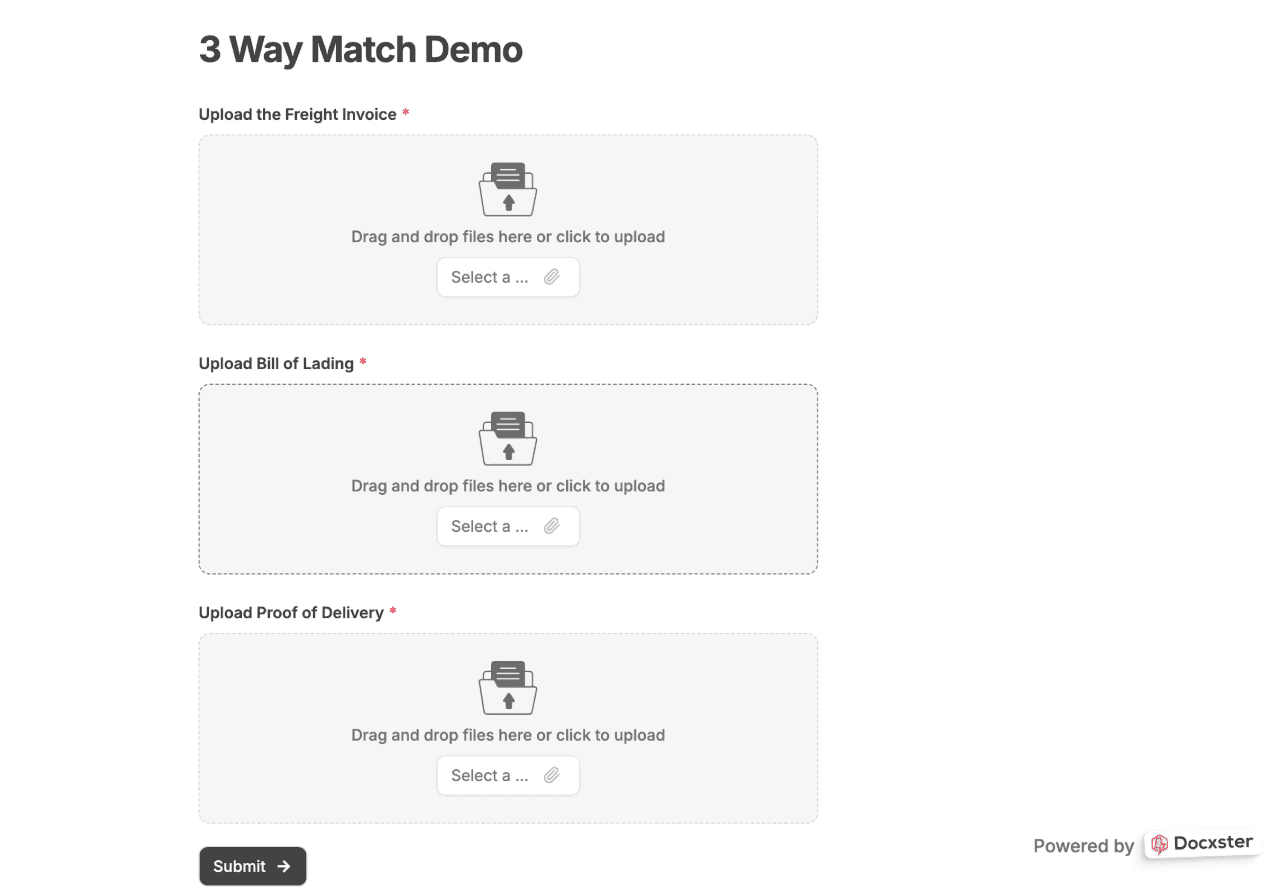
An image showing Docxster’s three way matching mechanism
So the broker reviews the two or three lines that conflict, rather than re-checking every figure across every document by hand.
3. Missing information is collected through a structured form or chat panel
Sometimes a required field is missing from every document. You have to request it from the shipper before the entry can move.
In such cases, Docxster collects the missing information through a structured form or a chat panel. The request goes to the shipper as a defined set of fields, and once we have an answer they are written back into the entry.

An image showing Docxster’s ability to collect missing information needed for an entry summary
The exchange stays tied to the shipment instead of scattering across an inbox thread the broker has to track. A one-question email is available as a fallback, but the form and chat panel are the primary method, because they return structured answers.
4. Validated fields export into your filing software
Docxster maps each extracted field to its place in your filing software and sends the validated set across in one export. Your filing software receives a populated entry. The 400-line invoice that used to take a day to key is already sitting in the entry, ready for you to confirm and transmit to CBP.
Docxster doesn't change how you file. You keep the same filing software, the same login, and the same transmission to CBP, and your shippers keep sending documents to the same inbox they always have.
What Docxster does is handle the work that comes before any of that. It reads the documents, pulls the fields, and checks them against each other, so the fields are ready before you open your filing software to work the entry.
Docxster walks through the full customs-entry version of this in a short demo:
Choosing software that makes filling CBP 7501 easier
The CBP form may feel like a lot of work when you open it, but the data was never the problem. It was sitting in your documents the whole time, which means the 7501 is an assembly job, not a form you fill from scratch.
That is where the time goes too. The hours disappear into moving data manually, not into deciding anything, and that is the part worth removing. If you handle the reading and the cross-checking before the entry reaches your filing software, what is left for you is the final review.
Docxster does that upstream step for customs brokers. It prepares the data from your source documents, while the classification call and the final review before filing stay with you. Book a demo to see it run on your own entries.
FAQs
When is CBP Form 7501 due?
Within 10 working days of the goods being released. Release happens first on Form 3461, and the 7501 follows within that window through ACE.
How is CBP Form 7501 filed?
Electronically through CBP's Automated Commercial Environment (ACE), usually by a licensed broker under a power of attorney. The importer of record stays responsible for what it declares.
What is the difference between Form 3461 and Form 7501?
The 3461 is the entry that releases the goods from CBP custody. The 7501 is the entry summary filed afterward, reporting the transaction in full and accounting for the duties and fees owed.
Where does the data on a CBP Form 7501 come from?
From documents the broker already has: the commercial invoice, packing list, bill of lading, and certificate of origin, plus the ACE release record. The only exception is the HTS classification, which is the broker's own call.
Turn documents into decisions.
See how Docxster gets you from inbox to insight in minutes, not days. Bring your toughest workflow — we'll show you what it looks like solved.


