
-
13 min read
What is a Freight Bill Audit and How to Conduct One?
What's slowing down your freight bill audit? Learn how the process works, where it breaks down, and how document automation fixes the bottlenecks.
Last updated:

TL;DR
A freight bill audit checks carrier invoices against contracts, shipment records, BOLs, rate confirmations, and tariffs before payment is approved.
The biggest cost leaks usually hide in line items like incorrect rates, duplicate charges, fuel surcharge errors, accessorial fees, weight changes, and missed discounts.
Manual freight audits break down when teams deal with high invoice volume, multiple carrier formats, short dispute windows, and scattered AP workflows.
The real bottleneck is not the audit logic itself; it is the messy document intake and data extraction step before the audit can happen.
Docxster is positioned as the upstream fix: it extracts freight invoice data from varied formats, validates fields, flags low-confidence values, and sends structured records into ERP or TMS workflows.
About 25% of freight bills contain some form of error, causing businesses to overpay by at least 13% annually.
For a mid-market logistics firm running a few thousand invoices a month, that's tens of thousands of dollars in unrecovered overcharges every year, and most of it gets paid before anyone notices. The reason is rarely that teams aren't auditing. It's that the audit process can't keep up with the volume and format complexity of the invoices coming in.
This guide walks logistics leaders through how the freight bill audit process actually works, where it tends to break down at scale, and where document automation fits into fixing the upstream bottleneck.
What is a freight bill audit?
A freight bill audit is the verification step that sits between a carrier sending you an invoice and your accounts payable (AP) team paying it. In this process, your team checks whether the carrier’s bill matches what you agreed to in the contract and whether the shipment came through as promised.
Many teams may treat this as a quick check against a purchase order. However, the problem is that overcharges or errors usually don’t appear in the invoice total. Instead, they might be hidden in places like:
A fuel surcharge calculated off the wrong index
An accessorial fee for a service that wasn't performed
A weight that pushed the shipment into a higher freight class
A line-by-line review is the only way to catch these overcharges and errors.
Doing that review properly means having at least four documents on hand for each shipment: the bill of lading (BOL), the rate confirmation, the carrier invoice, and the contract or tariff that governs the rates and surcharges.
It's also worth knowing that "freight bill audit" and "freight bill audit and pay" aren't the same thing. The audit is the verification work your team does. Audit and pay is the full workflow, where payment goes out once the invoice clears verification.
Common freight bill errors and what they cost
Here are a few common freight bill errors that you might be incurring and what they are costing you:
1. Incorrect rate application
Incorrect rate application happens when the carrier bills you at a rate that doesn't match your contract. Say you've negotiated a lane at $2.45 per mile and the invoice comes in at $2.78. Unless your operations team is checking line by line, that 33-cent gap gets paid.
It usually comes down to timing. Carrier billing systems run off rate tables that may not update when your contract with the carrier does, especially after annual rate increases or a mid-year renegotiation.
So your shipment moves at the rate you negotiated but gets billed at the carrier's standard tariff, and the line item looks like any other on the invoice.
2. Duplicate charges
Duplicate charges are harder to spot than they look. The same shipment can get billed twice under slightly different references, like a different PRO number or the same accessorial repeating across two cycles, which makes a quick visual check unreliable. APQC's benchmarking data puts the median rate of duplicate or erroneous payments at about 1.5% of total disbursements.
On freight, where invoice values run high, even a small miss rate turns into recurring overpayments buried inside your total spend.
3. Fuel surcharge miscalculations
Fuel surcharges are one of the easiest places for a billing error to hide. They're tied to a weekly diesel index published by the U.S. Department of Energy every Tuesday, and most carrier contracts lock you into a specific index date and base price. When the carrier applies the wrong week's index or uses a base price that doesn't match what you negotiated, every shipment in that period gets billed off the wrong number.
FedEx's own surcharge, for example, shifts in 0.25% increments for every nine-cent change in diesel, but across hundreds of shipments, those small differences add up fast.
4. Accessorial fee disputes
Accessorial charges, such as detention, liftgate, inside delivery, and residential delivery, can be hard to verify. The carrier bills based on what the driver reported, and your team has to prove what actually happened at the dock using the BOL and proof of delivery (POD).
Pulling that documentation, matching it to the invoice, and filing the dispute all take time, and most carriers only give you 30 to 60 days. If the dispute doesn't go in within that window, the overcharge stays on the books. Across a few hundred invoices a month, that's a steady drain on AP capacity and on the carrier relationship.
5. Weight and dimension discrepancies
Carriers reweigh and re-measure shipments at their terminals, and if their numbers don't match what you declared on the BOL, they can adjust the rate based on the corrected figures. FedEx Freight publishes this rule under Items 980 and 981, which also allow for an inspection surcharge when the BOL information is inaccurate. The change in dimensions doesn't have to be large to move the shipment into a higher freight class, and once it does, both the corrected rate and the surcharge apply.
Catching these adjustments means cross-referencing the carrier's reweigh notice against your original BOL on every shipment that gets flagged.
6. Missed discount application
This error happens when a discount you've earned doesn't show up on the invoice, even though the base rate and surcharges look correct. It might be a volume tier you've crossed that the carrier hasn't reflected yet, or an early-payment discount that wasn't deducted at billing.
The only way to find this kind of gap is to compare the discount line on the invoice against what your contract actually entitles you to.
Why manual freight audits break down at scale
A spreadsheet-based freight bill audit works fine when you're handling 50 invoices a month. But once you're running a few thousand invoices a month across multiple carriers and 3PLs, the same process can't keep up with you. Surcharges on your invoices can go unchecked, and your month-end close can stretch longer because your AP team is still matching invoices manually.
Here's where the breakdown usually shows up:
Every carrier sends invoices in a different format. Your less-than-truckload (LTL) carriers send PDFs, your parcel carriers push CSVs through their portals, your 3PL forwards email attachments, and one broker still mails paper invoices to a regional office. Before anyone on your team can audit anything, they have to standardize the incoming data, and that prep work scales with every new carrier you add to the network.
The dispute window closes before your audit catches up. Most LTL and parcel carriers give shippers 30 to 60 days to submit a billing dispute. If your team is matching invoices to BOLs and rate confirmations manually, the audit cycle alone runs two to three weeks, which means older invoices in the batch can hit the dispute deadline before they're even reviewed.
Multi-site invoicing makes centralized auditing nearly impossible. Each of your facilities receives freight invoices on its own schedule, often from different carrier reps, sometimes through different AP queues. By the time freight spend rolls up to a central view at month-end, the chance to dispute anything at the site level has already passed.
Manual data entry compounds the errors you're auditing for. When someone on the AP team enters invoice data into an audit spreadsheet by hand, a misread weight or a mistyped PRO number quietly becomes part of your "verified" dataset. That's one of the hardest patterns to break in any document workflow, because you end up trusting a record that's wrong before the audit even runs against it.
There's no audit trail when compliance comes asking. When external auditors or your internal compliance team request freight payment documentation, the evidence is usually scattered across email threads and whatever your AP lead remembers from running the review. Without proper document digitization in place, putting that paper trail back together takes time your team doesn't have during month-end close.
These aren't five separate problems with five separate fixes. They all trace back to the same upstream issue: the data inside your freight invoices needs a person to extract it before any of the audit work can begin. Fix that with a document processing software like Docxster, and the rest of the process can keep up.
How to conduct a freight bill audit in 5 steps
A working freight bill audit moves through five steps, from invoice intake to final reporting. Here's what each one looks like in practice:
Step 1: Collect and digitize freight invoices
Before any audit work happens, you need every invoice in one place. For most mid-market logistics firms, that means pulling invoices from a dozen or more carriers and 3PLs, each sending them through whichever channel is easiest for them.
Some land in a shared inbox as PDFs. Others come through a carrier portal as CSVs, and a few still arrive as paper invoices mailed to the facility that handled the load.
This step is where most teams lose the most time. Getting the invoice isn't the hard part. The hard part is getting structured data out of every format once you have it, because someone on your team has to open each one and key the line items into a spreadsheet by hand.
A platform like Docxster handles that extraction automatically across any carrier format, so your data is clean before the audit starts.
Step 2: Verify rates and charges against contracts
Freight bill auditing can start once your invoice data is clean. In this step, your team works through each invoice line by line and cross-references it against the rate signed with the carrier. This step may also include checking base rates against the contracted lane pricing, fuel surcharges against the specified index, and accessorials against the BOL and proof of delivery.
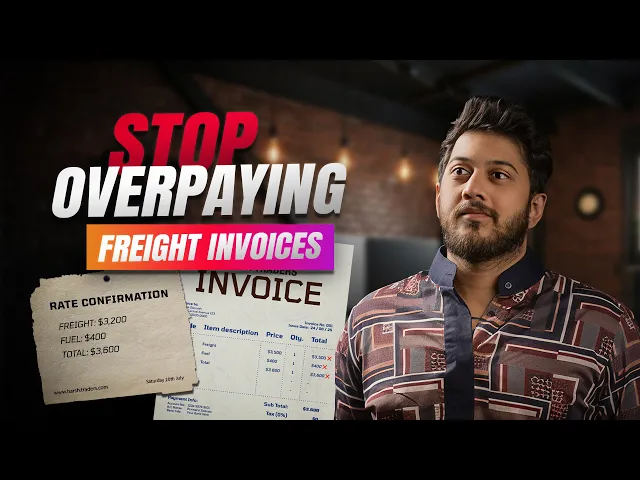
This short walkthrough shows what a line-by-line check looks like inside Docxster, validating a freight invoice against its rate confirmation.
Step 3: Identify and resolve discrepancies
Any invoice that doesn't match the contract goes into the dispute queue. From here, the work is part documentation and part follow-up. Here's how it usually goes:
Write up the discrepancy with the specific invoice and shipment details
Reference the contract clause or rate that the invoice violates
Submit the dispute within the carrier's window (typically 30 to 60 days)
Track the dispute until the carrier issues a credit memo or a denial
For most LTL and parcel carriers, that window runs 30 to 60 days from the invoice date. After submission, the follow-up tracks the dispute until the carrier issues a credit memo or a denial.
Step 4: Approve and process payment
Once an invoice clears verification, or once a dispute closes with an adjusted amount, it’s ready for payment. From here, the AP workflow takes over. The approved invoice gets coded against the cost center, and payment goes out within the terms negotiated with the carrier, typically somewhere between Net 15 and Net 45.
The payment data then flows back into your enterprise resource planning (ERP) platform or transportation management system (TMS) in the same structured form the audit produced.
Step 5: Analyze and report on freight spend
By the time you reach this step, every invoice you've verified, disputed, and paid has produced a structured record of what you spent, with which carriers, on which lanes. That dataset becomes the input for spend analysis and forecasting.
You can use it to see which carriers are billing accurately and which lanes are creeping above your contracted rates. The same data also feeds your forecasting, so next quarter's freight budget can be built on actuals rather than last year's totals plus a percentage.
How Docxster handles freight invoice processing
The entire freight bill audit process really only flows if the document stage is clear, because everything downstream depends on having clean, structured data to work from.
Docxster is the layer that handles that step, so by the time an invoice reaches your audit workflow, the data is already structured against your fields and ready to check against your contracts.
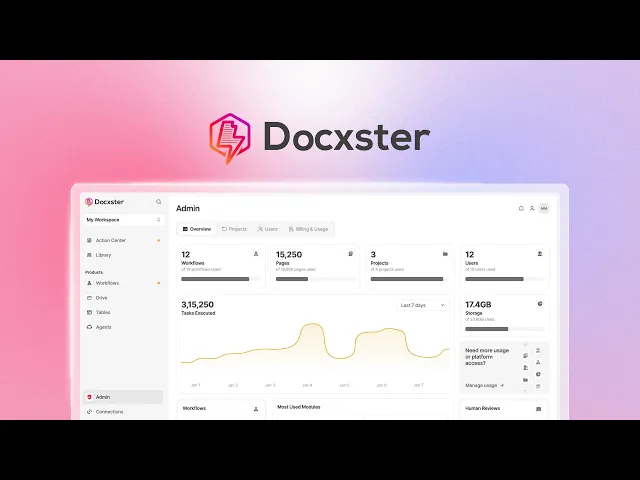
Here's how that works on freight invoices specifically:
1. Reads invoices from any carrier, in any format
Freight invoices arrive in different formats depending on the carrier you're working with. Docxster ingests them as PDFs, scanned images, CSVs, or email attachments without needing a separate template for each carrier.
Whether you're getting a clean digital invoice from a national LTL carrier or a scanned paper invoice from a regional broker, the same extraction process runs against both. When a new carrier joins your network next quarter, you don't have to rebuild your workflow to onboard them.
2. Pulls every field your audit team actually checks
Once an invoice is ingested, Docxster extracts the line items that matter for the audit. That includes:
Carrier name and shipment ID
Base rate and fuel surcharge
Accessorial charges like detention, liftgate, and residential delivery
Weight and dimensions
Payment terms
Any other field your audit process needs to verify
The extracted data goes into a structured record, so your team can match it against rate agreements and BOLs without re-keying anything.
3. Flags low-confidence extractions before they reach your workflow
After pulling those fields, Docxster scores how confident it is in each one. If the platform reads a weight or a surcharge amount with low confidence, that record gets routed to a human reviewer inside the platform before it moves any further. Your team only spends time on the fields that actually need a second look, and unreliable data doesn't make it into your audit dataset.
4. Validates data against your own rules
The fields that pass confidence scoring then go through validation. You can set rules that check extracted data against expected ranges and formats, including:
Fuel surcharges that fall outside the band you've set for a specific carrier
Payment terms that don’t match the contract on file
Weight or dimensions that exceed the limits you've defined for a lane
Accessorial charges that appear on shipments where they weren't contracted
Anything that fails a rule gets flagged before it reaches your audit queue, so your team starts with a cleaner set of invoices to work through.
5. Sends clean data into your ERP or TMS
Once an invoice is extracted and validated, the same record flows into whichever system your team already uses, whether that's your TMS or your ERP. There's no second round of manual entry. The data your finance team works from at month-end close is the same data that came out of the extraction step, with the full audit trail attached.
Why you need to automate the freight bill audit workflow
The 25% error rate and the 13% in annual overpayments don’t mean your freight bill audit process is failing. They show where it stops working. The audit depends on clean, structured data, but most invoices still arrive in formats that need manual interpretation before they can be checked.
That limits what the audit can catch. More review time does not fix it because the input is inconsistent.
The constraint sits upstream. Until invoice data is extracted in a structured format, the audit will keep missing errors. That’s why the fix starts with automating document extraction, not adding more effort to the audit.
For mid-market logistics firms, this means moving away from spreadsheet-and-manual-entry workflows and investing in the document processing step underneath the audit.
Ready to automate your freight bill audit process?
FAQs: Freight Bill Audit
What is a freight bill audit?
A freight bill audit is the process of reviewing a carrier invoice before payment to make sure the charges match the contract, shipment details, and supporting documents. It typically checks base rates, fuel surcharges, accessorials, shipment weight, freight class, discounts, and duplicate charges.
What is the difference between freight audit and freight audit and pay?
Freight audit is the verification step: checking whether the invoice is accurate. Freight audit and pay includes that audit plus the AP workflow that approves, codes, and pays the invoice after discrepancies are resolved.
What are the most common freight invoice errors?
The most common errors include incorrect base rates, duplicate invoices, fuel surcharge miscalculations, misapplied accessorial fees, weight or dimension discrepancies, missed discounts, and freight class issues. Teams also often run into wrong zones, random surcharges, NMFC classification problems, and reweigh-related charges.
Why do manual freight bill audits miss overcharges?
Manual audits often miss overcharges because invoices arrive in different formats, supporting documents live in different systems, and AP teams have to re-key data before they can verify charges. At scale, that creates delays, data-entry mistakes, and missed dispute windows.
How does a freight bill audit process usually work?
A typical process starts with invoice intake, then digitization, rate and charge verification, discrepancy resolution, payment approval, and reporting. The audit compares invoices against contracts, BOLs, shipment records, and carrier terms so teams can identify overcharges before payment.
How far back can companies dispute freight invoice errors?
It depends on the carrier, contract, shipment type, and charge category, but many dispute windows are short enough that slow manual audits can cause recoverable errors to expire. The safest approach is to audit as close to invoice receipt as possible instead of waiting for a post-payment review.
Can freight bill audit software replace manual invoice checking?
It can replace much of the repetitive matching, extraction, and exception-flagging work, but teams still need humans for edge cases, carrier negotiation, and dispute judgment. The strongest fit is high-volume freight operations where manual spreadsheet checks cannot keep up.
Why is document extraction important in freight bill auditing?
Freight audits depend on clean invoice data, but many teams receive PDFs, scanned documents, CSVs, portal exports, and email attachments from different carriers. If that data has to be manually entered first, the audit is already vulnerable to delays and mistakes.
What documents are needed for a freight bill audit?
Teams usually need the carrier invoice, bill of lading, rate confirmation or quote, carrier contract or tariff, proof of delivery, and any accessorial documentation. These records help verify whether the shipment moved as billed and whether the charges match agreed terms.
Is freight bill auditing worth it for mid-market logistics and manufacturing teams?
Yes, especially when the business handles enough freight volume that small per-invoice errors add up. The larger the invoice volume and carrier mix, the more important structured data and repeatable audit workflows become.
Turn documents into decisions.
See how Docxster gets you from inbox to insight in minutes, not days. Bring your toughest workflow — we'll show you what it looks like solved.


