
-
12 min read
How is AI Applied to Improve Supply Chain Management Operations
Curious about how businesses are using AI to improve supply chain operations? Check out this guide that walks you through practical applications in 2026.
Last updated:
TL;DR
AI in supply chain management goes beyond warehouse robots and route optimization; it also includes forecasting, inventory planning, disruption response, freight matching, and document processing.
Most guides focus on the visible AI use cases and the document layer is the part many companies overlook.
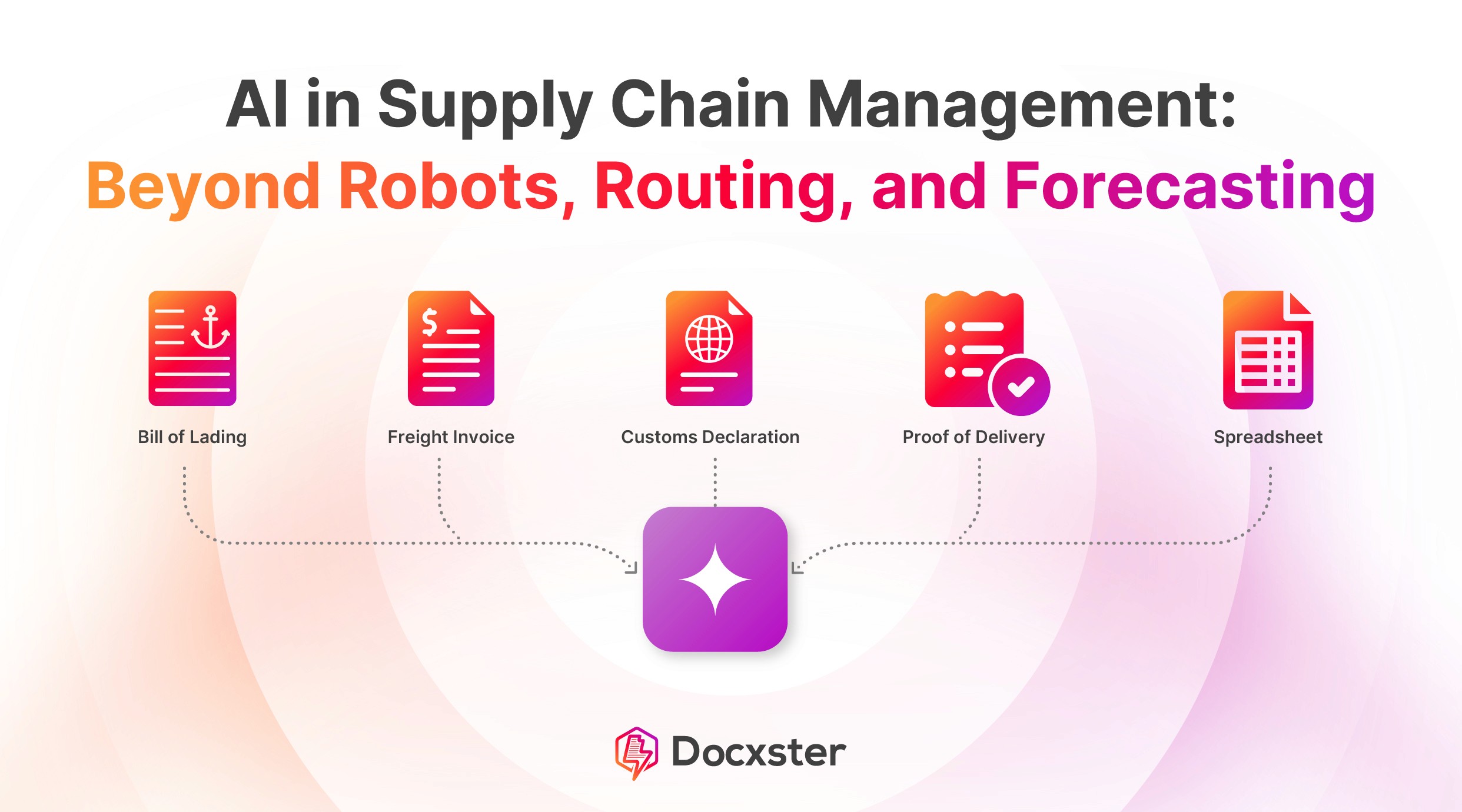
Supply chains still depend on bills of lading, freight invoices, customs declarations, rate confirmations, purchase orders, and packing lists moving between teams and systems.
When those documents are processed manually, data arrives late, errors spread into ERP and TMS systems, and higher-level AI tools are forced to work with incomplete information.
Docxster is the practical starting point for mid-market supply chain AI: automate one high-volume document type first, turn messy paperwork into structured data, then build forecasting, routing, and optimization on top of cleaner inputs.
Most conversations about AI in supply chain management focus on the same applications: predictive analytics, warehouse robotics, demand forecasting, and route optimization. The numbers behind it are real: Amazon runs over a million robots across its fulfillment network, and Walmart’s Route Optimization cuts 30 million unnecessary driving miles from its fleet.
But the conversation misses an AI application that runs through every supply chain. It sits in the bills of lading, freight invoices, and customs declarations that move between every handoff in your operation, and in most mid-market companies, this is where manual work still hides.
We’re talking about the document layer in most organizations. Our document automation survey found that even in 2026, 61.3% of finance, operations, and IT teams still use spreadsheet-based processes for document processing. Despite being one of the areas ripe for disruption by AI, document processing feels like an afterthought.
In this article, we’ll show you the full picture of how AI works in supply chain management today—including the layer most guides leave out.
What is AI in supply chain management?
AI in supply chain management is the use of technologies such as machine learning, natural language processing, computer vision, predictive analytics, and generative AI to automate, optimize, and accelerate supply chain operations. The scope of these applications ranges from demand forecasting and inventory optimization at one end to supplier risk assessment and AI document processing at the other.
When people picture AI in a supply chain, they usually picture warehouse robots. That’s part of it, but the bigger share of the work is software-based:
Intelligent document extraction reads a freight invoice and sends the data to your enterprise resource planning (ERP) system.
Automated freight matching pairs a load with the right carrier.
Real-time exception detection flags a shipment that’s drifting off schedule.
Behind all of this, automated document processing keeps the data clean enough for these systems to act on.
The shift this creates is from reactive to proactive operations. Instead of finding out about a problem after it’s cost you, you catch it while there’s still time to fix it.
Key applications of AI in supply chain management
Here are a few key applications worth looking into:
1. Demand forecasting and planning
Machine learning algorithms analyze your historical sales alongside market trends, weather, Internet of Things (IoT) data, and economic indicators to predict what you’ll actually need to ship and stock.
This matters because traditional forecasts run on a narrow set of inputs and struggle when conditions shift. AI processes more variables and updates its forecasts as new data comes in, so the forecast adapts rather than going stale.
According to IBM, one study found that AI helped reduce forecasting errors by as much as 50%. For a mid-market manufacturer, that’s the difference between holding six weeks of dead stock and getting a clean read on what’s actually moving.
2. Transportation and route optimization
In this case, AI plans your shipping routes and matches freight to available carrier capacity in real time. When traffic or weather shifts during the day, the system reroutes dynamically instead of waiting for a dispatcher to catch the change.
For mid-market shippers running multi-carrier networks, this replaces the manual coordination work that quietly leaks margin through inefficient lane choices.
McKinsey’s 2024 research on distribution operations found that embedding AI into operations can reduce logistics costs by 5-20%. That’s a meaningful number when transportation is one of your largest operating expenses.
3. Warehouse and inventory management
Inventory management is about knowing what stock you have, where it sits, and when to reorder it. AI takes over the parts of this process that used to need constant manual attention. Replenishment runs off actual movement patterns instead of fixed reorder points, so orders get placed before you run short or pile up excess.
Computer vision handles the counting and quality checks on the line, which used to mean pulling staff off other work to walk the floor.
The piece that ties it all together is integration: when your warehouse management system (WMS) and ERP are in sync, the stock count on the floor matches the count in your system, rather than being something you reconcile at month-end.
4. Risk management and disruption response
Risk management is about spotting problems in your supply chain before they hit your customers. Disruption response is what you do once they have.
AI strengthens both. It tracks geopolitical events, weather systems, and supplier health signals in real time, so a port closure or factory shutdown shows up on your dashboard the moment it happens.
It also flags unusual demand patterns early, like a sudden spike in one region, so your team can investigate before the imbalance reaches your inventory.
For major decisions, digital twins let you simulate how a response would look before you commit
5. Document processing and back-office automation
Document processing is the work of turning the paperwork in your supply chain into structured data that your other systems can use. The paperwork covers freight invoices, BOLs, rate confirmations, customs declarations, purchase orders (POs), and packing lists.
AI reads these documents using natural language processing and computer vision. The format does not matter. The same system can read a PDF, a scanned image, or an email attachment. Once the data is extracted, it gets validated against your existing records. Then it goes into your ERP or transportation management system (TMS) without anyone re-keying it.
This process is still overwhelmingly manual in most mid-market supply chain operations. These companies turn to solutions like Docxster, which use templateless extraction to pull data from freight invoices, BOLs, and customs documents. The structured data is sent straight into your ERP and TMS systems.
The document layer that most companies overlook
Every supply chain relies on documents such as bills of lading, freight invoices, rate confirmations, customs declarations, and purchase orders. They sit between every handoff in your operation, from supplier to manufacturer to carrier to customer. And in most mid-market companies, processing is still manual.
A typical day in this workflow looks like this:
Documents arrive in inconsistent formats: A scanned BOL from one carrier, a PDF invoice from another, an EDI file from a third. Someone clicks on an email, opens the document, and starts reading.
Data gets re-keyed into systems: Carrier names, shipment IDs, charges, line items, and dates are typed into the TMS or ERP field by field.
Records are cross-checked manually: The freight invoice must match the rate confirmation, and the BOL must match the shipment record. If your team is busy that week, discrepancies sit until someone has time to look at them.
This is more expensive than most teams realize. According to APQC benchmarking data, the bottom 25% of organizations spend $10 or more per invoice processed, while top performers spend $2.07 or less. The gap is almost entirely manual labor.
The bigger issue is how manual document processing affects your other AI investments. Tools like demand forecasting and route optimization only work as well as the data feeding them. If the document layer is slow and full of errors, the data reaches your systems late and incomplete. Your forecasts don’t reflect actual shipment volumes, and your inventory system shows stock levels that don’t match the warehouse data.
That’s the gap Docxster was built to close.
Take a freight invoice landing in your inbox as a scanned PDF from a carrier whose format changed last quarter. Docxster reads it through templateless extraction, so the layout change doesn’t break anything. It pulls the carrier name, charges, and reference numbers, then matches them against the rate confirmation already in your system.

If a charge doesn’t reconcile or a field returns low confidence, the exception is routed to your accounts payable (AP) team for review. The clean invoices keep flowing into your ERP, replacing the manual data entry that used to eat up hours of your team’s week.
Getting started with AI in your supply chain
The hardest part of bringing AI into your supply chain isn’t picking the technology. It’s deciding where to start first. Teams that try to roll out forecasting, routing, and document automation all at once usually end up with three half-finished projects.
A better approach is to start where the effort is low and the payoff is clear. For most mid-market operations, that’s document processing. The work is concrete, the volume is high, and you don’t need a long data science setup to see results.
Here’s how you can do it:
Phase 1: Pick one document type that creates the most manual work, usually freight invoices or BOLs, and run it through an automation tool on a single workflow. Use this phase to determine how the tool performs on your actual paperwork.
Phase 2: Bring more document types into the system, set up validation rules, and connect the extracted data to your ERP and TMS. At this stage, you’re building the data foundation that everything else will sit on.
Phase 3: Once that foundation is in place, layer in forecasting, route optimization, and other AI applications. They run better when the data feeding them is already clean and structured.
A few things go wrong along the way. Some teams try to automate everything at once. Others pick a tool that needs a fresh template for every carrier format, and they get stuck the moment a layout changes. The most common issue is leaving documents for last, because by then, the rest of the AI stack is starved for clean data.
This is where Docxster comes in. You can start with one document type, prove the workflow, and add more without running into the common challenges that derail document automation projects.
Your documents are the best starting point for AI-based automation
The forecasting models and routing algorithms making headlines all run on the same input. They need clean, structured data from your operational documents. In most mid-market companies, that data is still extracted from invoices, BOLs, and customs declarations by hand.
Until the document layer is automated, every other AI investment you make is running on incomplete or delayed data. You don’t need an enterprise budget to fix this. The work starts with one document type that you automate end-to-end, and the rest of your AI stack runs on cleaner data from there.
Interested in seeing how AI works for document automation?
FAQs
What is AI in supply chain management?
AI in supply chain management is the use of technologies like machine learning, natural language processing, computer vision, predictive analytics, and generative AI to improve supply chain operations. It helps teams forecast demand, optimize routes, manage inventory, monitor risk, and automate document-heavy workflows.
How is AI used in supply chain management?
AI is commonly used for demand forecasting, transportation planning, route optimization, inventory management, warehouse automation, risk monitoring, and document processing. The strongest applications usually help teams make faster decisions from large volumes of operational data.
What are the benefits of AI in supply chain management?
AI can help reduce forecasting errors, lower logistics costs, improve visibility, prevent stockouts, and speed up back-office workflows. It also helps supply chain teams move from reactive problem-solving to earlier exception detection and proactive planning.
What are examples of AI in supply chain operations?
Examples include machine learning models that forecast demand, route optimization tools that adjust delivery plans, computer vision systems that count inventory, and AI tools that extract data from freight documents. In the back office, AI can read invoices, BOLs, rate confirmations, and customs documents so teams do not have to re-key the same information manually.
Why is data quality important for AI in supply chain management?
AI tools are only as useful as the data feeding them. If shipment, invoice, inventory, or supplier data is late, incomplete, or manually entered with errors, forecasting and optimization tools can make decisions from a distorted view of the operation.
What is the document layer in supply chain management?
The document layer is the set of operational documents that move between suppliers, carriers, manufacturers, finance teams, and customers. It includes bills of lading, freight invoices, customs declarations, purchase orders, packing lists, and rate confirmations.
Why do companies overlook document processing when adopting AI?
Document processing often feels like an administrative problem rather than a strategic AI use case. But if teams are still opening PDFs, reading scanned forms, and typing fields into ERP or TMS systems by hand, that manual work becomes a bottleneck for every downstream AI initiative.
How does AI document processing work in supply chains?
AI document processing reads supply chain documents in formats like PDFs, scans, email attachments, and spreadsheets. It extracts key fields, validates them against existing records, flags exceptions, and sends clean structured data into systems like an ERP or TMS.
Where should a mid-market company start with supply chain AI?
A practical starting point is one narrow, high-volume workflow with clear business value, such as freight invoices or bills of lading. Once that workflow is automated and connected to existing systems, the company can expand into more document types and later layer in forecasting, routing, and optimization tools.
What causes AI supply chain projects to fail?
Many AI projects struggle because teams try to automate too much at once, start with messy data, or choose tools that cannot handle real-world process variation. In supply chain operations, leaving the document layer manual can also weaken other AI investments because the data foundation remains slow and unreliable.
Turn documents into decisions.
See how Docxster gets you from inbox to insight in minutes, not days. Bring your toughest workflow — we'll show you what it looks like solved.


