
-
11 min read
Automation in Logistics: A Practical Guide for Operations and Finance Leaders
Is your logistics automation strategy missing a layer? See what automation actually covers today and where most mid-market teams still lose time and money.
Last updated:

TL;DR
Automation in logistics is much broader than warehouse robots; it includes physical automation, software workflows, AI-powered route planning, inventory systems, and document processing.
Most logistics automation conversations focus on warehouses and transportation, but the article argues that the document layer is the overlooked bottleneck.
Mid-market logistics teams still rely heavily on manual processing for freight invoices, BOLs, PODs, rate confirmations, and customs paperwork.
When documents are handled manually, billing slows down, carrier overcharges slip through, AP cycles drag, and compliance teams struggle to build a clean audit trail.
Docxster is positioned as the missing connective layer as it reads messy freight documents, extracts key fields, validates them against existing records, flags exceptions, and sends clean data into ERP or TMS systems.
When logistics teams talk about automation, the conversation almost always starts with robots. UPS recently crossed 127 automated buildings, with plans to push 68% of its U.S. volume through automated facilities by the end of 2026.
DHL has deployed more than 8,000 collaborative robots across its global operations, with picking arms doing work that warehouse staff used to do manually. The headlines are real, and so is the impact on the warehouse floor and the road.
But there’s another layer of automation that almost nobody talks about—the documents that sit between every handoff in the shipment lifecycle. These are the connective tissue of logistics operations, and in most mid-market companies, they’re still processed manually.
In this guide, we'll explain what automation in logistics means and how you can get started.
What is automation in logistics?
Automation in logistics is the use of technology to handle logistics tasks that previously required manual effort. It covers software, AI, and robotics across the shipment lifecycle, from the moment goods enter a warehouse to the day an invoice gets paid.
It has evolved in clear stages. Barcode scanning came first in the 1980s. Warehouse management systems (WMS) and transportation management systems (TMS) followed in the 2000s. Today’s platforms use AI and machine learning to read, interpret, and act on unstructured documents the way a human operator would.
That evolution has made automation a broader field than most teams assume, spanning:
Physical automation, like robotic picking arms and conveyor systems
Software automation, like TMS auto-dispatch and AI route optimization
Intelligent document processing that pulls data from bills of lading (BOLs) and freight invoices without manual entry
Which areas do logistics companies automate today?
1. Document processing and back-office automation
Now comes the most overlooked area of automation in logistics. Behind every shipment sits a stack of paperwork that keeps the operation running. This includes:
Freight invoices
Bills of lading
Rate confirmations
Customs paperwork
Proofs of delivery (POD)
In most mid-market logistics teams, this paperwork still moves the way it did twenty years ago. The challenges of document processing at this scale (inconsistent formats, variable layouts, data trapped within scans) have kept it manual while the rest of the stack moved on.
That gap is where the real bottleneck sits. Billing slows down while invoices wait to be keyed in, carrier overcharges slip through because nobody has time to audit every line, and missing documents turn into an audit risk months later. Until the document layer is automated, the rest of the stack can only do so much.
At Docxster, we help logistics teams automate this. Our platform reads freight paperwork in any format it arrives in, extracts the fields that matter, and sends clean data to the TMS or enterprise resource planning (ERP) system without anyone keying it in.
2. Warehouse and fulfillment automation
This area covers the technology that moves, picks, and sorts inventory inside a warehouse with minimal human effort.
For example:
Robotic arms pick orders from shelves and place them into totes.
Conveyor and sortation systems route those totes to the right packing or shipping lane.
Goods-to-person setups flip the traditional model by bringing inventory racks directly to a stationary worker, cutting walking time across large facilities.
By automating warehouse and fulfillment processes, you get faster order cycles and fewer picking errors at higher volumes.
Even so, full automation isn’t always the goal. HBR’s research found that human-robot collaboration consistently outperforms either fully automated or fully manual setups, which is why most operations are designed as hybrids. That helps explain why adoption looks the way it does today: only 4% of warehouse fulfillment operations are highly automated, while 52% remain mostly or all manual.
3. Transportation and route optimization
Logistical automation is reshaping how shipments move once they leave the warehouse. It now powers route planning, carrier selection, and freight matching, replacing the spreadsheets and phone calls that dispatchers previously relied on.
Real-time tracking and predictive ETAs add another layer to this category. Instead of reacting when a shipment goes off course, dispatchers can see delays forming and reroute before customers feel the impact. The shift turns transportation from a reactive function into a proactive one, and it’s fed by clean data ingestion from every system the carrier touches.
4. Inventory and order management
Inventory automation keeps shelves from sitting empty or overflowing.
For example:
Demand forecasting tools predict what’s about to sell.
Reorder triggers fire automatically when stock dips below a threshold.
Allocation engines decide which warehouse should ship what, based on where the demand actually is.
When WMS and ERP systems stay in sync, stock levels update the moment a pallet moves. The result is fewer stockouts, less dead inventory, and a finance team that isn’t chasing spreadsheets to figure out what’s actually on the floor.
The numbers say it all: A McKinsey study found that distributors using AI in operations cut inventory by 20 to 30% and logistics costs by 5 to 20%.
Why logistics automation stalls without document processing
A single shipment can generate anywhere from 5 to 15 documents along its journey: from the freight invoice to the packing list.
And on top of this, some documents come in as PDFs, while others come as scanned images attached to an email. A few still arrive by fax. And let’s not forget how the format changes carrier by carrier, lane by lane.
In most mid-market logistics companies, none of this gets handled by software.
Your current workflow might be someone opening the email, reading the document, and typing the data into your TMS or ERP. When the numbers on a freight invoice and a BOL don’t match, someone has to manually reconcile them.
The problem isn’t that any one of these tasks is hard. The problem is that there are thousands of them, every week, and they all sit in the way of the next step in your logistics workflow. For example:
Operations teams can’t close out a shipment until the POD is filed and matched to the BOL, so dispatchers end up doing paperwork instead of moving freight.
Finance teams can’t pay a carrier until the freight invoice gets matched to the rate confirmation, so payment cycles drag, and early-pay discounts slip away.
Compliance teams struggle to assemble an audit trail when documents are split between shared drives and individual inboxes.
What looks like a workflow problem is actually a single recurring delay: a human must sort out the documentation before the next step can proceed.
For finance leaders, this is where the cost first shows up. 2024 research found that best-in-class accounts payable (AP) teams running automation cut invoice processing costs by 78% and processing time by 82% compared to peers still working manually. Manual document processing is also why carrier overcharges go unnoticed until the quarter closes, why early-pay discounts get missed, and why manual data entry leaves a patchy trail that compliance teams have to reconstruct when needed.
So why hasn’t this layer been fixed? Because most logistics automation tools weren’t built for it. The vendors focused on the road and the warehouse floor. The paperwork that connects every step of the shipment is the layer that got left behind.
How does document automation work in logistics?
Document automation software starts by ingesting freight documents in whatever format they show up in. It pulls out the important data fields, checks them against existing records, and sends the cleaned data directly to the TMS or ERP.
The hard part is getting the document processing software to work on real freight paperwork, where formats change by carrier, and most tools break the moment a template layout changes.
That’s the gap Docxster was built to close. It’s a document-processing platform designed for the messy, inconsistent paperwork logistics teams actually deal with.
Let’s see what that looks like across the three important documents in mid-market logistics:
Bills of lading: Once a BOL lands in the inbox as a scanned PDF (or in any other format), Docxster pulls the shipper, consignee, commodity, weight, and piece count off the page and checks those values against the shipment record in your TMS. If something doesn't add up, Docxster flags it and routes the rest through to the right person for the role.
Freight invoices: When a carrier invoice arrives, in whatever format the carrier uses, Docxster reads the charges, accessorials, and reference numbers, matches them against the rate confirmation on file, and flags any overcharges before the invoice is approved. Clean data then moves to the ERP for payment.
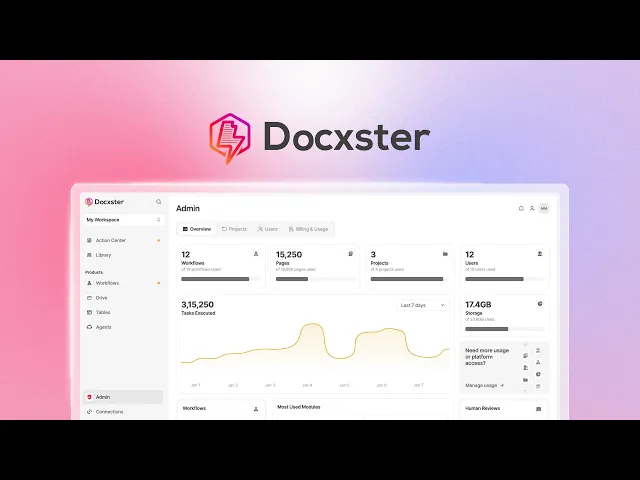
Rate confirmations: The moment a rate confirmation comes in, Docxster extracts the agreed charges and matches them against the contracted rate on file, so any discrepancies surface before the freight invoice ever lands. It’s cost control that happens upstream, not after the money’s already out the door. Here’s a detailed peek at what that looks like inside Docxster.

Two things make this work in practice. The first is how Docxster reads documents. Most tools need a pre-built template for every carrier’s invoice format, which falls apart the second a carrier tweaks their layout. Docxster uses templateless extraction instead, reading the document the way a human would and adapting to format variations on its own.
The second is how Docxster handles uncertainty. When the AI isn’t confident about a field, it flags it for a person to review. This human-in-the-loop step keeps automation fast without turning it into a black box your team struggles to audit.
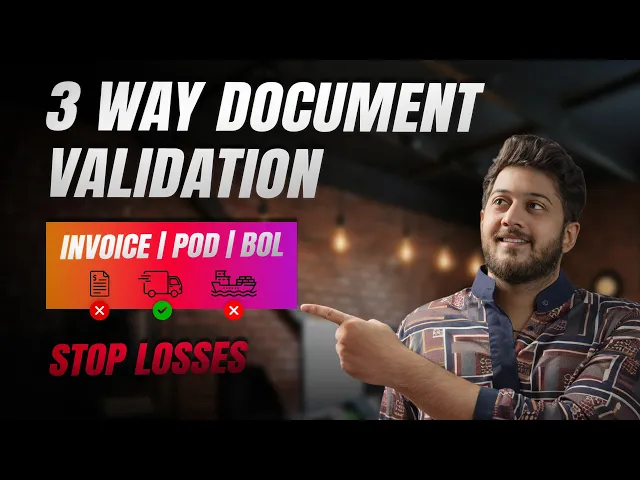
Want to get a detailed view of how document automation works? See the full BOL, POD, and invoice validation workflow here:
How to get started with logistics automation
The teams that see success in logistics first map how a process actually runs, including the workarounds that might go unnoticed.
Before committing to any workflow, run three quick checks:
Can you document the workflow in fewer than 10 steps, with clear if-then logic?
Does it involve structured data that follows consistent patterns?
Are there fewer than five decision points requiring human judgment?
If the answer to any of these is no, fix the process first.
💡 Also read: If you’re looking for a framework to start automating your logistics operations, check out this guide.
Once you’ve picked the right workflow, the rollout moves in three phases:
Phase 1: Pilot with one document type on a single carrier or lane. The point isn’t speed—it’s finding out whether document digitization holds up on your actual paperwork, not just what’s shown during your vendor’s demo.
Phase 2: Expand to more document types and connect the output to your ERP and TMS. This is where document automation stops being a side project and starts feeding the systems that finance and operations already run on.
Phase 3: Scale across operations, layer in validation rules, and add confidence scoring so the platform handles edge cases on its own, rather than routing every exception back to a human.
A realistic timeline for the first workflow is around 90 days, split across documenting the process, building, piloting on a subset of transactions, and handling exceptions.
Now, three mistakes can derail this sequence:
Scoping too broadly at the start
Choosing a tool that needs a custom template for every carrier format
Pouring budget into warehouse and routing tech while leaving the document layer for later
The middle one is where most teams get stuck, because the tool they picked can’t grow with them.
Docxster was built around the opposite idea. It handles automated document processing the way logistics teams actually need it: you start with one document type, prove the workflow, and add more without rebuilding templates or rewiring the system to handle new formats.
Logistics automation isn’t complete without the document layer
The robots and routing systems are real, and so is what they’ve done for warehouses and roads. But every shipment those systems move still depends on documents that get handled by hand, and that manual work is what slows billing, hides carrier overcharges, and keeps dispatchers buried in paperwork while freight waits to move.
That’s the layer most automation conversations leave out, and it’s the gap mid-market logistics teams are now starting to close. Not because document processing is the last unsolved problem in logistics, but because the rest of the stack is waiting on it.
The teams getting ahead are the ones treating document automation as the connective tissue between every system they’ve already invested in.
Curious how you can automate your document-related workflows?
FAQs
What is automation in logistics?
Automation in logistics is the use of technology to reduce manual work across warehousing, transportation, inventory, finance, and back-office workflows. It can include robotics, WMS and TMS automation, AI route optimization, automated invoice matching, and document processing.
What are examples of automation in logistics?
Common examples include warehouse robots, conveyor and sortation systems, automated carrier selection, route optimization, real-time shipment tracking, demand forecasting, reorder triggers, and freight document extraction. For mid-market teams, document automation is often one of the fastest places to start because it removes manual data entry from everyday shipment workflows.
Why is automation important in logistics?
Automation helps logistics teams move faster, reduce errors, improve visibility, and control costs across complex shipment networks. It also gives operations, finance, and compliance teams cleaner data so they are not relying on spreadsheets, inboxes, and manual follow-ups to keep freight moving.
What areas of logistics can be automated?
Logistics automation can apply to warehouse and fulfillment, transportation planning, inventory management, order management, freight billing, document processing, and compliance workflows. The article emphasizes that the document layer is especially important because it connects many of these systems together.
Why do logistics automation projects fail or stall?
Many projects stall because teams start too broadly, automate a messy process before fixing it, or choose tools that cannot handle real-world document variation. In logistics, automation also breaks down when documents still have to be opened, read, typed, checked, and routed by hand before the next workflow step can happen.
How does document automation work in logistics?
Document automation software ingests freight documents in formats like PDFs, scans, email attachments, or spreadsheets, then extracts the fields that matter. It can validate that data against shipment records, rate confirmations, or ERP/TMS data and route exceptions to a person when something does not match.
Which logistics documents can be automated?
Common candidates include bills of lading, freight invoices, rate confirmations, proofs of delivery, packing lists, customs documents, and purchase orders. These documents are repetitive, high-volume, and data-heavy, which makes them a strong fit for automation once the workflow is clearly mapped.
Why is manual document processing a bottleneck in logistics?
Manual document processing slows logistics down because every shipment depends on data that may be trapped in PDFs, scans, emails, or carrier-specific formats. When someone has to re-key that data into a TMS or ERP, it creates delays, errors, missed discounts, late payments, and weak audit trails.
How should a logistics company start with automation?
The best starting point is a narrow, repeatable workflow with clear rules and measurable outcomes. For example, a team might pilot one document type, such as freight invoices or BOLs, on one carrier or lane before expanding to more documents and connecting the output to ERP or TMS systems.
Is logistics automation only for large enterprises?
No. Large enterprises may lead in robotics and fully automated facilities, but mid-market teams can still get meaningful gains by automating document-heavy workflows first. Starting with freight paperwork, invoice validation, or BOL processing can reduce manual work without requiring a massive warehouse robotics investment.
Turn documents into decisions.
See how Docxster gets you from inbox to insight in minutes, not days. Bring your toughest workflow — we'll show you what it looks like solved.


